110 LED descriptions
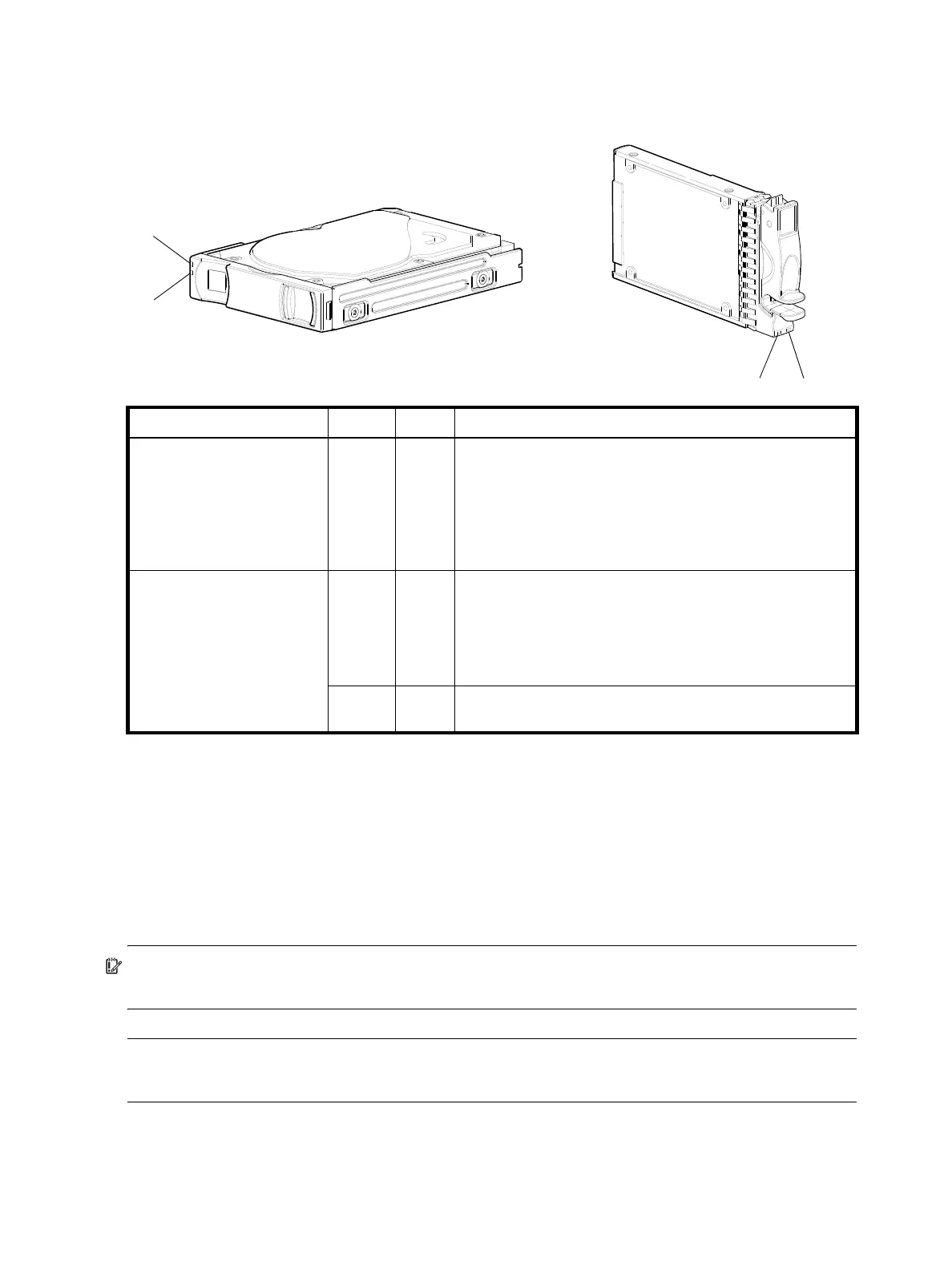
Disk drive LEDs (2U12/2U24)
You must remove the enclosure bezel to facilitate visual observation of disk LEDs. Alternatively, you can use
management interfaces to monitor disk LED behavior.
Figure 91 LEDs: Disk drive modules (2U24/2U12)
For information about disk drive types supported in 4004 Series LFF and SFF disk drive modules, see Disk
drives used in 4004 Series enclosures on page 20.
For information about replacing a disk drive module in a 4004 Series 2U24/2U12 controller enclosure or
J6G24/J6G12 drive enclosure, see the “Replacing a disk drive module” topic in the AssuredSAN 4004
Series FRU Installation and Replacement Guide.
For information about creating a disk group, or a vdisk with volumes, and mapping the volumes to hosts,
see the “Provisioning the system” topic within the Storage Management Guide.
IMPORTANT: For information about self-encrypting disk (SED) drives, see FDE considerations on page 37
and the Storage Management Guide or online help.
NOTE: Additional information pertaining to 2U24/2U12 disk drive LED behavior is provided in the
supplementary tables on the following page.
LED No./Description Color State Definition
1— Power/Activity Green On
Blink
Off
The disk drive module is operating normally.
The disk drive module is initializing; active and processing
I/O; performing a media scan; or the disk group is initializing
or reconstructing.
If not illuminated and Fault is not illuminated, the disk is not
powered on.
2— Fault Amber On
Blink
Off
The disk has failed; experienced a fault; is a leftover; or the
disk group that it is associated with is down or critical.
Physically identifies the disk; or locates a leftover (also see Blue).
If not illuminated and Power/Activity is not illuminated, the disk
is not powered on.
Blue Blink Leftover disk from disk group is located (alternates blinking
amber).
21
2.5" SFF disk drive module
2
1
3.5" LFF disk drive module
(2U12: see table below)
(2U24: see table below)



 To Next Page