114 LED descriptions
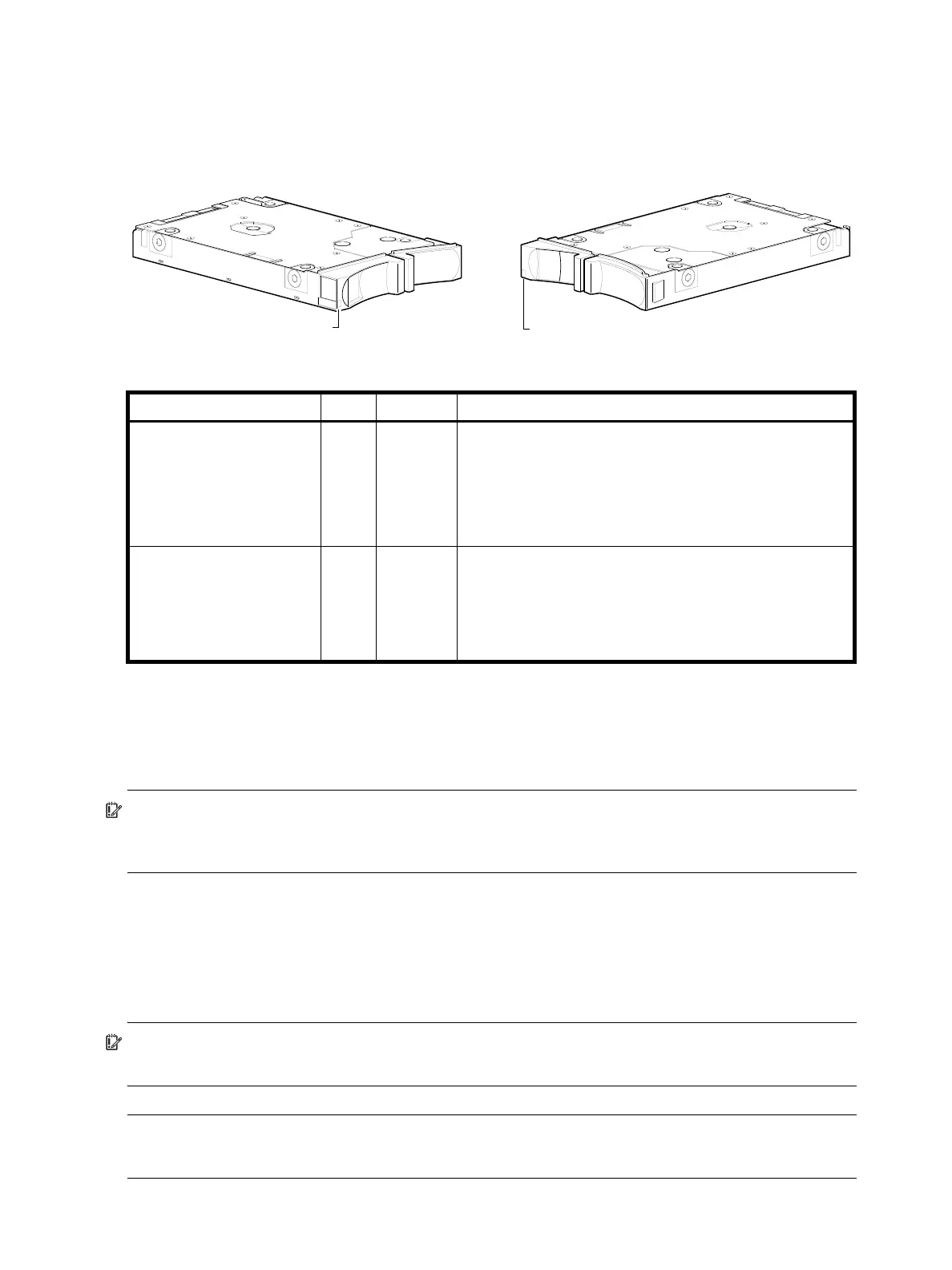
Disk drive LED (2U48)
You must remove the enclosure bezel to facilitate visual observation of the drawers containing disk drive
modules. To view disks in a drawer, you must open the drawer (see Opening and closing a 2U16 drawer
on page 29). Alternatively, you can use management interfaces to monitor disk LED behavior.
1
Given that the blue behavior (state) of the LED can indicate only one state at a time, the precedence of requests from highest to
lowest is as follows: Identify; Fault; OK to remove. A higher precedence indication can hide a lower precedence indication.
Figure 94 LEDs: Disk drive modules (2U48)
For information about disk drives supported in 4004 Series enclosures, see Disk drives used in 4004 Series
enclosures on page 20.
IMPORTANT: For instructions about accessing drawers and installing disk drive modules into them, see
Populating drawers in 2U48 enclosures on page 29, and Installing a disk module into a 2U16 drawer on
page 32.
For information about replacing a disk drive module in a 4004 Series controller enclosure or J6G48 drive
enclosure, refer to the “Replacing a disk drive module” topic in the AssuredSAN 4004 Series FRU
Installation and Replacement Guide. Instructions are provided for replacing SFF disk drive modules therein.
For information about creating a disk group, or a vdisk with volumes, and mapping the volumes to hosts,
see the “Provisioning the system” topic within the Storage Management Guide.
IMPORTANT: For information about self-encrypting disk (SED) drives, see FDE considerations on page 37
and the Storage Management Guide or online help.
NOTE: Additional information pertaining to 2U48 disk drive LED behavior is provided in the
supplementary tables on the following page.
LED mode description Color State Definition
Removal/Identification/Fault Blue
1
On
1Hz Blink
4Hz Blink
Off
The disk drive is prepared for removal.
Physically identifies the disk drive module.
The disk has failed; experienced a fault; is a leftover; or the
vdisk or disk group that it is associated with is down or critical.
No fault, identify, or remove requests are active.
Power/Activity Green On
Blink
Off
The disk drive module is operating normally.
The disk drive module is initializing; active and processing I/O;
performing a media scan; or the vdisk or disk group is
initializing or reconstructing.
The disk drive is not powered on.
Disk aligned for Drawer 0 or 1
2.5" SFF disk drive module
(see table below for LED behaviors)
Bi-color LED Bi-color LED
Disk aligned for Drawer 2



 To Next Page