138 USB device connection
D USB device connection
Rear panel USB ports
AssuredSAN 4004 Series controllers contain two different USB (universal serial bus) management
interfaces: a Host interface and a Device interface. Both interfaces pertain to the Management Controller
(MC). The Device interface is accessed via a port on the controller module face plate. The Host interface
(USB Type A)—reserved for future use—is accessible from the midplane-facing end of the controller module
(see Figure 17 on page 26), and its discussion is deferred.
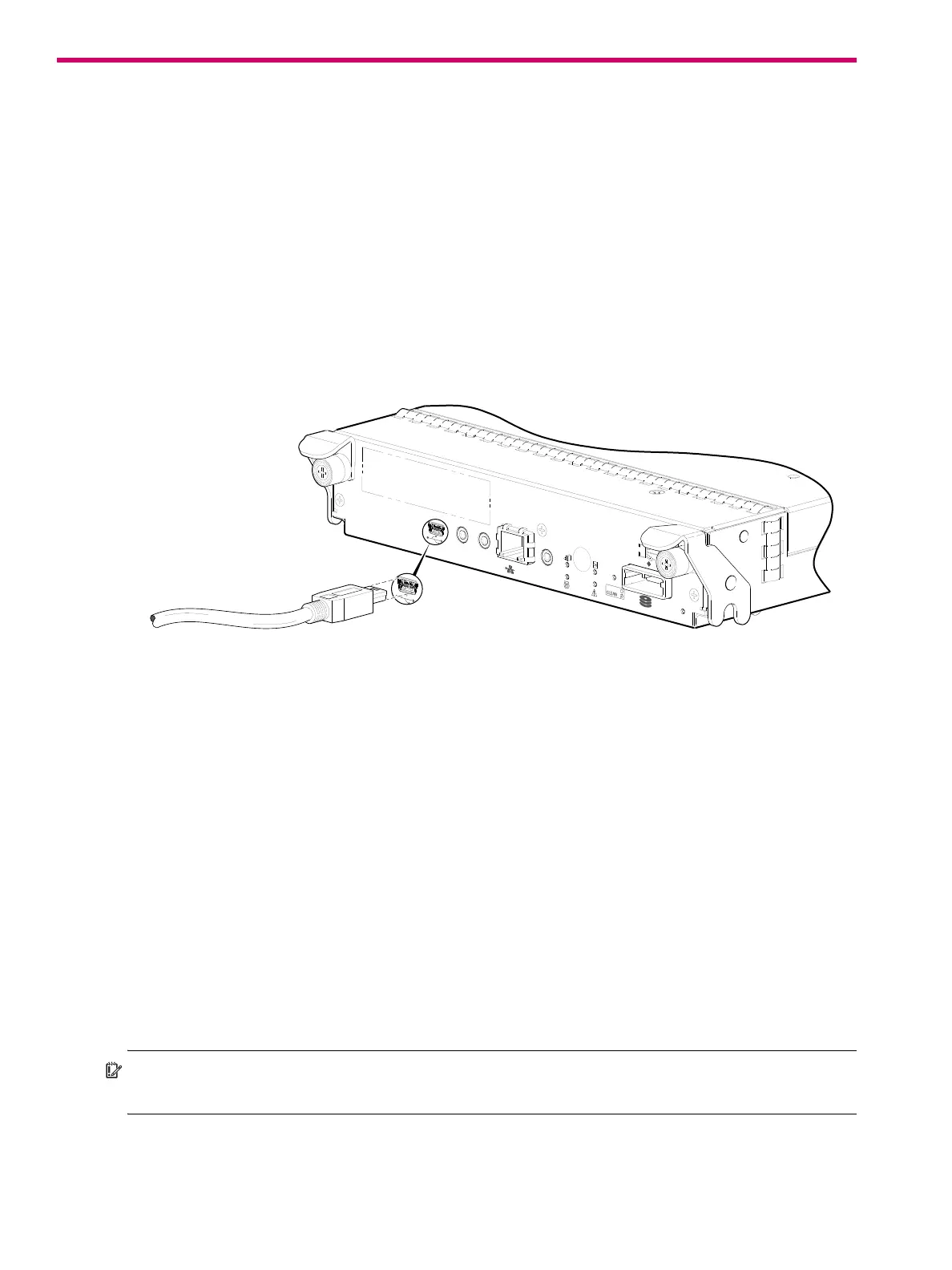
This appendix describes the port labeled CLI (USB Type B), which enables direct connection between a
management computer and the controller, using the command-line interface and appropriate cable (see
Figure 110).
USB CLI port
Figure 110 USB device connection — CLI port
AssuredSAN 4004 Series controllers feature a USB CLI port used to cable directly to the controller and
initially set IP addresses, or perform other configuration tasks. The USB CLI port employs a mini-USB Type B
form factor, and requires a specific cable and additional support, so that a server or other computer
running a Linux or Windows operating system can recognize the controller enclosure as a connected
device. Without this support, the computer might not recognize that a new device is connected, or might
not be able to communicate with it.
For Linux computers, no new driver files are needed, but a Linux configuration file must be created or
modified (see Linux on page 140). For Windows computers a special device driver file,
gserial.inf,
must be downloaded from a CD or web site, and installed on the computer that will be cabled directly to
the controller’s CLI port (see Microsoft Windows on page 139).
Emulated serial port
Once attached to the controller module, the management computer should detect a new USB device.
Using the Emulated Serial Port interface, the 4004 Series controller presents a single serial port using a
customer vendor ID and product ID. Effective presentation of the emulated serial port assumes the
management computer previously had terminal emulator installed (see Supported host applications). Serial
port configuration is unnecessary.
IMPORTANT: Certain operating systems require a device driver or special mode of operation to enable
proper functioning of the USB CLI port (see Device driver/special operation mode).
CACHE
LINK
DIRTY
LINK
ACT
CLI
CLI
Host Interface
Not Shown
SERVICE−2
SERVICE−1
6Gb/s
Connect USB cable to CLI
port on controller face plate



 To Next Page