128 LED descriptions
J6G48/J6G24/J6G12 drive enclosure rear panel LEDs
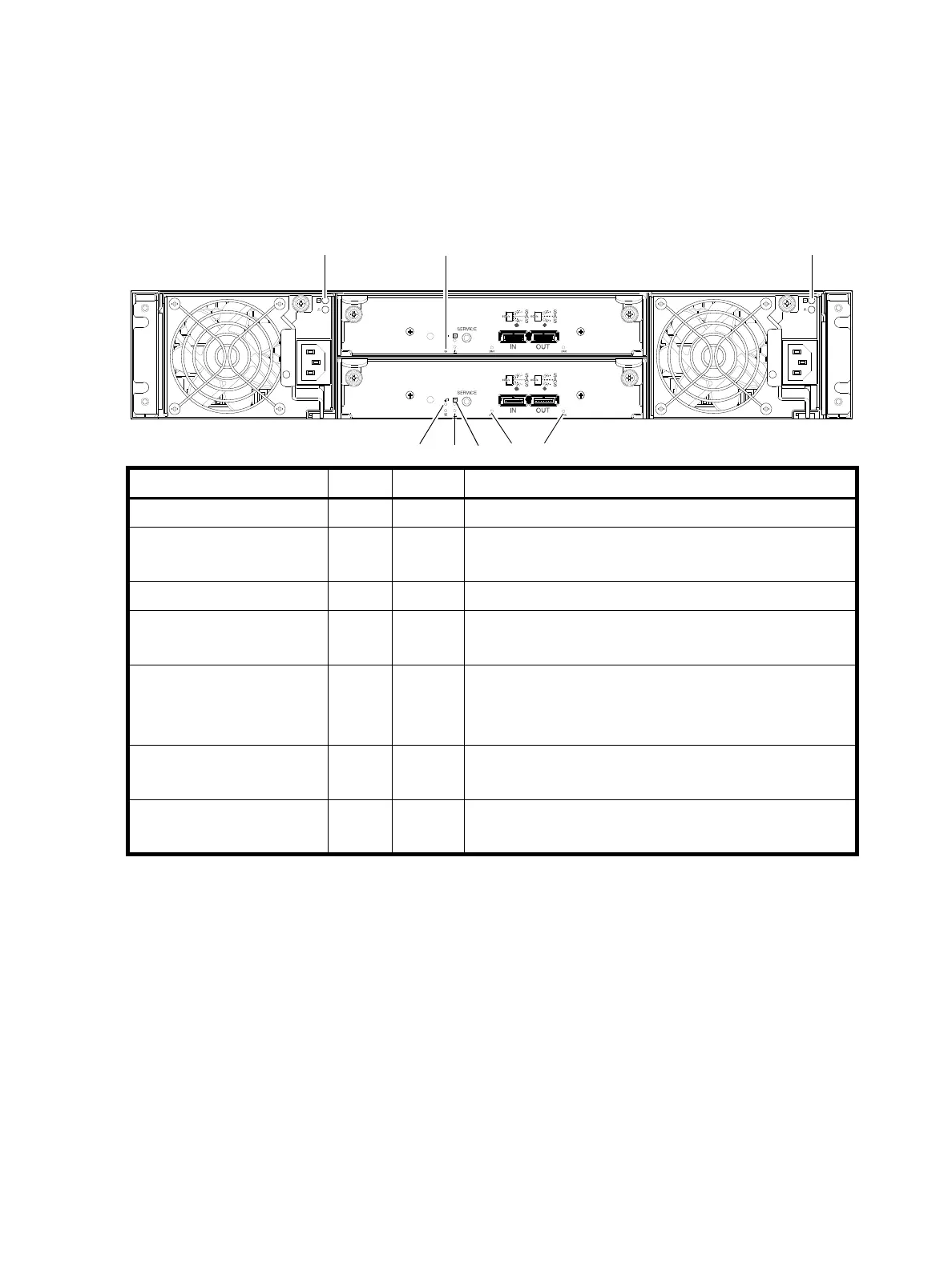
The rear panel layout of a 2U (J6G48/J6G24/J6G12) drive enclosure is shown below. Using mini-SAS
(SFF-8088) external connectors, these drive enclosures support a 6-Gbps data rate for backend SAS
expansion.
Newer models of these drive enclosures feature AC power supplies without power switches, as per the
system shown. The AC PSU used in the J6G48 provides a power switch (not shown). See Powering
on/powering off
on page 51 for more information.
Figure 107 LEDs: J6G48/J6G24/J6G12 drive enclosure — rear panel
LED No./Description Color State Definition
1 — Power Supply (AC) — — See Power supply LEDs for supported PSUs on page 125.
2 — Unit Locator White Off
Blink
Normal operation.
Physically identifies the expansion module.
3 — OK to Remove Blue Off Not implemented.
4 — Fault/Service Required Amber On
Blink
A fault is detected or a service action is required.
Hardware-controlled power-up.
5 — FRU OK Green On
Off
Blink
Expansion module is operating normally.
Expansion module is not OK.
System is booting.
6 — SAS In Port Status Green On
Off
Port is connected and the link is up.
Port is empty or link is down.
7 — SAS Out Port Status Green On
Off
Port is connected and the link is up.
Port is empty or link is down.



 To Next Page