52 Installing the enclosures
• Connect the cables and power cords to the enclosure as described herein.
NOTE: Newer 2U12/2U24 AC PSUs do not have power switches. Switchless PSUs power on when
connected to a power source, and power off when disconnected.
• Generally, when powering up, make sure to power up the enclosures and associated data host in the
following order:
•Drive enclosures first
This ensures that the disks in the drive enclosure have enough time to completely spin up before
being scanned by the controller modules within the controller enclosure.
While enclosures power up, their LEDs blink. After the LEDs stop blinking—if no LEDs on the front and
back of the enclosure are amber—the power-on sequence is complete, and no faults have been detected.
See LED descriptions
on page 103
for descriptions of LED behavior. Navigate to the desired 2U or 4U
enclosure for product-specific LED behavior.
• Controller enclosure next
Depending upon the number and type of disks in the system, it may take several minutes for the
system to become ready.
• Data host last (if powered down for maintenance purposes).
TIP: Generally, when powering off, you will reverse the order of steps used for powering on.
Power cycling procedures vary according to the type of power supply unit included within the enclosure.
For 2U controller and drive enclosures configured with switchless AC PSUs, refer to the procedure
described under AC PSU (2U) on page 52. For procedures pertaining to a) 2U controller enclosures
configured with DC PSUs, b) 2U48 controller enclosures, or c) previously installed 2U drive enclosures
featuring power switches, see DC and AC PSUs equipped with a power switch (2U) on page 53. For 4U
enclosures, see AC PSU (4U) on page 55 or DC PSU (4U) on page 55.
Power supplies
This section provides an overview of power supplies—2U and 4U form factors—used in 4004 Series
enclosures.
CAUTION: Remove power cords from both power supplies before servicing the system.
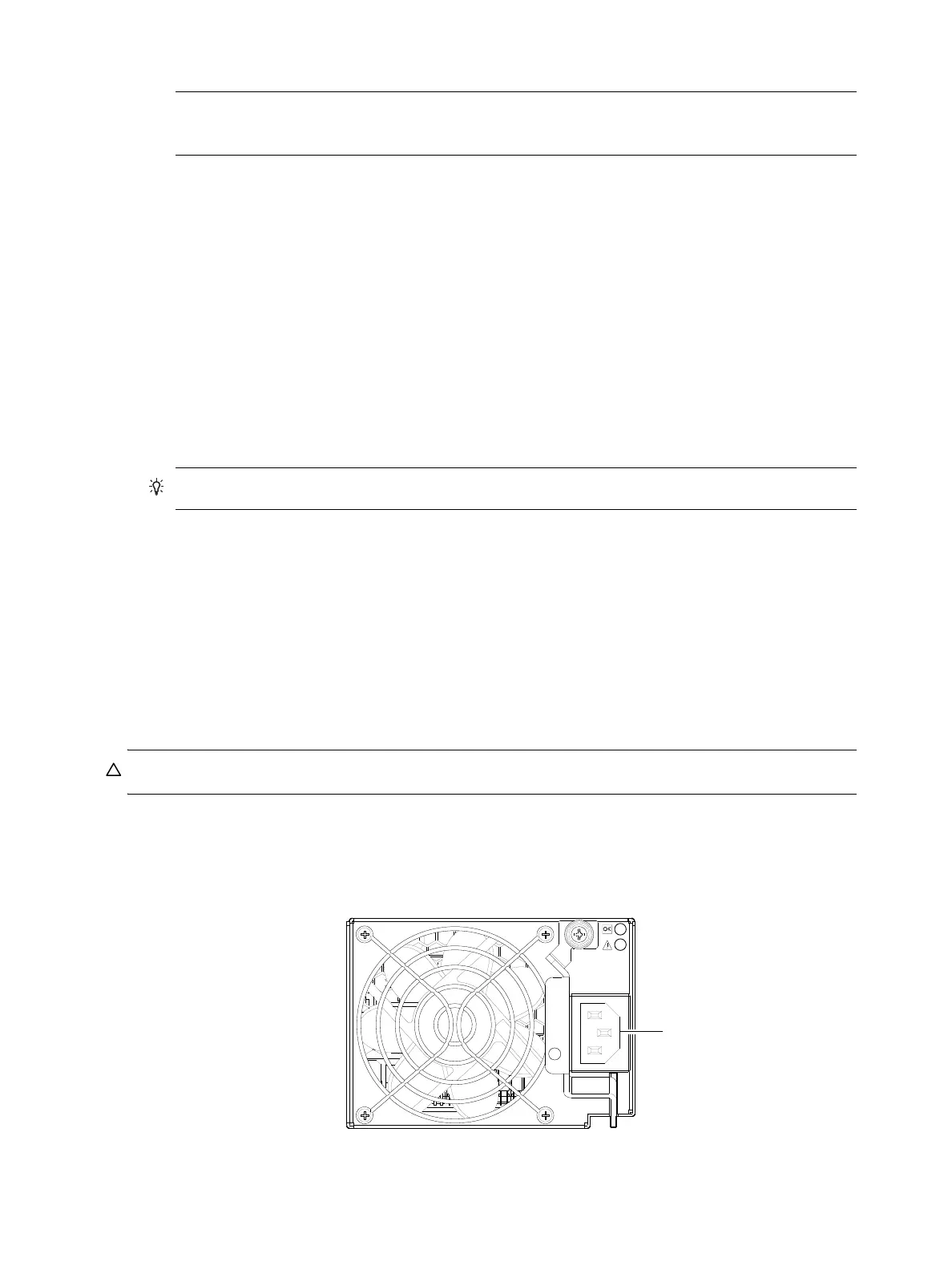
AC PSU (2U)
Controller and drive enclosures configured with switchless PSUs rely on the power cord for power cycling.
Connecting the cord from the PSU power cord connector to the appropriate power source facilitates power
on; whereas disconnecting the cord from the power source facilitates power off.
Figure 50 AC PSU (2U)
To power on the system:



 To Next Page