AssuredSAN 4004 Series Setup Guide 53
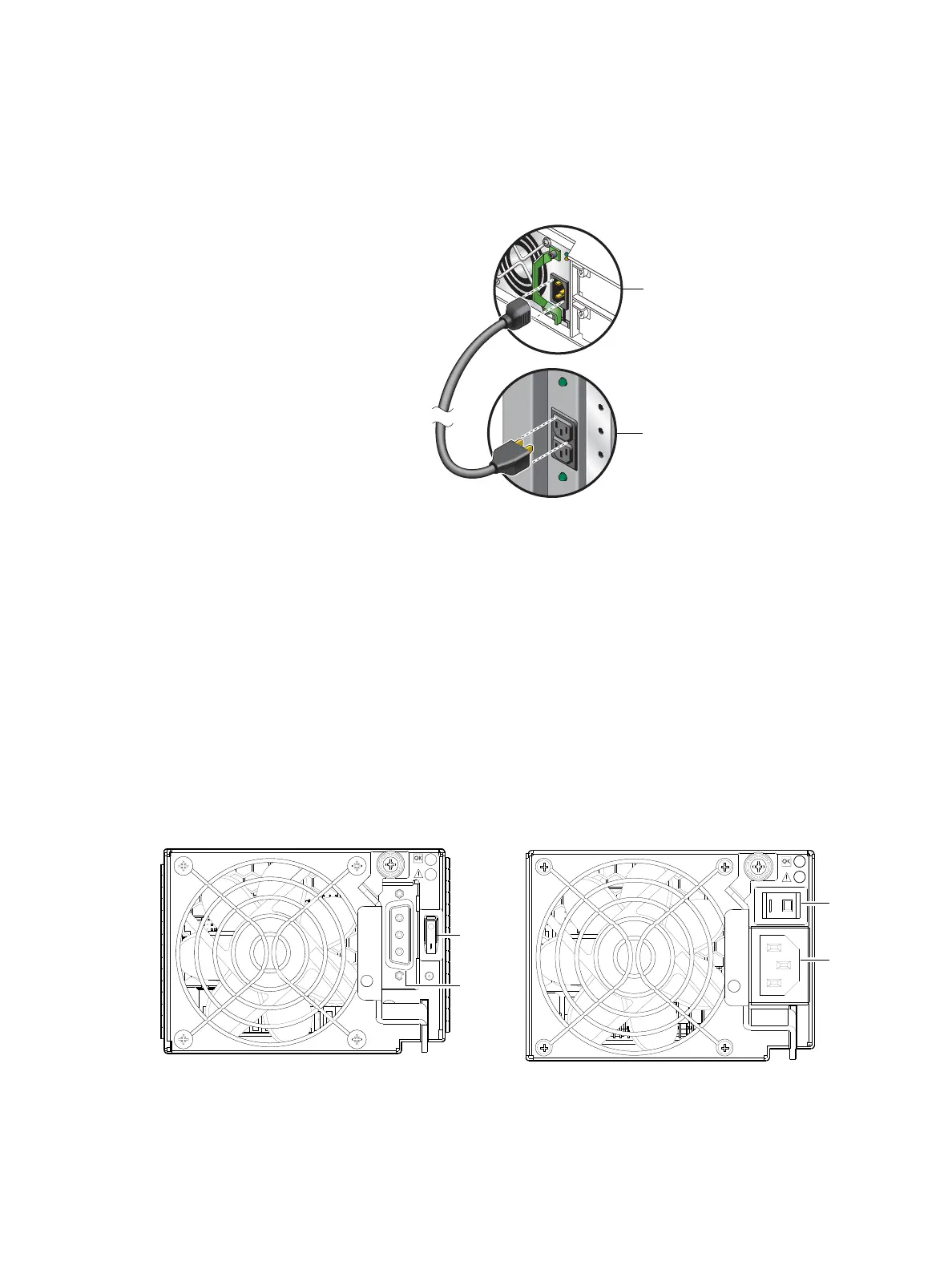
1. Plug the power cord into the power cord connector on the back of the drive enclosure. Plug the other
end of the power cord into the rack power source (see Figure 50 on page 52 and Figure 51). Wait
several seconds to allow the disks to spin up.
Repeat this sequence for each switchless PSU within each drive enclosure.
2. Plug the power cord into the power cord connector on the back of the controller enclosure. Plug the
other end of the power cord into the rack power source (see Figure 50 on page 52 and Figure 51).
Repeat the sequence for the controller enclosure’s other switchless PSU.
Figure 51 AC power cord connect (2U)
To power off the system:
1. Stop all I/O from hosts to the system (see Stopping I/O on page 84).
2. Shut down both controllers using either method described below:
• Use the SMC or RAIDar to shut down both controllers, as described in the online help and Storage
Management Guide.
Proceed to step 3.
• Use the CLI to shut down both controllers, as described in the CLI Reference Guide.
3. Disconnect the power cord’s male plug from the power source.
4. Disconnect the power cord’s female plug from the power cord connector on the PSU.
DC and AC PSUs equipped with a power switch (2U)
DC, 2U48 AC, and legacy AC power supplies—each equipped with a power switch—are shown below.
Figure 52 DC and AC PSUs with power switch (2U)
Power supply
module
Rack power
source
Power cord facilitates
power on/power off
Power
switch
Power
cable
connect
Power
switch
Power
cord
connect
DC power supply unit
2U48 or legacy AC power supply unit



 To Next Page