AssuredSAN 4004 Series Setup Guide 71
Multiple servers/single network
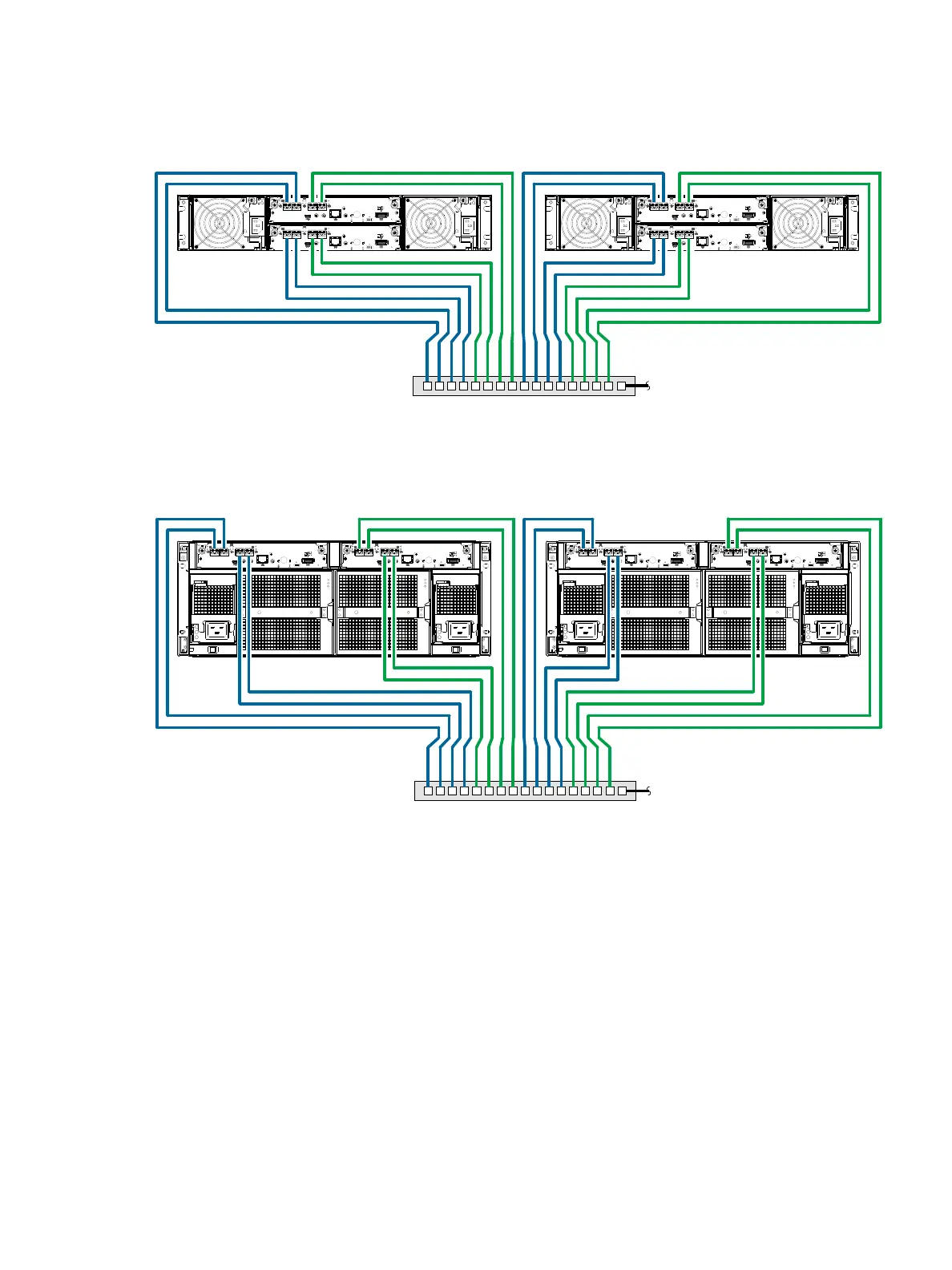
Figure 72 shows the rear panel of two 4824/4834/4844 controller enclosures with both I/O and
replication occurring on the same physical network.
Figure 72 Connecting two storage systems for replication: multiple servers/one switch/one location
Figure 73 shows the rear panel of two 4854 controller enclosures with both I/O and replication occurring
on the same physical network.
Figure 73 Connecting two storage systems for replication: multiple servers/one switch/one location
Figure 74 and Figure 75 on page 72 show CNC host interface connections and CNC-based replication,
with I/O and replication occurring on different networks. For optimal protection, use two switches. Connect
two ports from each controller module to the first switch to facilitate I/O traffic, and connect two ports from
each controller module to the second switch to facilitate replication. Using two switches in tandem avoids
the potential single point of failure inherent to using a single switch; however, of one switch fails, either I/O
or replication will fail, depending on which of the switches fails.
6Gb/s
6Gb/s
S
S
A
S
S
A
6Gb/s
6Gb/s
S
S
A
S
S
A
4824/4834/4844 controller enclosure
Switch To host server(s)
4824/4834/4844 controller enclosure
4854 controller enclosure
Switch To host server(s)
4854 controller enclosure



 To Next Page