E Operation Rho 1012/1030
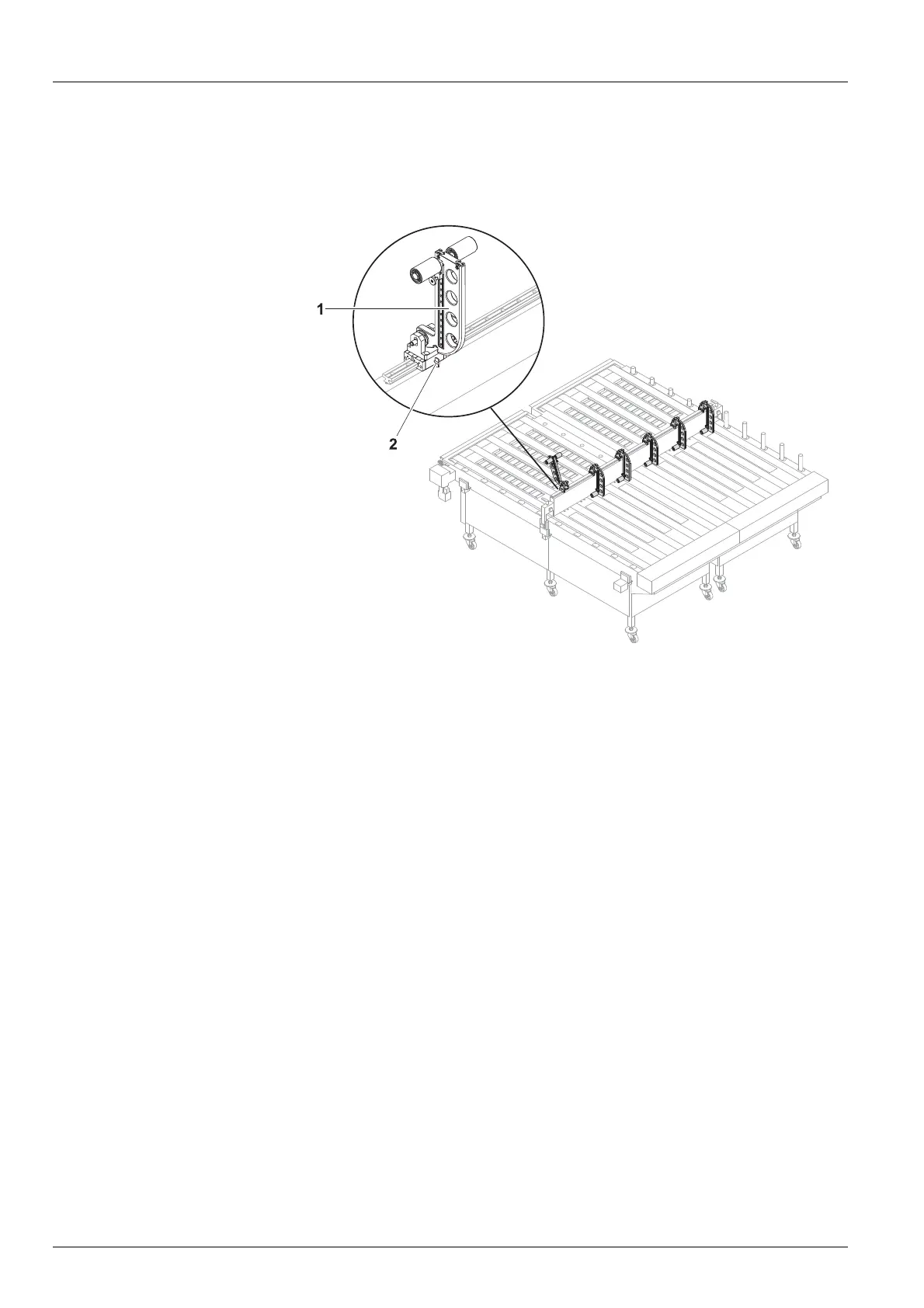
3.4.3 Adjusting the swivel stops
The swivel stops guide the plate media laterally and keep the tracks a t a
defined distance.
Fig. 20 Adjusting the swivel stops
1. Carry out the following steps to adjust the swivel stops (1) to the width
of the plate media:
– Loosen the fixing screw (2).
– Move the swivel stop on the guide rail in accordance with the desired
width.
– Tighten the fixing screw.
2. Depending on the number of plann
ed tracks swivel down the
corresponding swiv el stops.
42 / 1 47 2004 – 2013 © Durst Phototechnik AG – www.durst-online.com , Rho 101 2/103 0, Issued 07/20 13



 To Next Page