OPERATION
25364 Issue 8 March 2018 3-39
Column Mode Ribbon Economy Column Mode Ribbon Economy can
be used in either IM or CM mode.
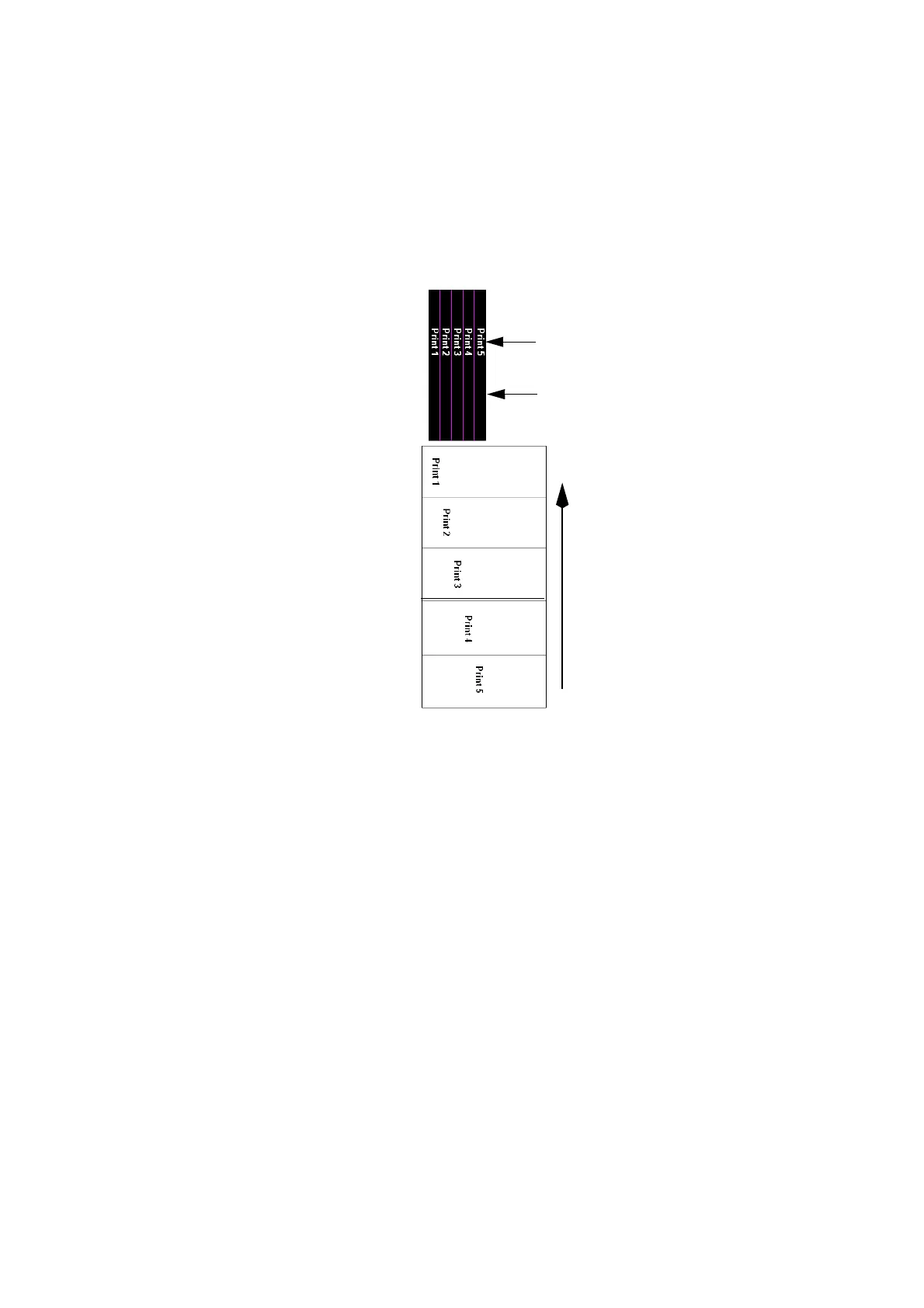
When using Column Mode, the printer retracts the ribbon after each print,
allowing the next print to be made next to the previous one on the used
ribbon. In the following example, the ribbon is divided into five columns,
and five prints are made using the ribbon usually needed for one print.
Used
Ribbon
1
2345
5 Prints
5 Columns
Printed
Substrate
Pack 1
Pack 2
Pack 3
Pack 4
Pack 5
Substrate Movement
The substrate is marked with a print on each pack. However, the position of
each print across the substrate will change.
Column Mode is particularly useful when the message to be printed is
significantly narrower than the ribbon width and where the printed position
of the code across the ribbon is allowed to vary.
Column Mode can also be used with the Ribbon Retraction and Ribbon
Economy features. However, Column Mode has some limitations and
cannot be used if:
• The appropriate length of ribbon cannot be retracted. This is
de
termined by the operating movement of the dancing arm and cannot
be adjusted. On Compact 32d, 32c and 53c printers, print lengths of
10-20mm can usually be retracted successfully. On Communicator II
printers, print lengths of 40-50mm can usually be retracted
successfully.
• The ribbon cannot be retracted in the tim
e available between prints.
This will depend upon each application.



 To Next Page