SmartR™ Features
168 MAX-635G
FaultMapper
Cable Setup
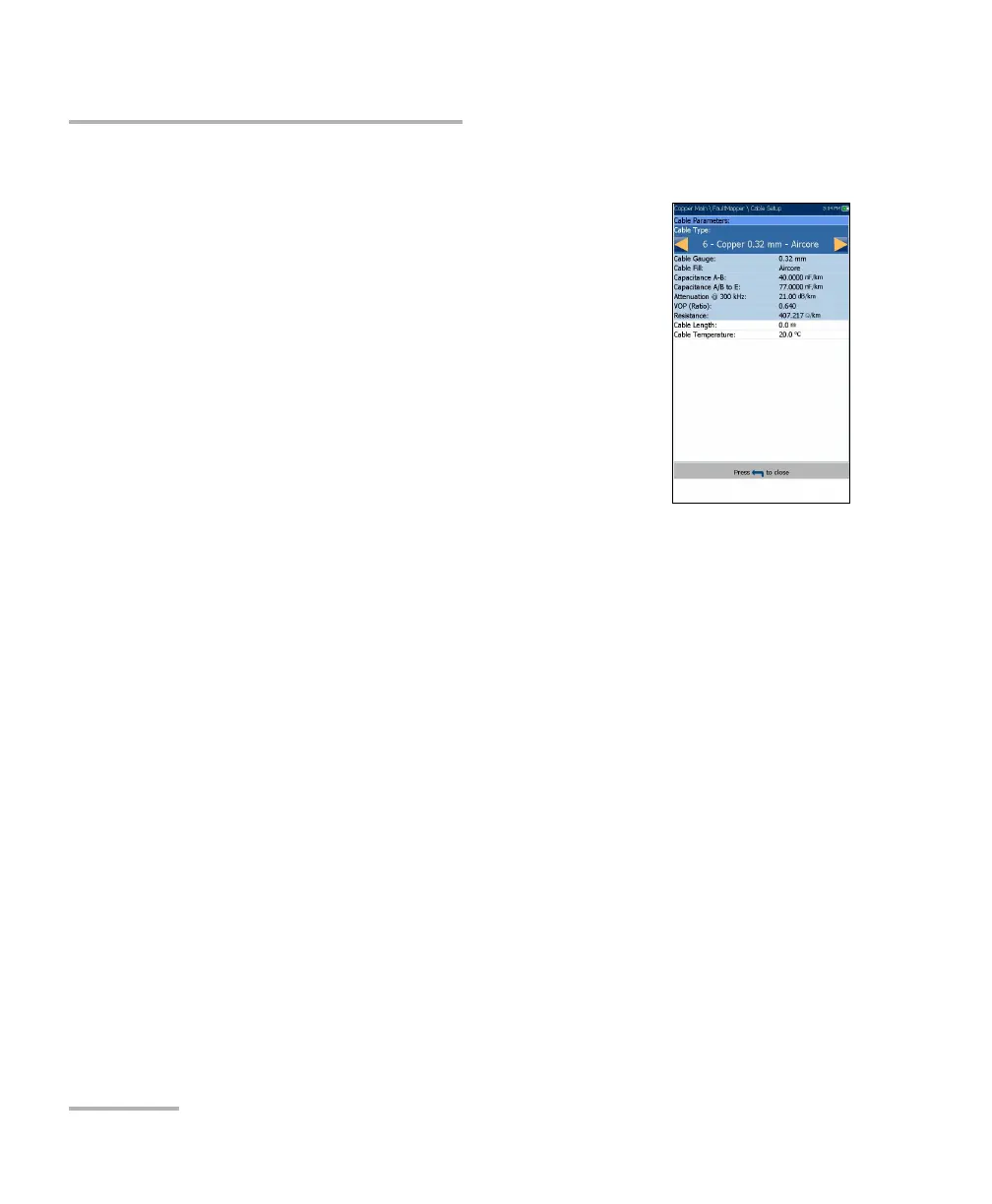
The Cable Setup page allows you to set the Cable
Type, Cable Length, and Cable Temperature for the
FaultMapper test. All other Cable Parameters are read
only and correspond to the current cable book entry
as selected in Setup/Cable Book/Cable Details page.
These cable parameters affect distance calculations of
Capacitance/Opens and Resistance measurements,
and the TDR cursor distance indication.
Cable Type displays the ID, Cable Name and Fill,
and allows you to select an entry (with its
associated parameters) from the current Cable
Book, to use for testing. The selection is not saved
when leaving the test. The current Cable Book entry is shown by
default.
Cable Gauge identifies the gauge system for measuring wire sizes, in
AWG (American Wire Gauge) units or mm (metric wire size).
Cable Fill read-only entry is the type of material the cable is filled with:
Aircore, Jelly, Pulp, 5 PR, or 2 PR.
Capacitance T-R/A-B read-only entry is a value for the capacitance per
length constant used to calculate distance to opens.
Capacitance T/R to GND/A/B to E read-only entry is a value for the
capacitance per length to ground constant.
Attenuation @ 300 kHz read-only entry is a value in dB for the
reduction in signal strength or insertion loss of the cable at a frequency
of 300 kHz. (This frequency has been widely used as a loss
measurement for ADSL, but not validated for ADSL2+ nor VDSL2.)
VOP read-only entry is the velocity of propagation for the cable defined
as m/μsec (meters per microsecond), a ratio, or percentage of the
speed of light. Setup in the Cable Book, this value changes the
distance shown at the cursor.













 To Next Page