Setting Up Copper Tests
76 MAX-635G
Cable Book
Add Cable
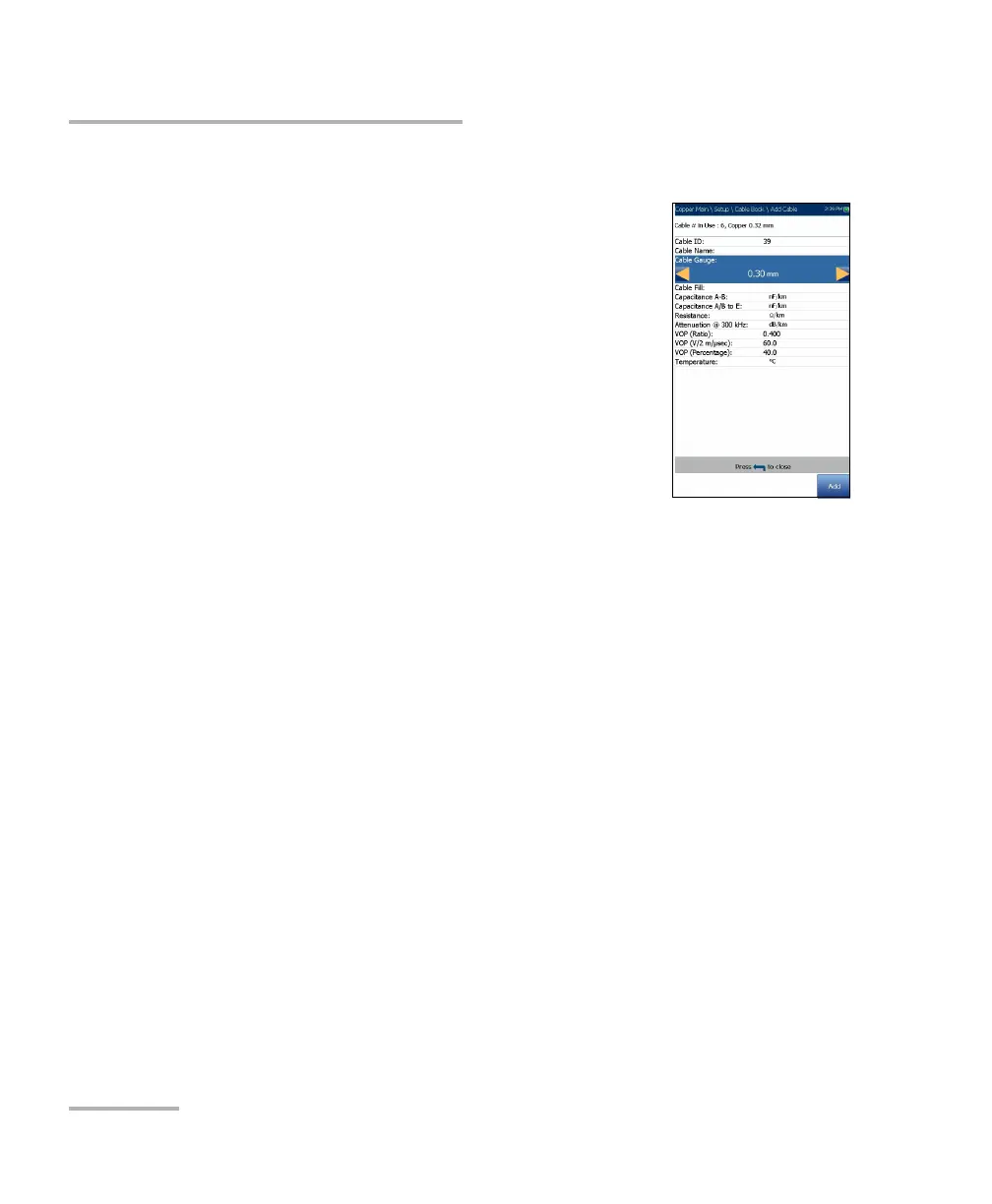
The Add Cable page allows you to add a new cable
entry into the CableBookSettings using the following
parameters for the currently highlighted Cable ID.
Cable ID displays the cable ID number. This
parameter that cannot be modified.
Cable Name is the name of the cable in the Cable
Book.
Cable Gauge is the gauge system for measuring
wire sizes in AWG (American Wire Gauge) units
or mm (metric wire size).
Cable Fill allows you to select the type of material the cable can be
filled with: Aircore, Jelly, Pulp 5, PR, or 2 PR.
Capacitance T-R/A-B allows you to specify a value for the capacitance
per length constant.
Capacitance T/R to GND/A/B to E allows you to specify a value for the
capacitance per length to ground constant.
Resistance allows you specify a value for the resistance constant of the
cable.
Attenuation @ 300 kHz allows you to specify a value for the reduction
in signal strength or insertion loss of the cable.
VOP is the velocity of propagation for the cable defined in m/μsec
(meters per microsecond), and as a ratio and percentage of the speed
of light.
Temperature specifies the temperature of reference at which all cable
parameters have been measured.
Add function key adds the new cable entry to the Cable Book.













 To Next Page