EasyManua.ls Logo

Fujitsu PRIMERGY TX100 S3 Core Edition - 6.3 Initial Operation; Step 1: Check Network Connectivity; Step 2: Switch Server On

Fujitsu PRIMERGY TX100 S3 Core Edition
252 pages
To Next Page IconTo Next Page
To Previous Page IconTo Previous Page
Loading...
48 Upgrade and Maintenance Manual TX100 S3 Core Edition
Basic hardware procedures
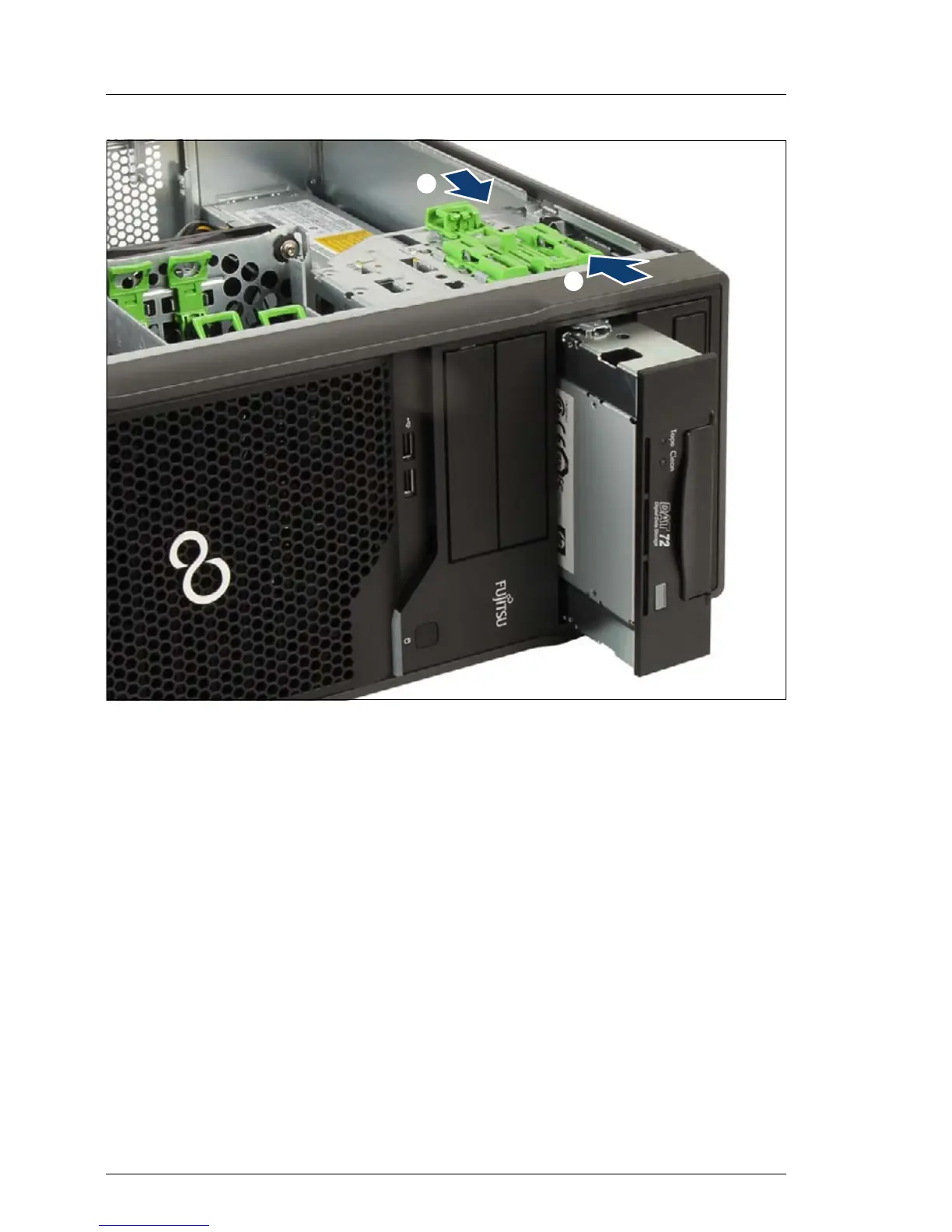
Figure 9: Removing the backup drive
Ê Press the locking latch in the direction of the arrow (1) and push out the
backup drive from behind (2).
Ê Remove the backup drive from its bay.
/
0

Table of Contents

Other manuals for Fujitsu PRIMERGY TX100 S3 Core Edition

Related product manuals