Revision 1 105 9/10/2019
If consecutive runs of a stream are desired, it is recommended that they be entered here
instead of the Stream Tab. The reason for this is that the consecutive gas runs cannot be
interrupted midway through if they are entered via the Streams tab while they can be
interrupted if they are programmed on the Sequencer tab.
The pink highlighted run indicates that this is current run in the sequence that is being
performed.
To remove an item from the sequence list, click on it to highlight the line blue and use the
Delete Key on the keyboard.
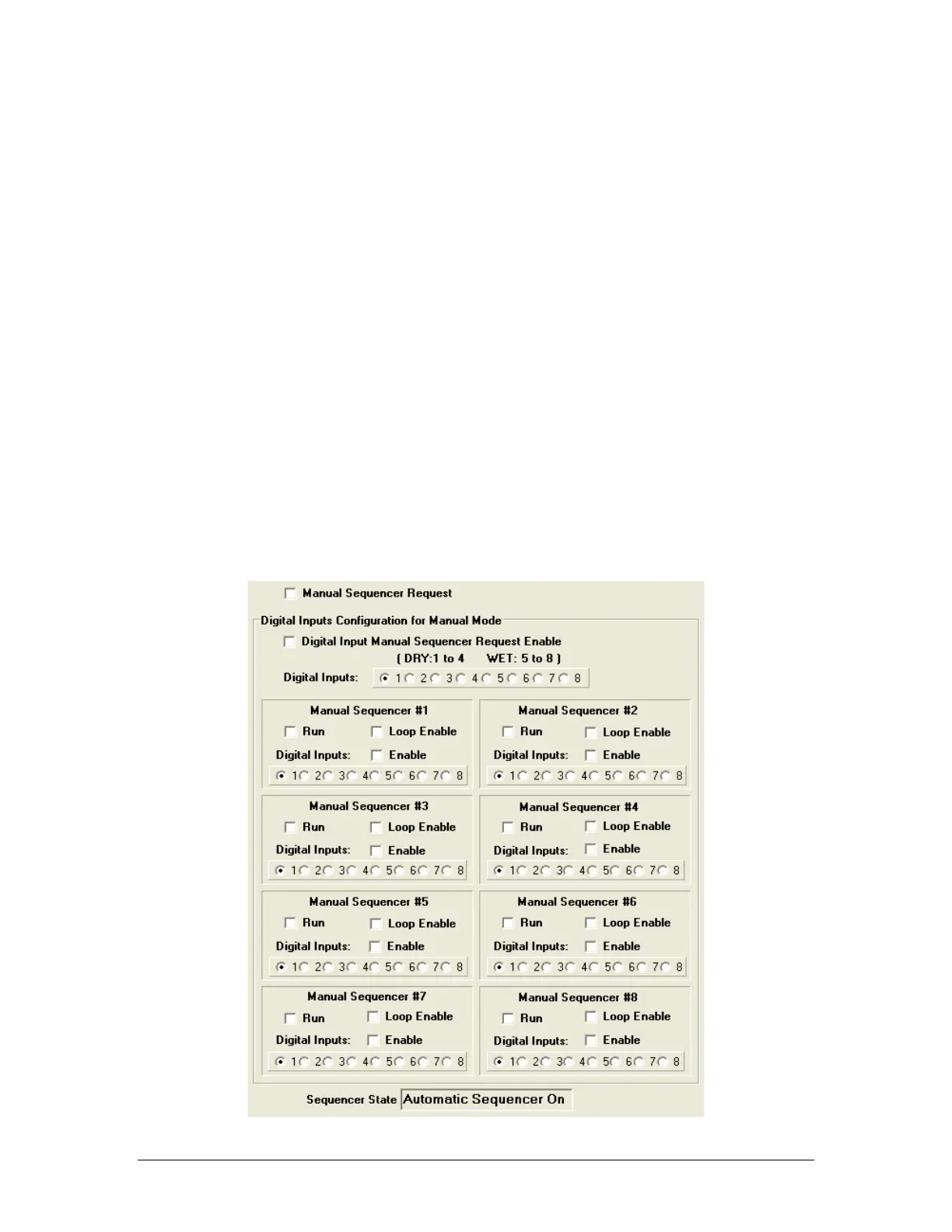
5.14.4 Manual Sequencer Request Checkbox
The Manual Sequencer Request checkbox must be checked before a manual sequence can
be performed.
5.14.5 Digital Input Manual Sequencer Request
Enable Checkbox
The Digital Input Manual Sequencer Request Enable checkbox should be checked, if the
operator wants to initiate a manual sequence option from a digital input. As seen in Figure
5-31, closing Digital Input 1 contact would now allow any of the 8 digital contacts to be used
to initiate a Manual sequence.



 To Next Page