Revision 1 143 9/10/2019
7.3 Changing the Tape
The sensing tape is consumed during the measurement process and must be replaced on a
periodic basis. The amount of tape remaining is indicated on the Analysis screen of the GUI
and the GEN menu on the hand held controller. In addition, an alarm will be presented on the
Alarms tab of the GUI and the hand held controller when the tape level is low.
To replace the tape:
a) Check the hand held display for any alarms.
b) Disable alarms by pressing the BYPASS button on the hand held controller
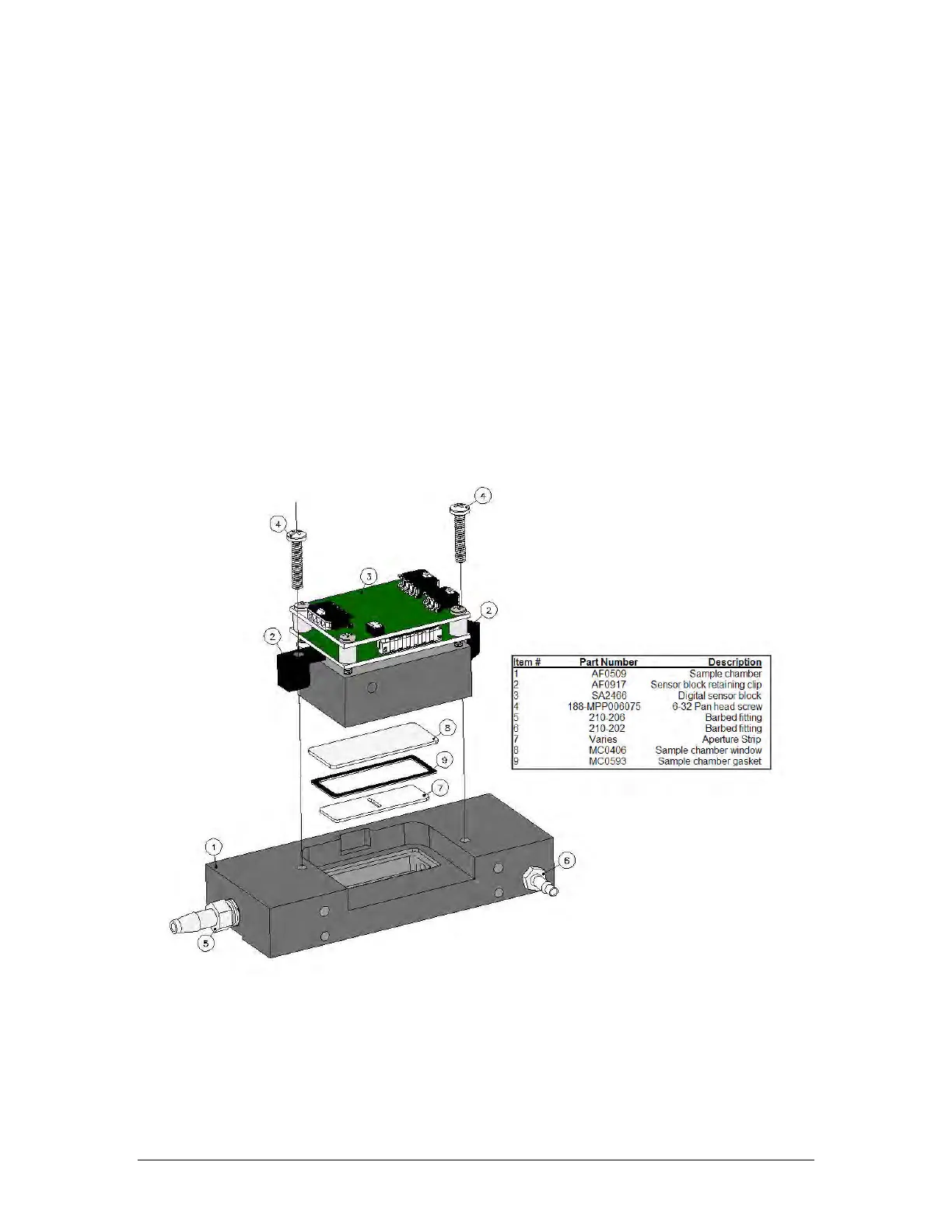
c) Turn off gas to the analyzer. Pull back the Compression Head and inspect the Sample
Chamber (Figure 7-1) for paper dust and dirt. If necessary, remove the Sample chamber
assembly and clean it.
Figure: 7-1: Sample Chamber Assembly



 To Next Page