Revision 1 85 9/10/2019
5.9 Global Tab
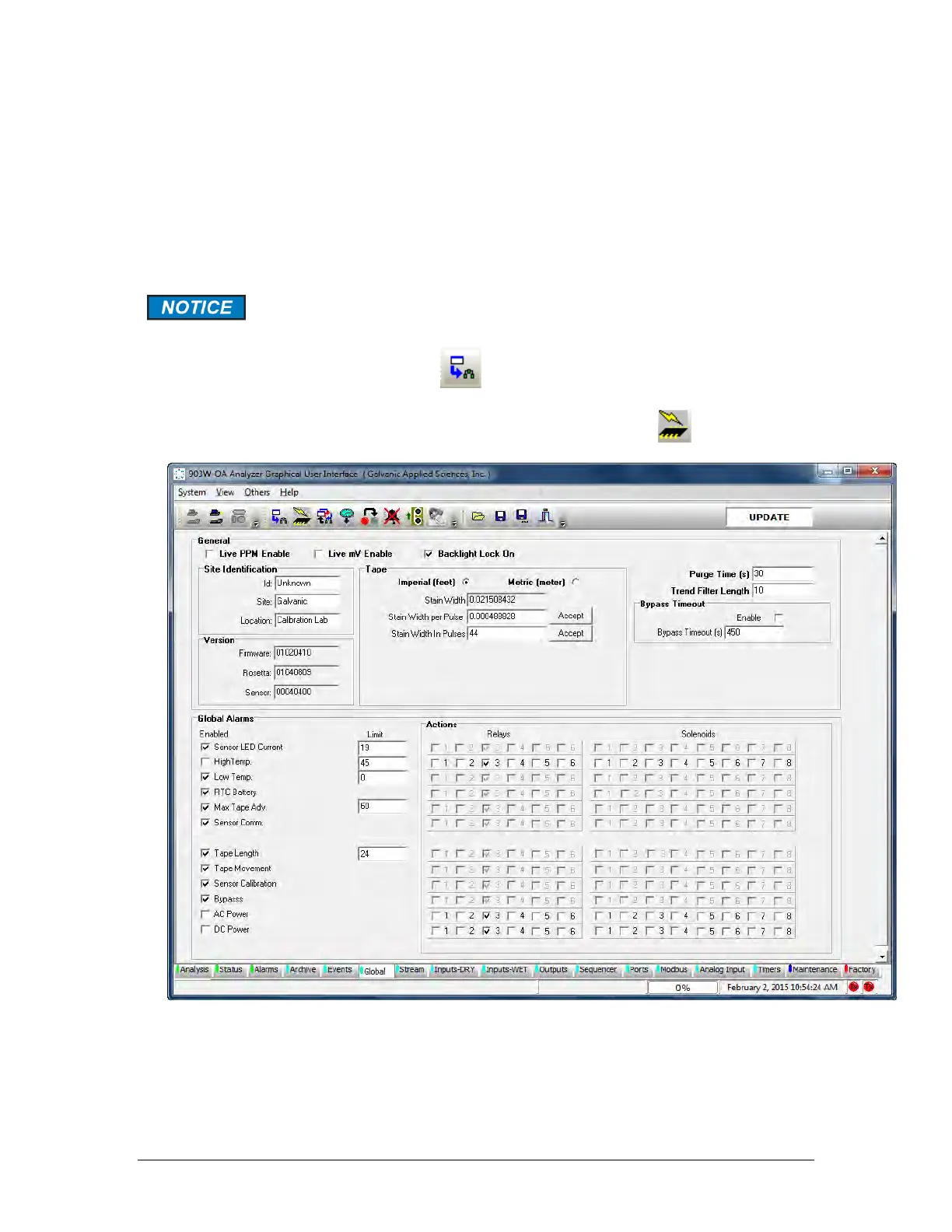
The Global tab (Figure 5-18) includes a broad range of parameters that impact the overall
operation of the analyzer. In addition, it is used to assign various alarms to the appropriate
relays and solenoids. The Global screen is divided into three areas:
• General (Section 5.9.1)
• Global Alarms (Section 5.9.2)
• Calibration Gain Calculator (Section 5.9.3)
Whenever any change is made to a changeable field, the change must be
written to the analyzer before leaving that page by pressing the Temporary
Write To Analyzer button . It is not necessary to write after every
change, but all changes MUST be written before leaving the tab. It is also a
good idea to execute a Permanent Configuration Write
to the analyzer
or any changes made will be lost if the analyzer is a powered down.
Figure 5-18: Global Tab



 To Next Page