Revision 1 35 9/10/2019
3.4.5.1 Com Port Direct Option
Com Port Direct (Figure 3-8) is set as the default communication type. The program will
automatically detect the com ports that are available. The desired com port can be selected from
the drop-down menu. If RS-232 or USB is used, the baud rate should be set at 9600.
For analyzers shipped after March 2012 or with a firmware revision of 02.04.05 or higher, the
default GUI serial port baud rate is 57600 bps.
3.4.5.2 Modem Option
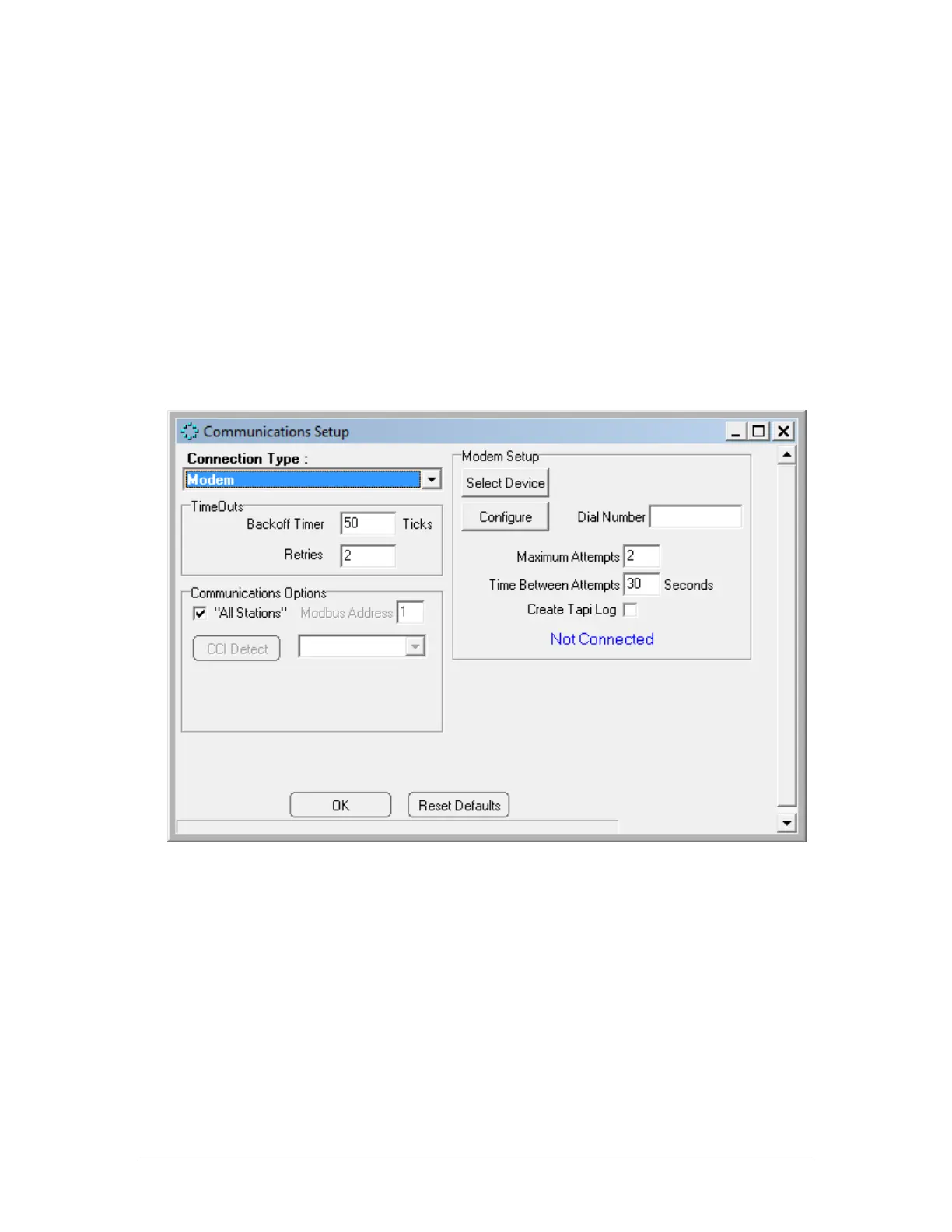
If the Modem option is selected, the Communications Setup dialog box will appear as in
Figure 3-8: Communications Setup Dialog Box
Figure 3-9 Communications Setup Window (Modem)
Enter the number to be dialed by the modem (if a “9” is required to access an outside line, or
a “1” is required to communicate with a computer that is outside the immediate telephone
calling area, make certain that the appropriate numbers are included (e.g.914035551212).
The Timeouts field provides two options - Backoff Timer and Retries. The Backoff timer tells
the application program how much time, in ticks (one tick = 55 milliseconds), to wait for a
response from the analyzer before retrying to contact the analyzer. If the communication link
between the analyzer and the computer is slow or unreliable, perhaps because of a long
distance between the computer and the analyzer it may be necessary to increase these



 To Next Page