Revision 1 46 9/10/2019
4.3 The Main Page of the LCD Display
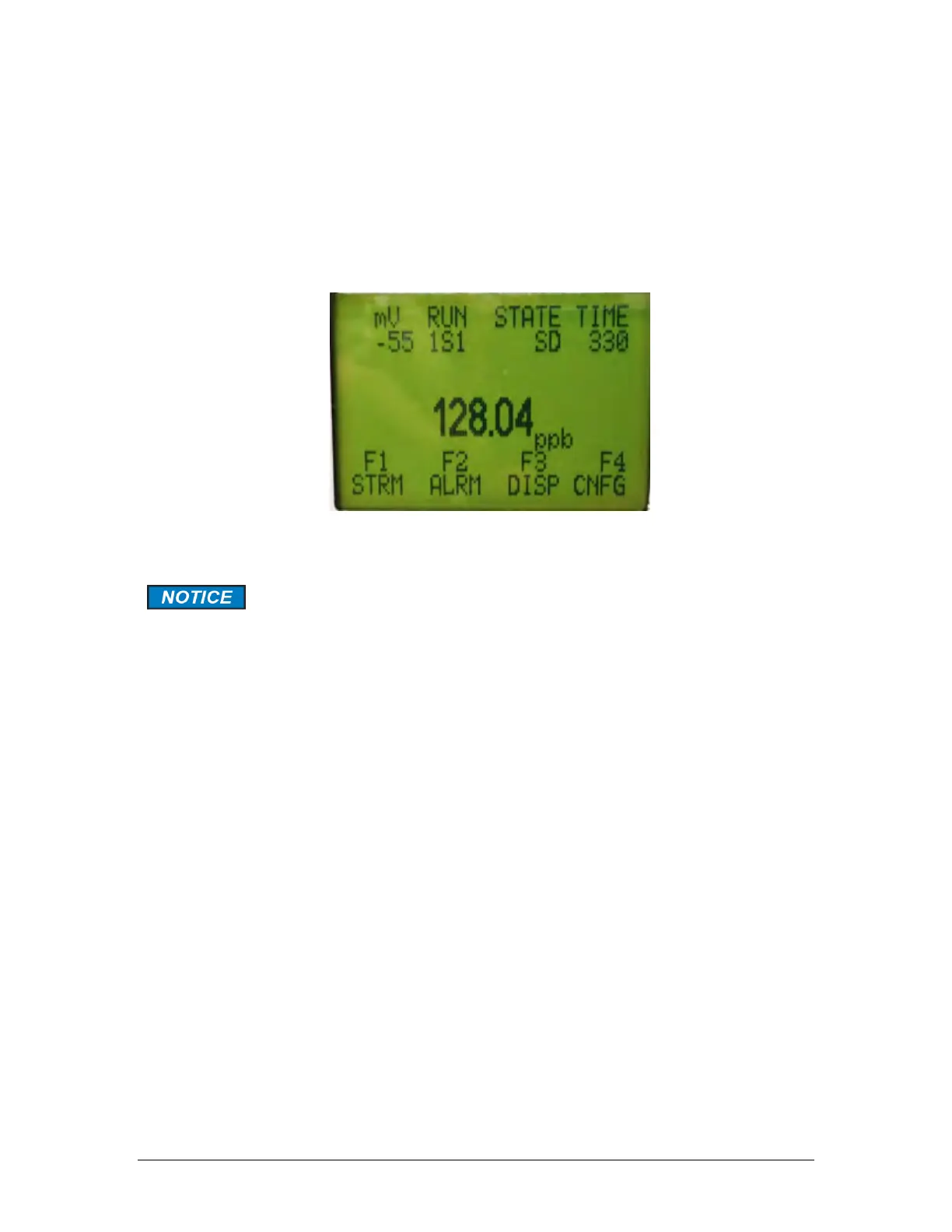
The main page of the LCD (Figure 4-2) contains three discrete regions:
• The top two lines are fixed and present the mV, RUN, STATE, and TIME status indicators
(Section 4.3.1).
• The center of the screen (four lines) shows the calculated concentration for the most recent
run (Section 4.3.2).
• The bottom two lines present the definition of the soft keys of the hand held controller
(Section 4.3.3).
Figure 4-2: The LCD Display (Main Page)
The information presented by the display is dependent on the system
configuration and the parameters that have been selected by the operator.
The various screen depictions presented in this section are typical
situations, and it is likely that the screen depictions that you observe will
be different from what is shown in this discussion.



 To Next Page