Revision 1 70 9/10/2019
5.5 Status Tab
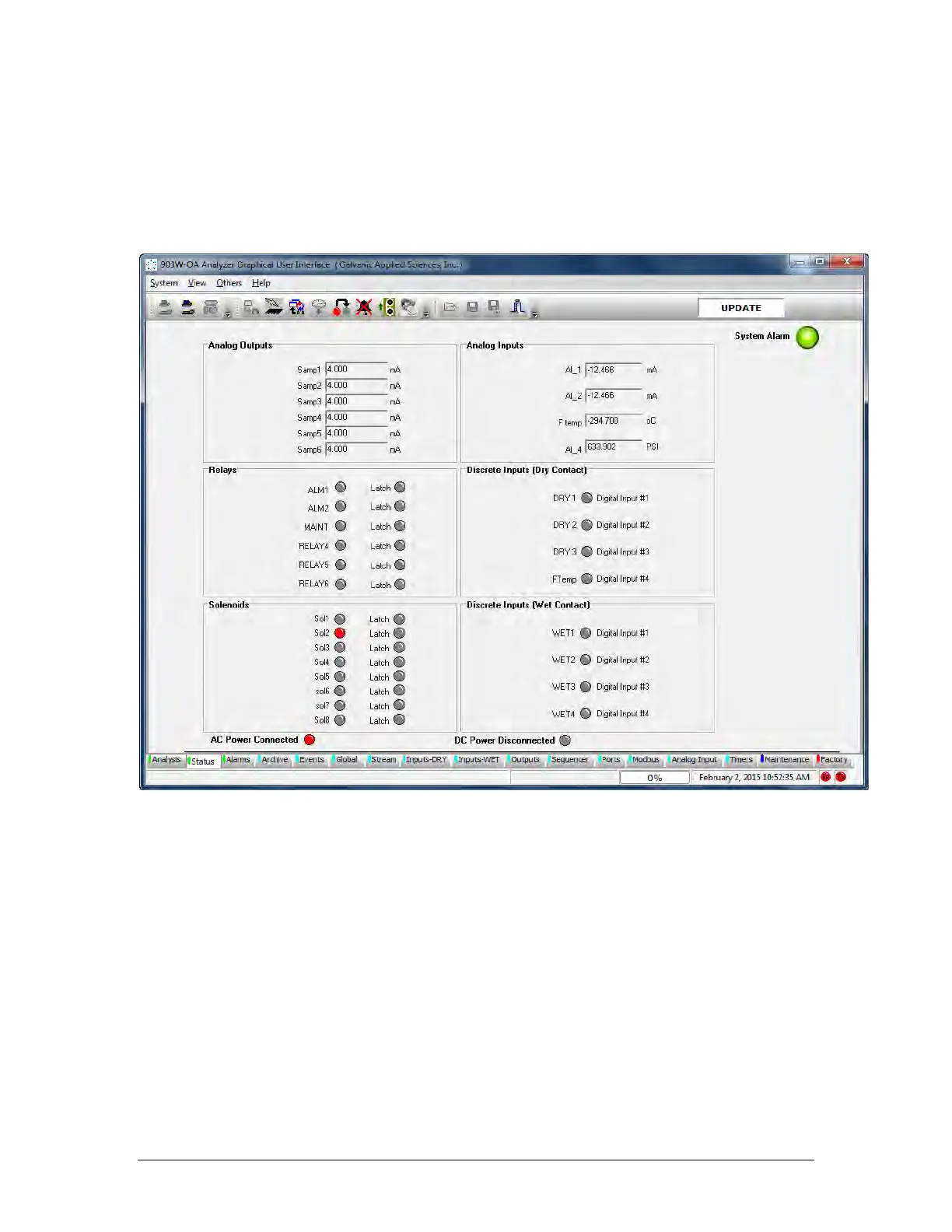
The Status tab (Figure 5-8) provides the current status of the Analog Outputs, Relays,
Solenoids, Analog Inputs and Discrete Inputs and indicates which voltage input source is in
use. In some cases the activation or deactivation of the status indicators may suggest that an
alarm is associated with it.
Figure 5-8: Status Tab
Analog Outputs - shows the current output (from 4 to 20mA), of the six analog outputs on
the analyzer electronics board. Analog outputs can be configured from the GUI (Section
5.16).
Relays - shows the current status of the six relays. The circle beside each of the relay titles
indicates the status. A red colour means that the relay has been triggered, be it by an alarm
or some other trigger, while a grey colour means that the relay has not been triggered.
Solenoids - shows the current status of the solenoid drivers on the analyzer electronics
board. If the analyzer is not configured with any solenoids, this box can be ignored. A grey
circle beside a solenoid label indicates that the solenoid is de-energized, while a red circle
indicates that the solenoid is energized. The box labeled Analog Inputs shows the current
values of each input.



 To Next Page