Revision 1 123 9/10/2019
6.3 Commonly Edited Parameters
There are two tabs in the application program that are commonly used to set up the
parameters for analyses.
6.3.1 The Streams Tab
Four different types of samples can be analyzed, analytical samples, reference samples,
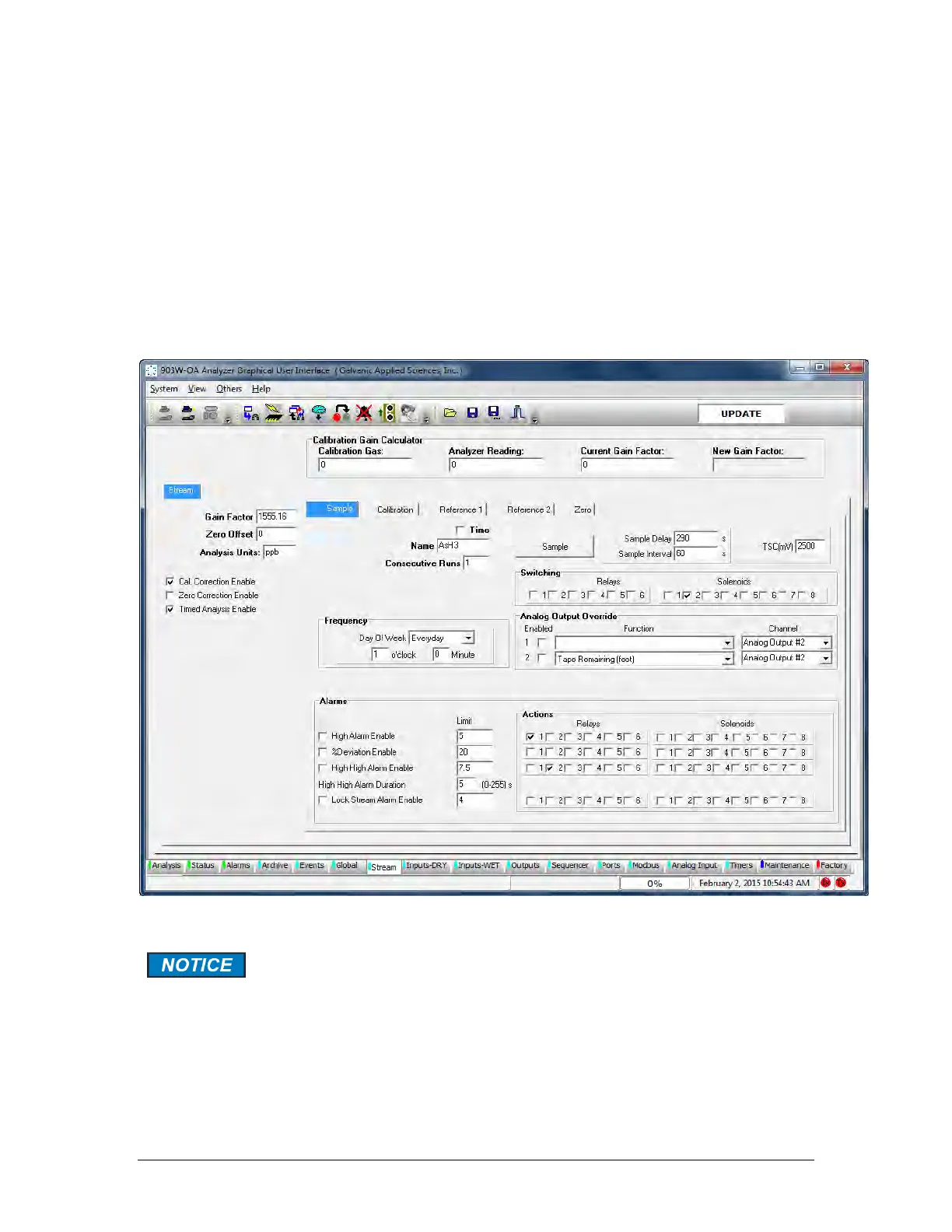
calibration samples, zero samples. The Stream tab (Figure 6-3) is used to enter information
about each type of sample, timing information and alarm levels. A detailed discussion of the
Streams tab is presented in Section 5.10.
Figure 6-3: Streams Tab
When you have completed editing a tab, press the Temporary Write button
before going to another tab or page.



 To Next Page