Revision 1 33 9/10/2019
3.4.4 Connect the System to the PC via RS-232
By default, the system is configured at the factory for communication via
the USB mode. If the USB mode of communication is desired, skip the rest
of this section and proceed to Section 3.4.4.
If the PC is not configured with a USB port, connect the USB end of the USB-Serial cable
included with the analyzer to the USB port to the right of the LCD display on the front of the
analyzer (between the labels Rx USB and Tx USB) and connect the serial end of this cable to
the male 9-pin serial port on the PC.
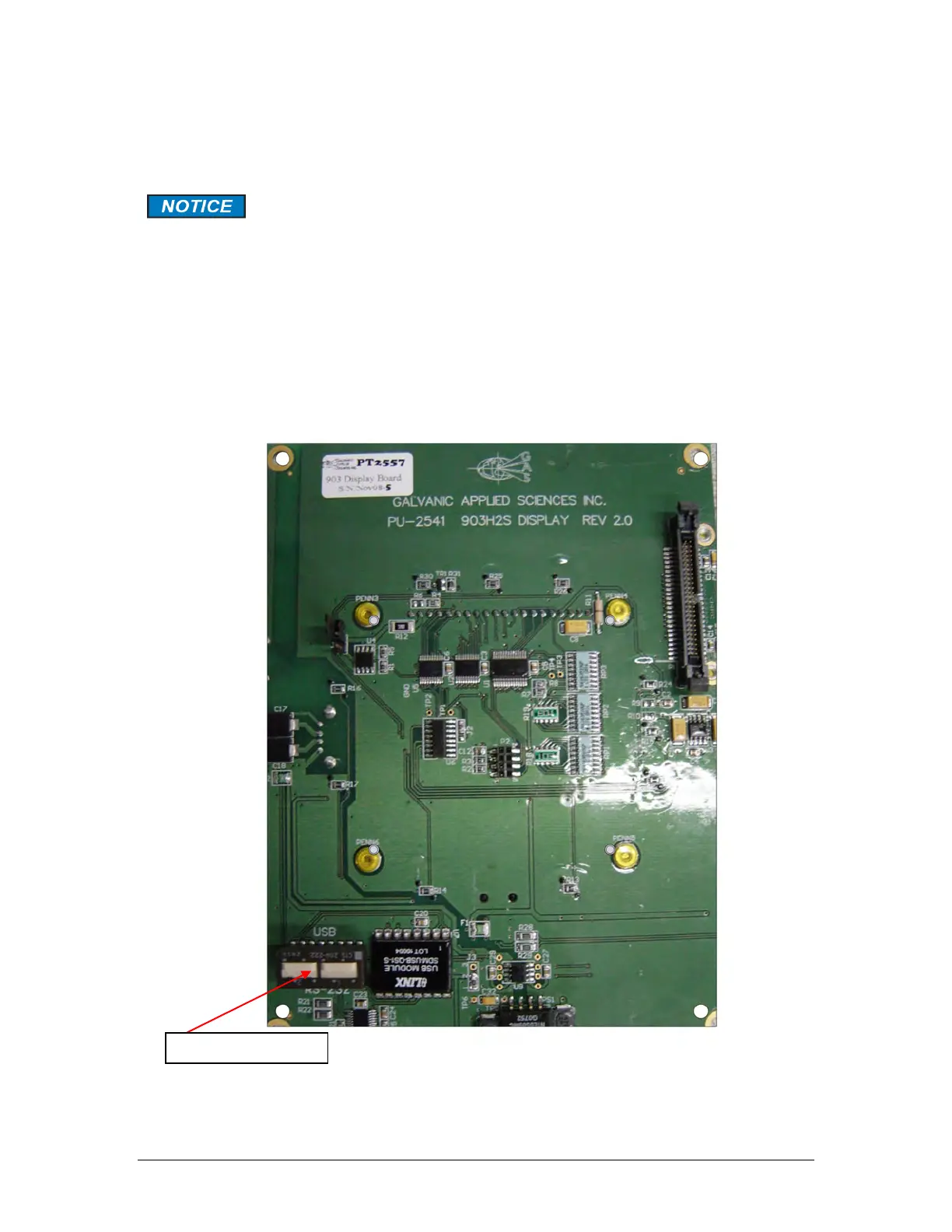
If you choose to use RS-232 communication, it will be necessary to change the position of a
pair of dipswitches located on bottom left hand corner on the back of the display board
(Figure 3-5). It is necessary to open the 903 electronics enclosure to access this dipswitch.
Figure 3-5: Display Board



 To Next Page