Revision 1 81 9/10/2019
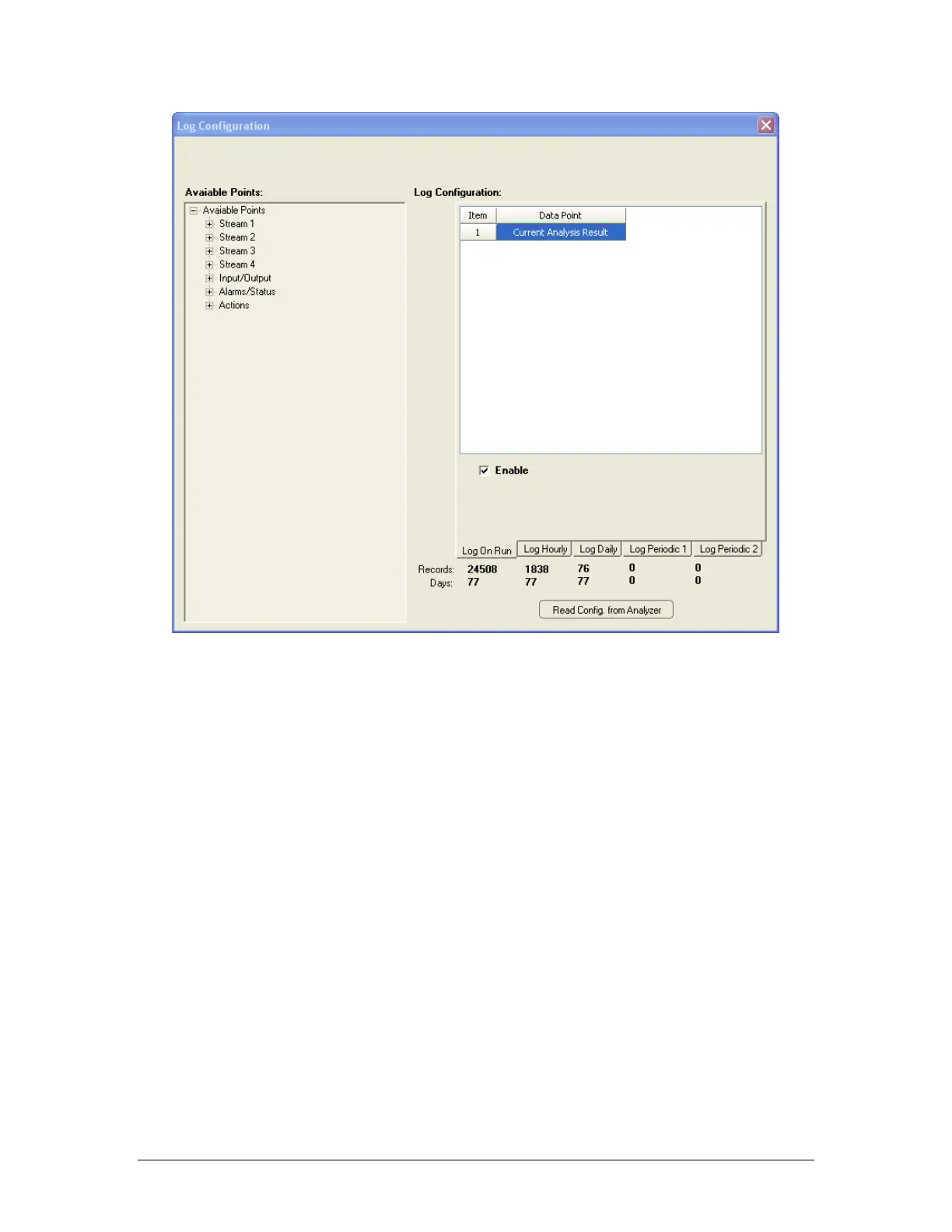
Figure 5-15: Archive Setup Window
The following six log formats are available:
• Log On Run - the values of the data points logged in this log will update after every
completed analysis cycle.
• Log Hourly - the hourly average of the data points logged in this log will update every hour.
The log is updated at the top of every hour.
• Log Daily - the daily average of the data points logged in this log will update every day. The
time at which the log is updated can be set in the ‘Hour Taken’ column. The log can only be
updated at the top of the hour. Enter a value of 0 (midnight) to 23 (11pm) in this column.
• Log Periodic 1 and 2 - these two logs are empty by default when the analyzer is set up at
the factory. Any data point of the user’s choosing can be logged in each of these three logs,
at a frequency of the user’s choosing. The frequency of logging, in seconds, is entered into
the column entitled Frequency (Seconds). Please note that the frequency of logging for
each data point within a given periodic log must be the same; that is to say, if one data point
in Log Periodic 1 has a logging frequency of 1000 seconds, all the data points in Log
Periodic 1 will have a logging frequency of 1000 seconds.



 To Next Page