190-01115-01 G3X™/G3X Touch™ Avionics Installation Manual
Rev. AV Page I-7
2. Add 2 new gauge markings to the General-Purpose Input assigned to “Elevator Trim”
a) Elevator Trim Position Sensor is connected to one of the General Purpose inputs on the
GEA 24 EIS LRU. From the Engine and Airframe menu, select the GP input that is assigned
to “Elevator Trim”.
b) For this example, the desired elevator trim position prior to takeoff is -10. This configuration
set up in this example will alert the pilot when trim position is +/- 5 outside of that value.
Each aircraft will be unique, and it is up to the installer to determine what thresholds are
appropriate.
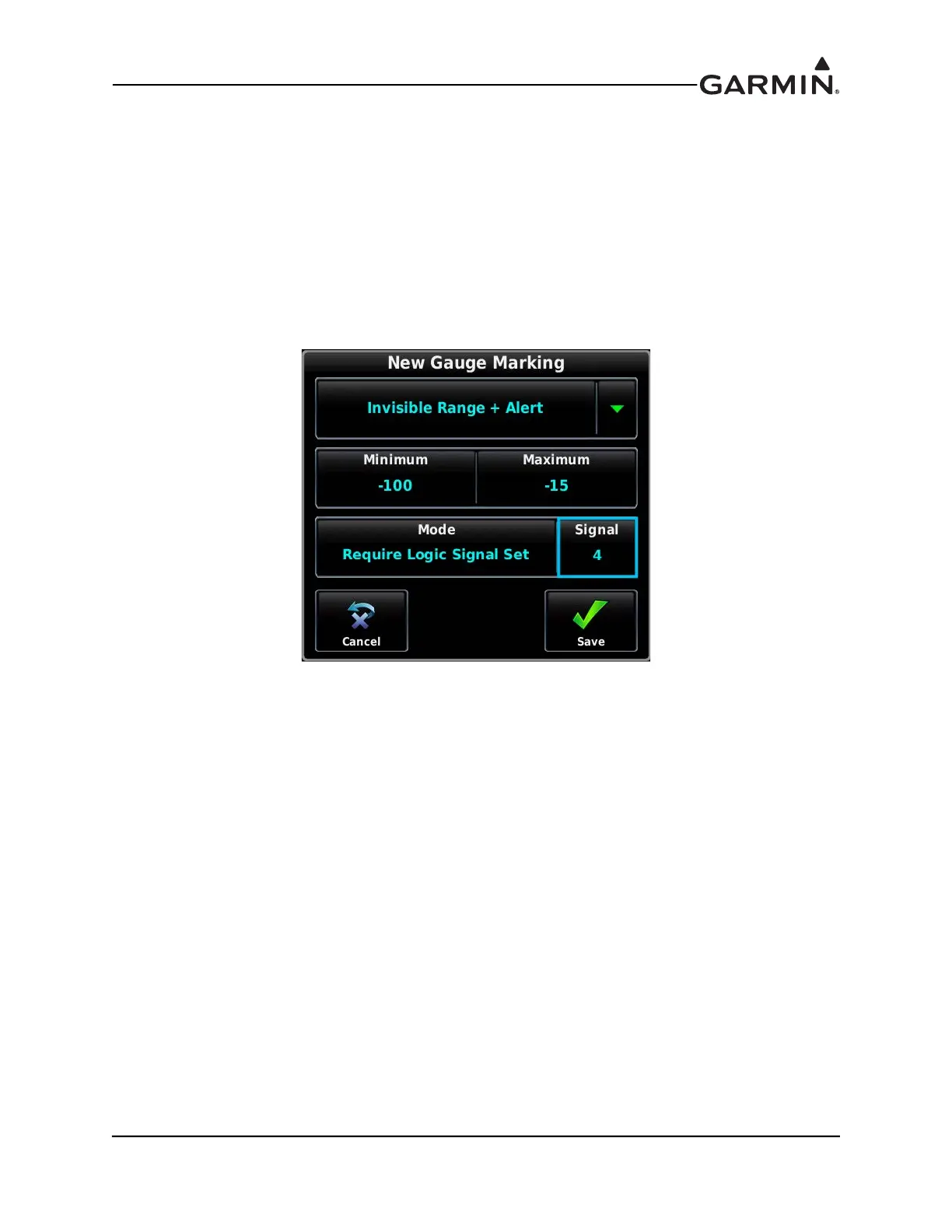
c) Add a new Gauge marking, and set the gauge marking type to “Invisible Range + Alert”.
Figure I-9 New Gauge Marking
i. Set the Minimum to -100
ii. Set the Maximum to -15
iii. Change the Mode from Normal to Require Logic Signal Set
iv. Select the same Logic Signal selected in Step 1c of this procedure (Logic Signal 4 for
this example)
v. Touch Save



 To Next Page