190-01115-01 G3X™/G3X Touch™ Avionics Installation Manual
Rev. AV Page 30-16
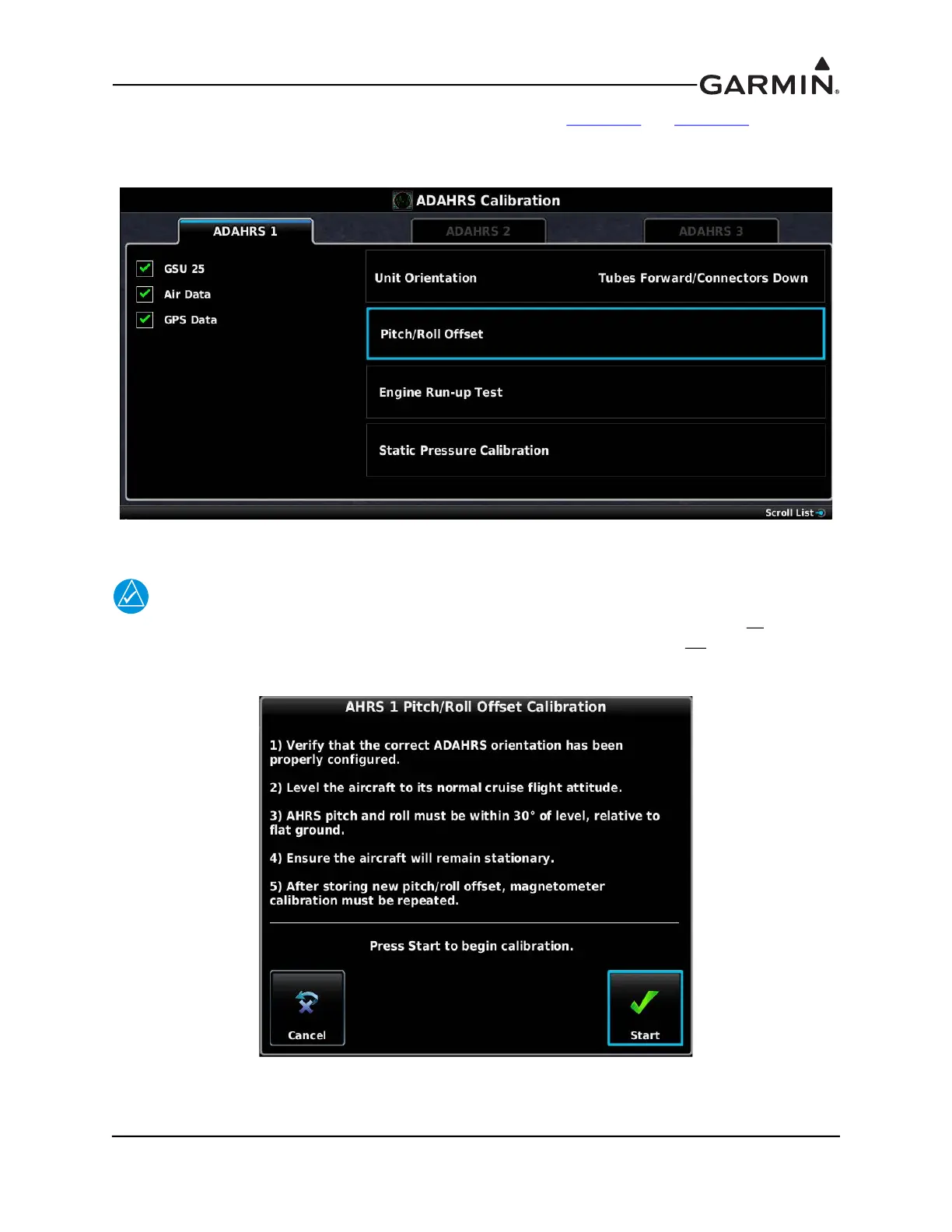
3. Make susre that all the required status boxes are checked (Table 30-2 and Table 30-3). Use the
Touch Panel or a Move Selector Knob to select which ADAHRS (1, 2 or 3) is being configured.
4. Use the Touch Panel or a Move Selector Knob to select Pitch/Roll Offset.
5. Make sure that aircraft and ADAHRS comply with all on-screen instructions, press the START
button.
NOTE
Per the following figure, GSU 25 units must have the ADAHRS pitch and roll within 30
degrees of level, GSU 73 units must have the ADAHRS pitch and roll within 3.0
degrees of
level.



 To Next Page