190-01115-01 G3X™/G3X Touch™ Avionics Installation Manual
Rev. AV Page 30-42
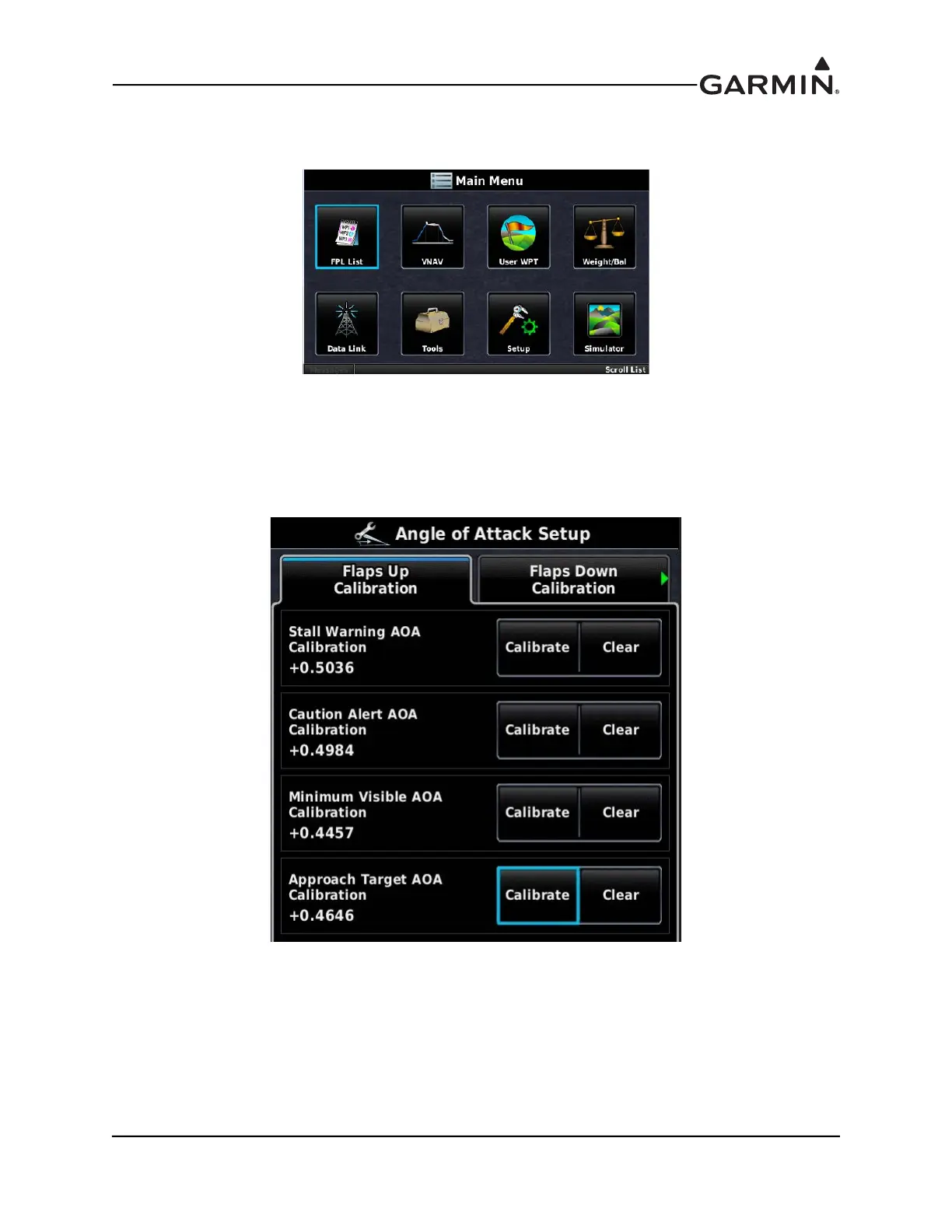
1. In normal mode on PFD 1, press the MENU Key twice to display the Main Menu.
2. Use the Touch Panel or a Move Selector Knob to select the Setup button.
3. Use the Touch Panel or a Move Selector Knob to select the Angle of Attack button.
4. Use the Touch Panel or a Move Selector Knob to make the desired selections.
5. If AOA calibration has not yet been performed, the calibration fields will be blank. “AOA pressure
measurement not valid” will be displayed if an air pressure sensor is not connected, or if the
aircraft is on the ground. To delete an existing AOA calibration, press the CLR button.



 To Next Page