190-01115-01 G3X™/G3X Touch™ Avionics Installation Manual
Rev. AV Page B-9
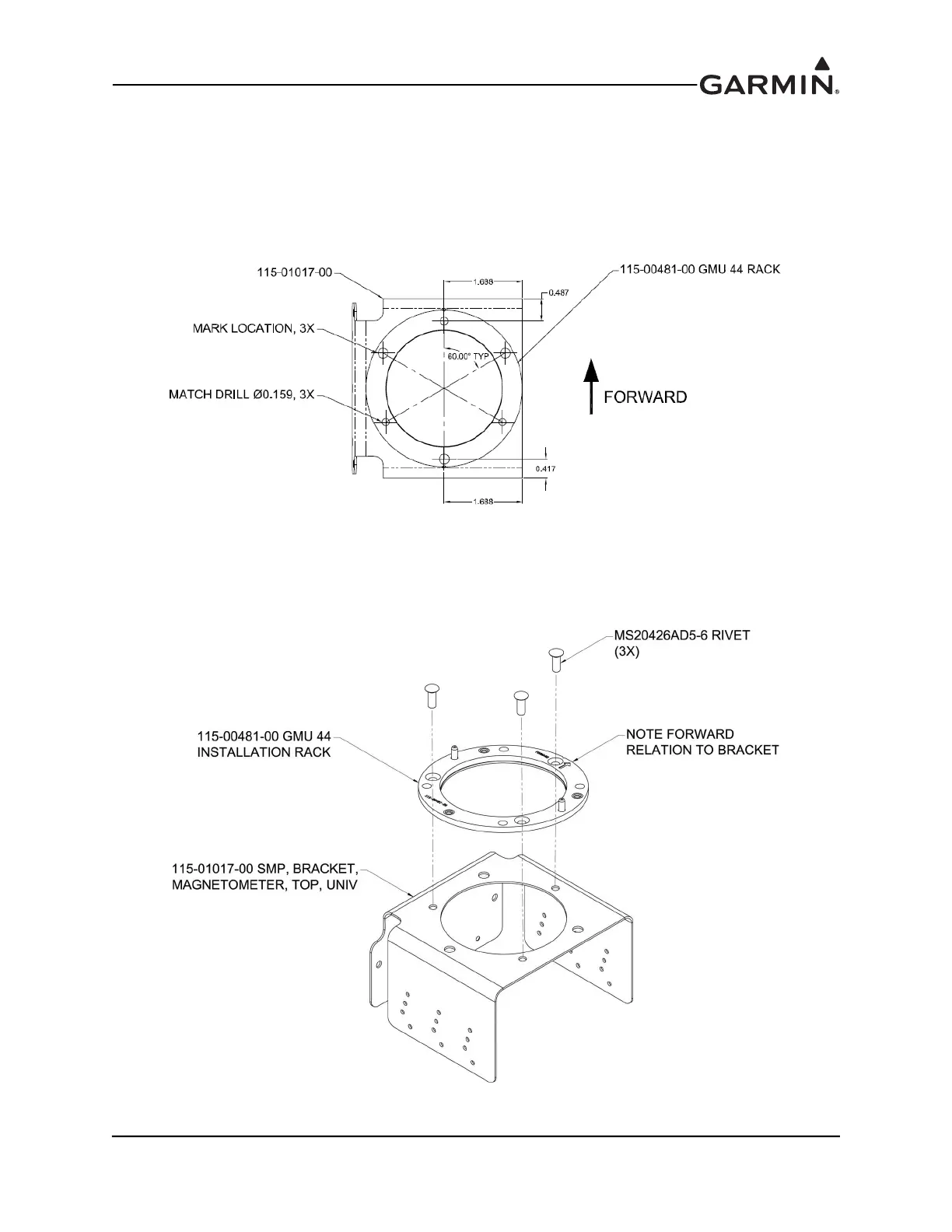
1. Clamp the GMU 22 Installation Rack (Figure B-8) in place and match drill the GMU 22 Bracket
through three countersunk mounting holes.
2. Mark the center of the three mounting screw holes.
3. Remove the GMU 22 mounting plate.
4. Drill the clearance holes in the GMU 22 Mounting Bracket.
Figure B-8 GMU 22 Installation Rack (ES / ES-P)
5. Rivet the GMU 22 Installation Rack (115-00481-X0) to the Top Bracket Assembly
(115-01017-00) as shown in Figure B-9.
Figure B-9 GMU 22 Installation Rack (ES/ES-P)



 To Next Page