190-01115-01 G3X™/G3X Touch™ Avionics Installation Manual
Rev. AV Page H-90
Approach Target AOA Calibration (Optional)
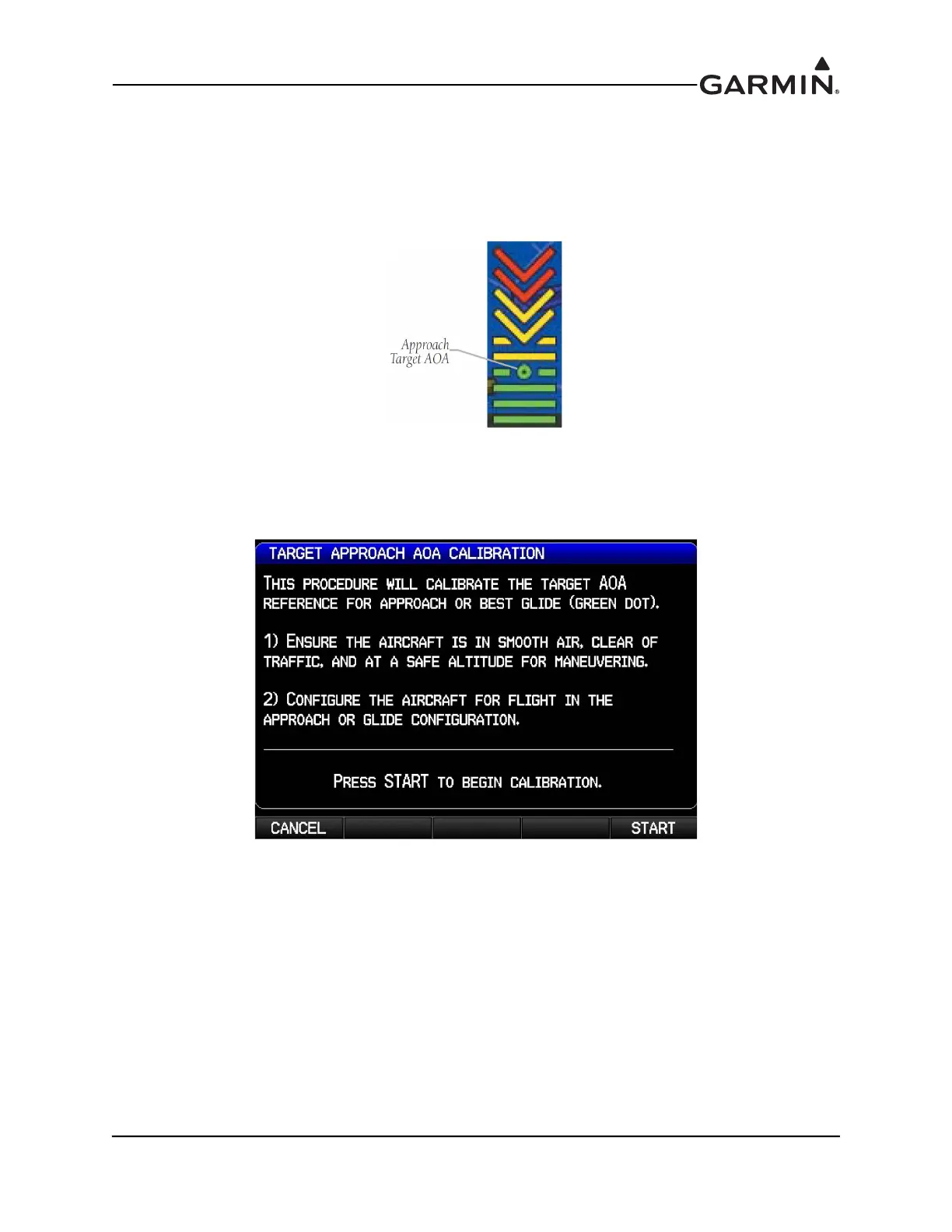
This procedure sets a specific point (1.3 x stall speed is suggested) on the AOA gauge to use as the ideal
target AOA for an approach, glide, short-field landing, etc. If calibrated, the approach target AOA will
display as a green circle on the AOA gauge (Figure H-29). To be valid, the approach target AOA must be
between the minimum visible (green) and caution alert (yellow chevron) AOA points.
Figure H-29 Approach Target AOA
1. Use the FMS Joystick to select the Calibrated Approach Target AOA calibration field, then press
the Calibrate softkey
.
2. Follow the onscreen instructions, then press the Start softkey to begin the calibration.



 To Next Page