190-01115-01 G3X™/G3X Touch™ Avionics Installation Manual
Rev. AV Page H-124
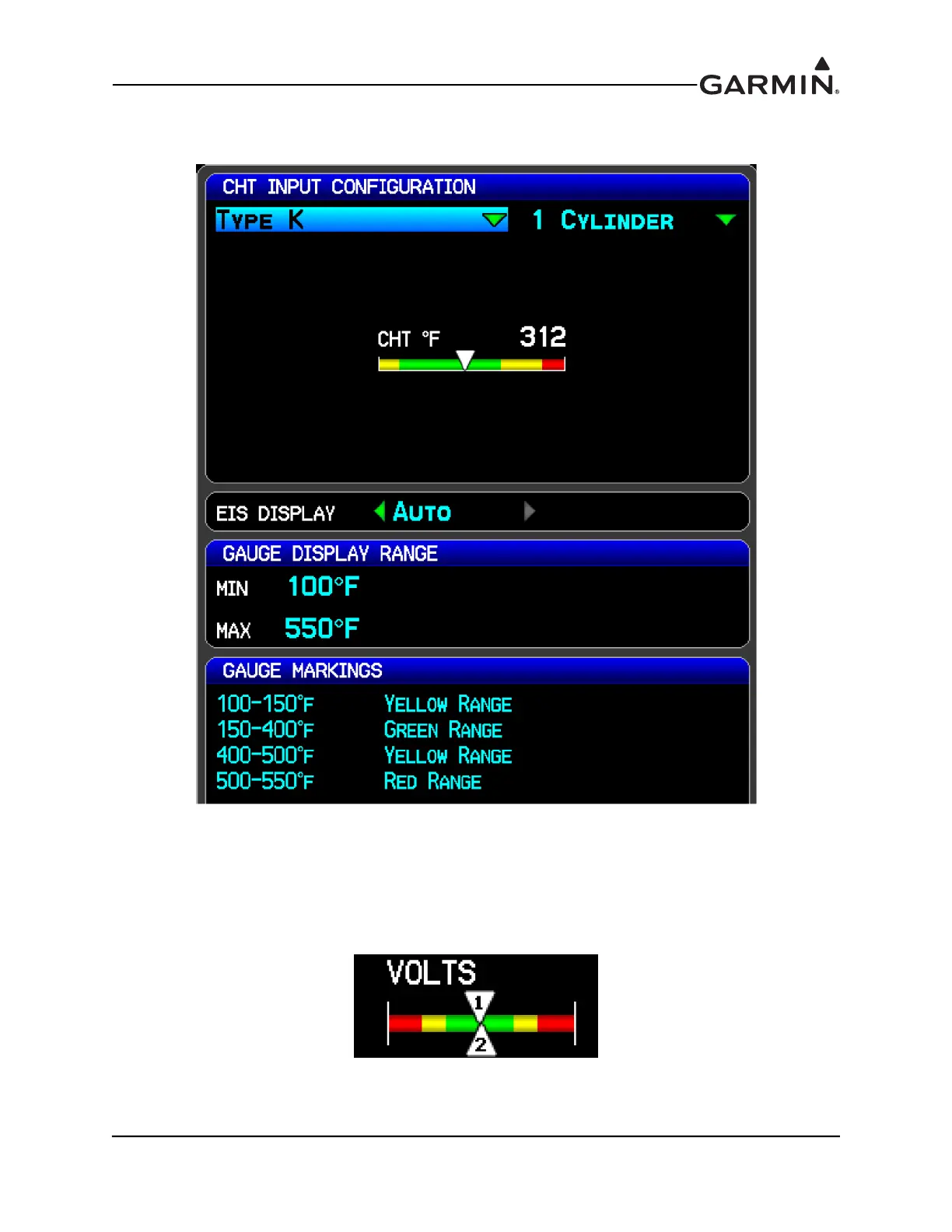
The below screenshot of the CHT Input Configuration page shows an example of the Gauge Display
Range and Gauge Markings settings and the resultant CHT gauge.
Dual Gauge – The EIS display will show a "dual gauge" (two pointers on the same scale, no number) for
related quantities, whenever possible for fuel quantity, volts, amps, TIT, and for CHT and EGT (if set for
two cylinders). To be displayed, the two sides must have the same values for min and max. If the software
can't pair up two related gauges, it will display them as separate gauges with unique names (chosen by the
software), such as "VOLTS 1" and "VOLTS 2”. If there is not enough room to display both related gauges
then neither gauge will be displayed in the EIS display (but will be displayed on the MFD’s Engine Page).


 To Next Page