5-18
Application Software
Memory Settings
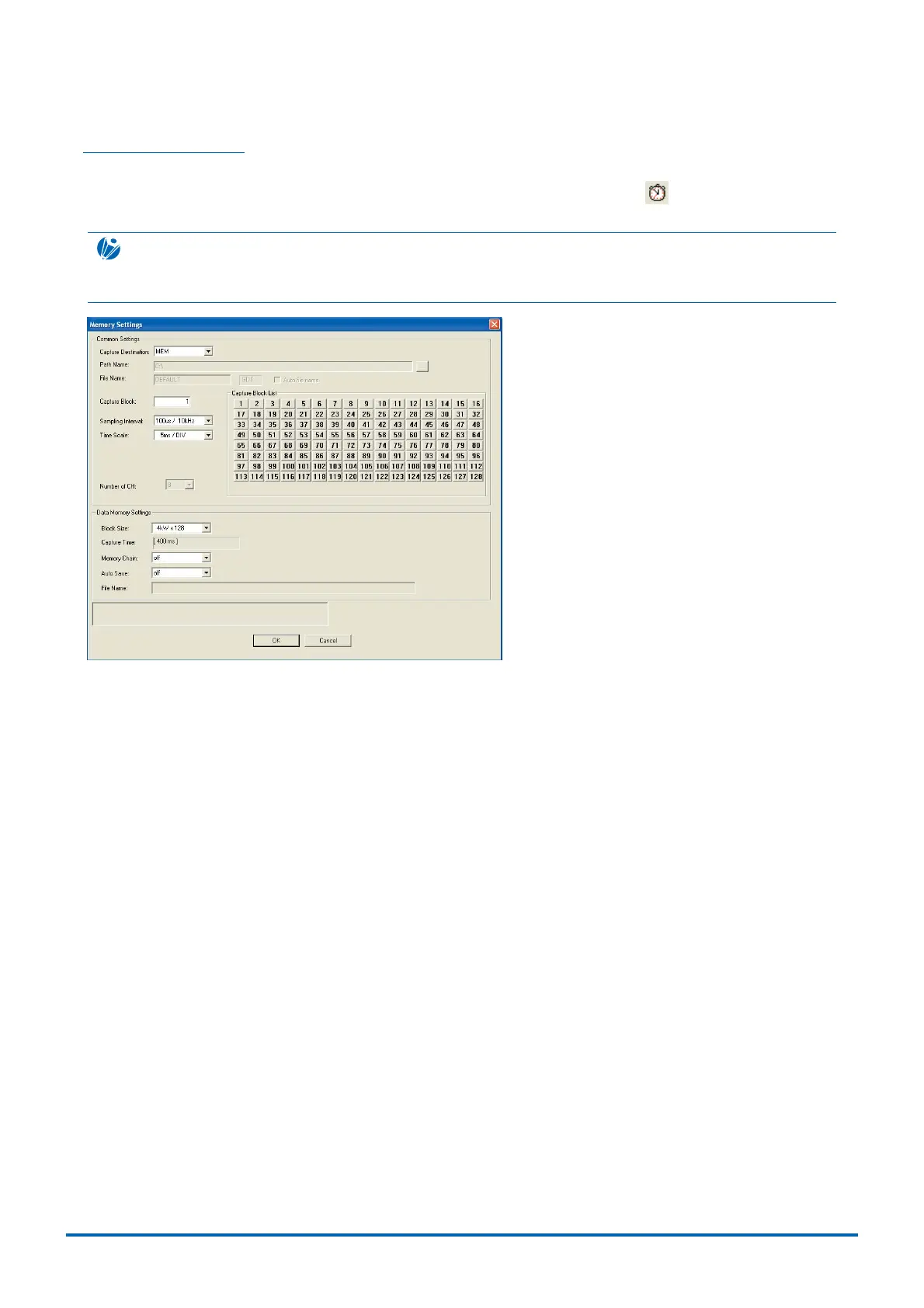
The Memory Settings window enables the capture destination to be specified.
Click "Memory Settings" in "Input Settings" in "Settings" on the menu bar, or click to display the Memory
Settings window as shown below. Set the parameters and click "OK".
CHECKPOINT
The Memory Settings window contains the same details as those shown on the WR300 monitor screen. For details,
see Section 3.3, "Memory Settings".
Common Settings .......... Section for the basic data capture settings.
Capture Destination ....... Sets the capture destination.
Path Name ..................... Sets the path name for data capture. It can only be specified when the capture
destination is Disk.
File Name....................... Sets the file name for data capture. It can only be specified when the capture
destination is Disk.
Auto File Name .............. Updates the Auto File Name
Capture Block ................ Sets the memory block number for data capture. This can be set only when
Capture Destination is set to "Memory".
Sampling Interval ........... Sets the interval for data capture. The maximum capture rate will vary depending
on the capture destination.
Time Scale ..................... Sets the time per division.
Number of CH ................ Selects the number of channels for data capture. It can only be specified for a 16-
channel model when the capture destination is Disk.
Data Memory Settings ... Set when data is captured to the internal memory.
Block Size ...................... Sets the number of internal memory divisions. This can be set only when Capture
Destination is set to "Memory". The internal memory capacity can be altered by
dividing the internal memory to suit the measurement time.
Capture Time ................. Automatically displays the data capture time. This setting is displayed only when
Capture Destination is set to "Memory".
Capture Time = Sampling Interval x Block Size
Memory Chain................ Sets the method for capturing to divided memory blocks. This can be set only when
Capture Destination is set to "Memory".
Auto Save ...................... Sets Auto Save on or off. Auto Save automatically saves data captured in the
internal memory to the PCMCIA or hard disk (WR310 only).
File Name....................... Sets the filename used for auto saving.



 To Next Page