50
Menu functions
WAV* PCM recording, compatible with PCs and studio equipment, e.g.
11.025 kHz/mono for speech recognition or 22.050 kHz/stereo
for music with CD quality (Stereo recording only with external
stereo microphones or with two internal microphones with the
Digta 7 Premium)
MP3* low memory space usage, compatible with MP3 players
Press “ x MENU”.
Use the up/down buttons to navigate to the “ x Recording” menu item
and confirm using “OK”.
Select the “ x Recording format” subitem using the up/down buttons.
Confirm your selection using “OK”.
Select one of the following formats using the up/down buttons: x
DSS/DSS Pro•
WAV•
MP3•
Confirm your selection using “ x OK”.
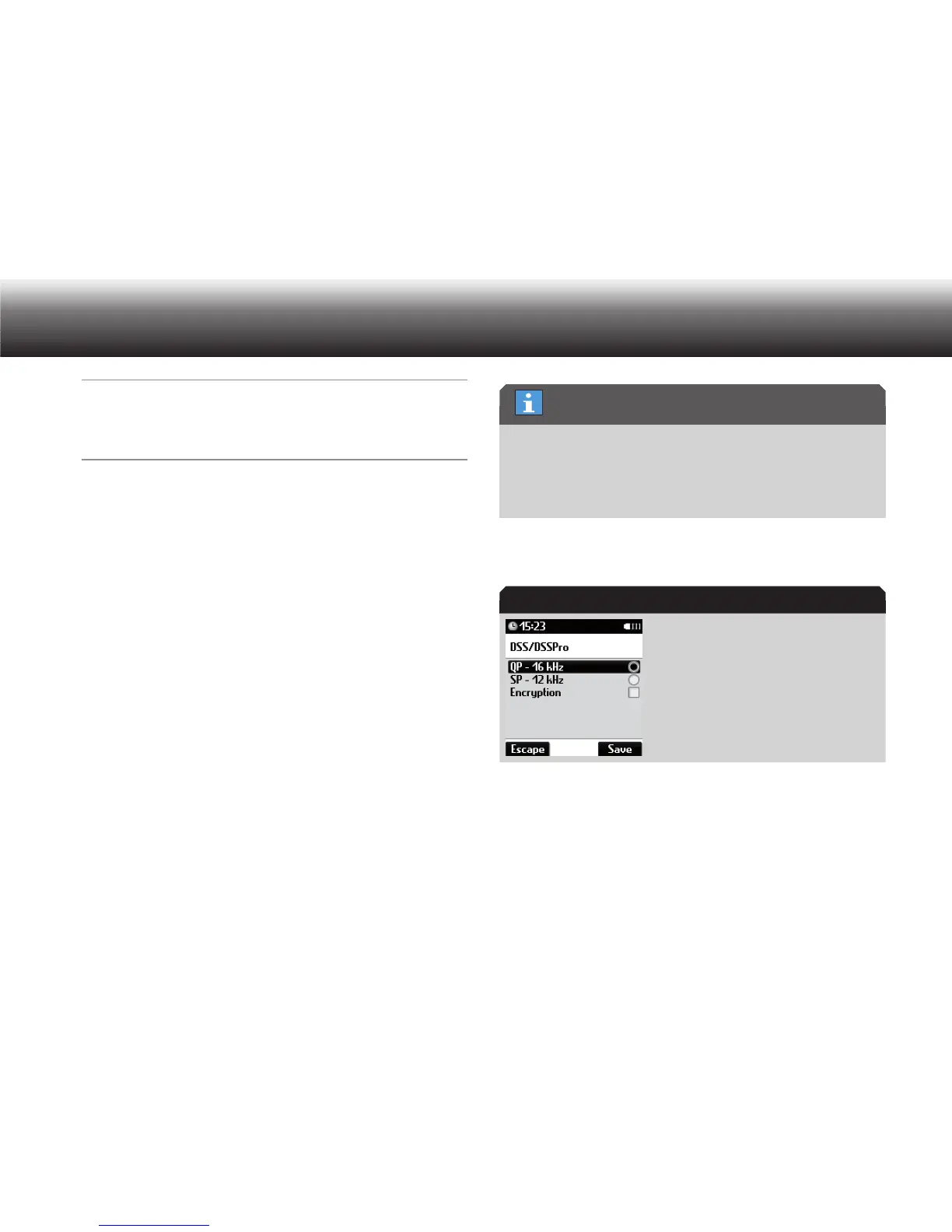
You are directed to a submenu with the possible recording quali-
ty options, which you can determine by selecting the sampling fre-
quency and activating/deactivating stereo recording.
Move to the desired sampling frequency using the up/down buttons. x
QP (Quality Play) from DSS Pro, file extension ».ds2«
SP (Standard Play) from DSS, file extension ».dss«
Even though “Encryption” is a DSS Pro function, it can be combined
with SP to save memory space.
Activate the selected sampling frequency by pressing “ x OK”.
The marker bullet moves to the highlighted bar.
Activate or deactivate the x options “Encryption” or “Stereo” by press-
ing “OK”.
The check mark after the option appears or disappears. The option is
activated or deactivated.
If “Encryption” is activated in DSS, three settings options are shown.
Recording quality for DSS/DSS Pro
Sampling frequency



 To Next Page