53
Menu functions
Screen
In the “Screen” menu, you can switch on and off which items are shown
on the main screen (recording, play-back).
Two of the four dictation labels (dictation name, dictation position num-
ber, dictation ID, number/reference) can be selected to be shown in the
dictation field and are shown in two lines.
Press “ x MENU”.
Use the up/down buttons to navigate to the “ x Screen” menu item and
confirm using “OK”.
Select the “ x Screen” subitem using the up/down buttons. Confirm
your selection using “OK”.
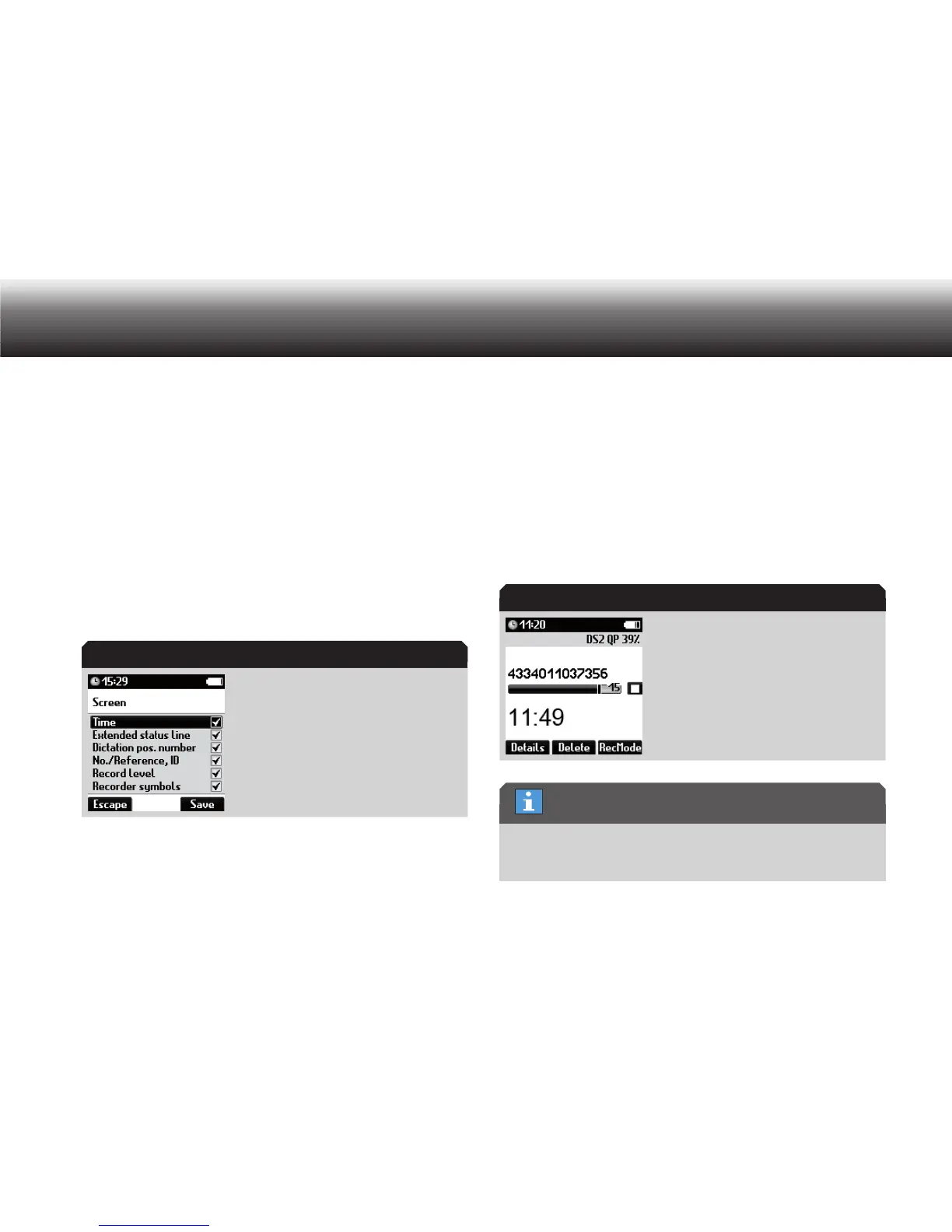
Display in “Screen” menu
Move to the desired screen option using the up/down buttons. x
Time•
The current time is shown on the display.
• Extended status line
This bar displays the name of the current folder, the file format
(including stereo), the “encryption” feature and the battery status
(charge in %, remaining operating time).
• Dictation position number
Dictation position number relative to all dictations, e.g. 5-12 means
the fifth dictation of 12 dictations in the current folder. Renamed dic-
tations are sorted in alphabetical order.
Number/reference, ID•
The dictation ID (barcode/data list ID) or numbers/reference (charac-
ters) are shown if available for the current dictation.
Dictation ID shown on the display
If “Dictation pos. number” and “No./Reference, ID” are activat-
ed in the “Screen” menu, no dictation name is shown due to space
constraints.
„Screen“ menu
Dictation ID
Dictation position number and dictation ID



 To Next Page