57
Menu functions
Select the “ x Language” subitem using the up/down buttons. Confirm
your selection using “OK”.
Move to the desired language using the up/down buttons. x
Activate the selected language by pressing “ x OK”.
The marker bullet moves to the highlighted bar.
Confirm the change using “ x Save”.
If you do not wish to save the change, press the “ x Escape” button.
5.9 Workflow
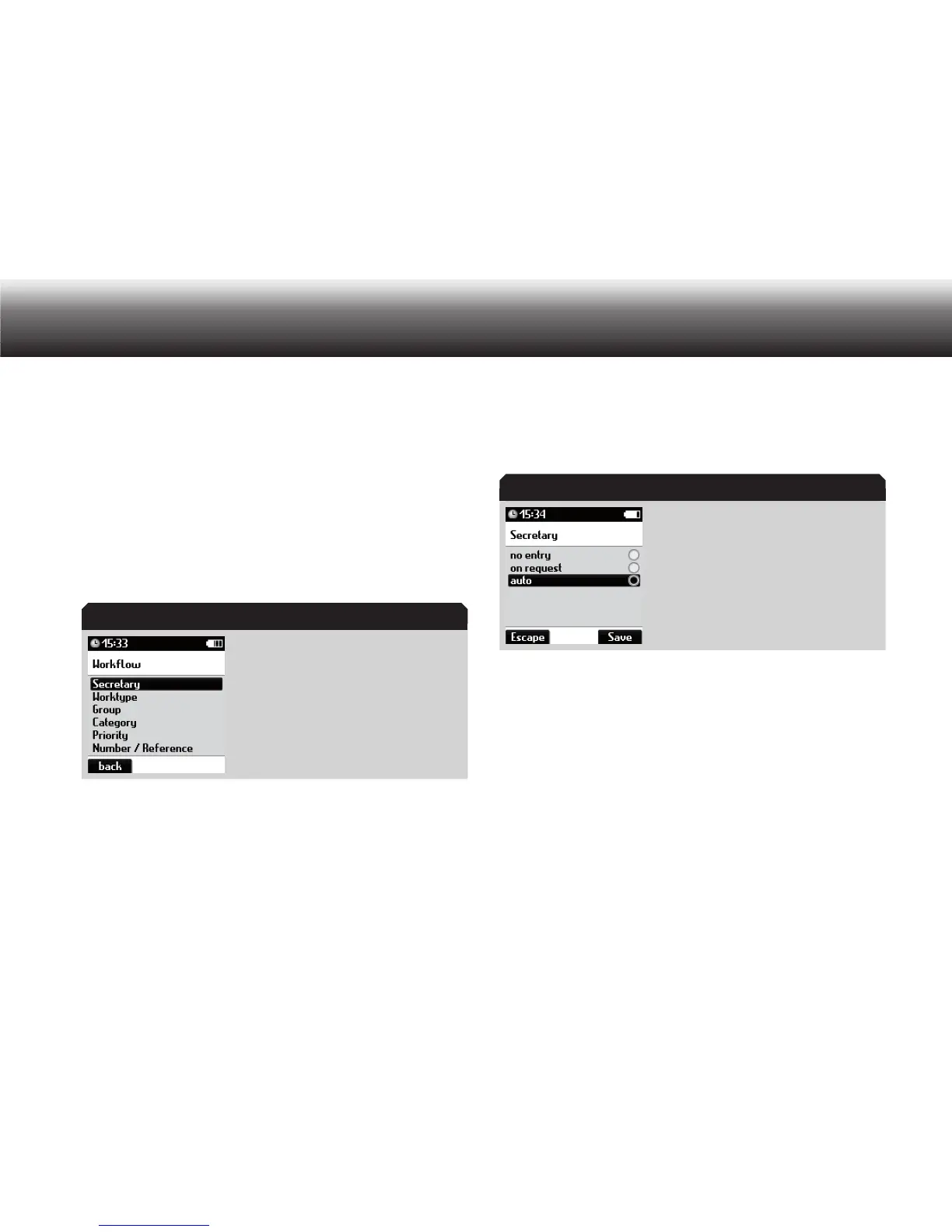
Display in “Workflow” menu
Secretary
With the “Secretary” function, you select which secretary receives your
dictation.
Press “ x MENU”.
Use the up/down buttons to navigate to the “ x Workflow” menu item
and confirm using “OK”.
Select the “ x Secretary” subitem using the up/down buttons. Confirm
your selection using “OK”.
Display in “Secretary” menu
Select one of the following settings using the up/down buttons: x
»On request«: • for each new dictation, a secretary is chosen from
a list
»No entry«: no • secretary is entered
»Auto«: The secretary is entered automatically, and each new dic-•
tation is assigned to the same secretary
Confirm the selection using the “ x Save” button.
If you have selected the “Auto” function, use the up/down buttons to
select a secretary from the list to whom all dictations will be sent. With
the “On request” setting, the secretary list also appears when a new
„Workflow“ menu
„Secretary” menu



 To Next Page