54 Connection
HBM QuantumX
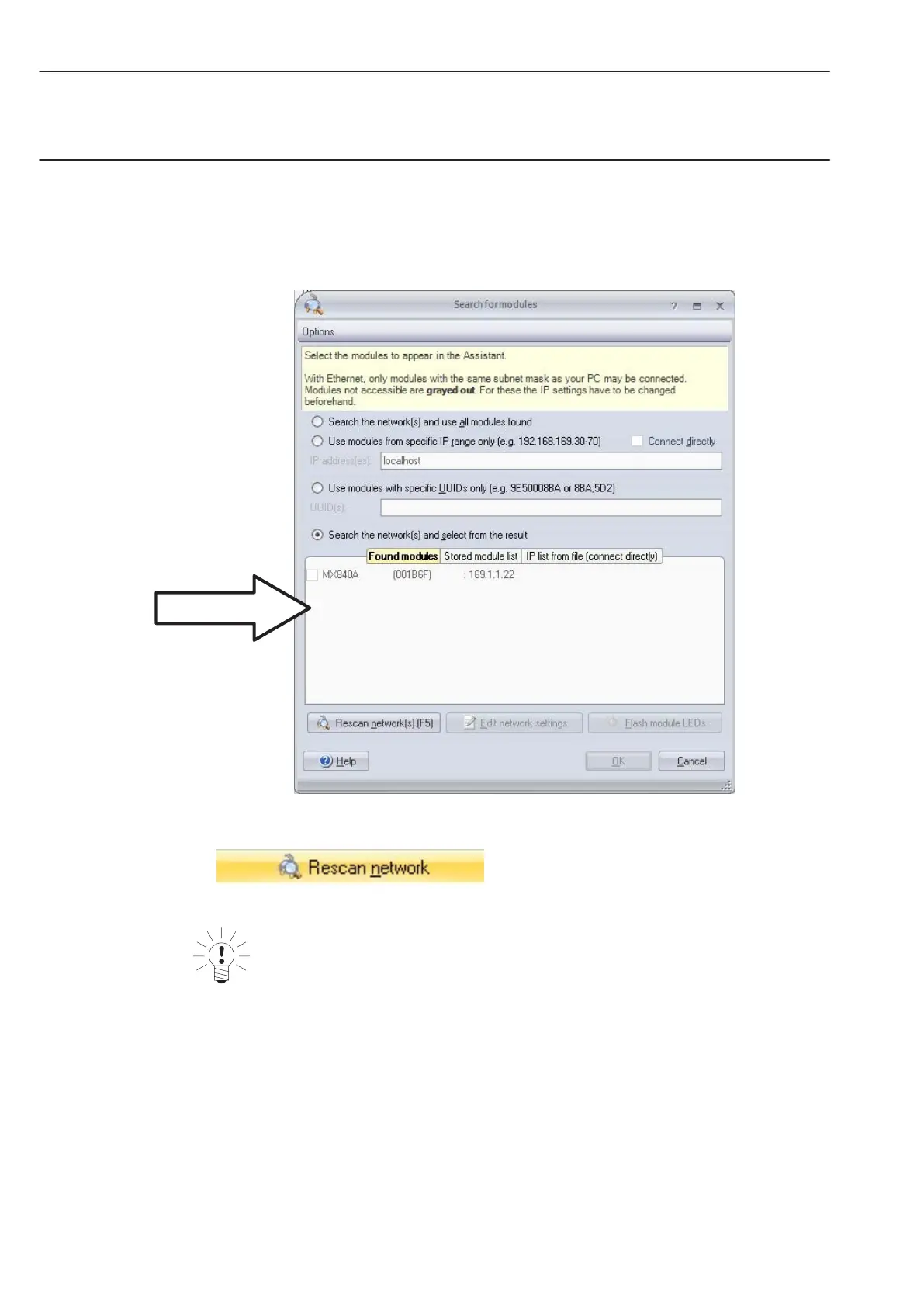
The next dialog window offers you the several options for network searching. For the first
startup we recommend:
• Search the whole network and select from the result (recommended setting)
Recommended
• If your modules are not yet displayed, click on the
button.
NOTE
The network connection can be influenced by:
w An activated WiFi connection on your PC: Switch this connection off and start the
network search again
w The use of a standard patch cable in a direct connection (peer-to-peer)
If the module you have selected appears in black in the list, immediate operation is possible.



 To Next Page