55Connection
HBMQuantumX
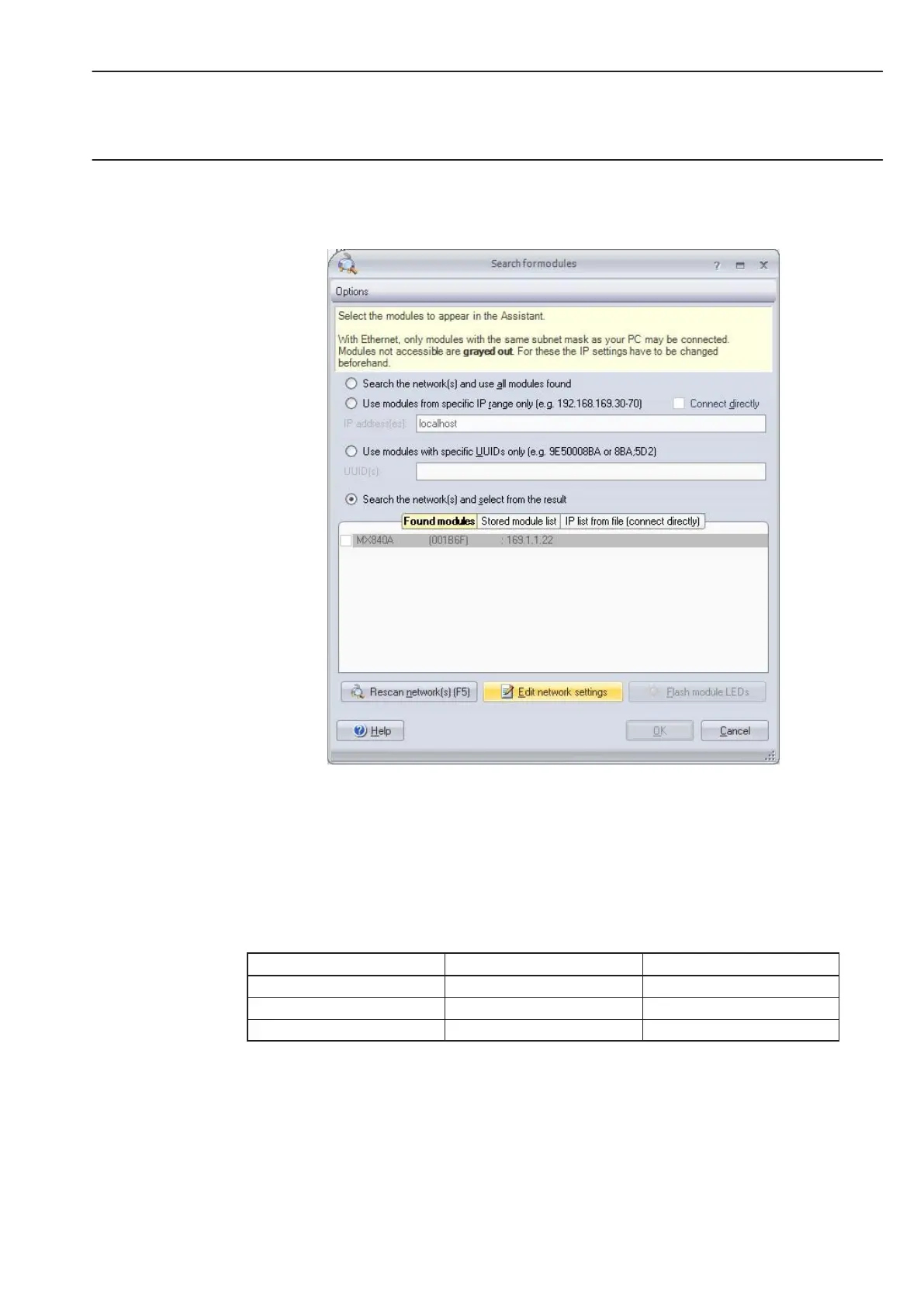
If the module appears gray in the list, mark it and click on the ”Edit network settings” button.
Check your settings and adjust if necessary as follows:
Adapt the IP address of the module:
• Activate DHCP/APIPA if you want automatic configuration. Please set any PC directly
connected to QuantumX to DHCP as well.
• Manual configuration: Deactivate DHCP and enter the same subnet mask address as
used with your PC. Change the IP address of your module so that it matches
communication (see example below)
Example: Manual IP setting − module side
Settings IP address Subnet mask
Module before 169.1.1.22 255.255.255.0
PC / Notebook 172.21.108.51 255.255.248.0
Module after 172.21.108.1 255.255.248.0
The first three digit groups of the PC and module IP addresses shall be the same.
The subnet mask address digit groups must be identical in the module and PC!



 To Next Page