59Connection
HBMQuantumX
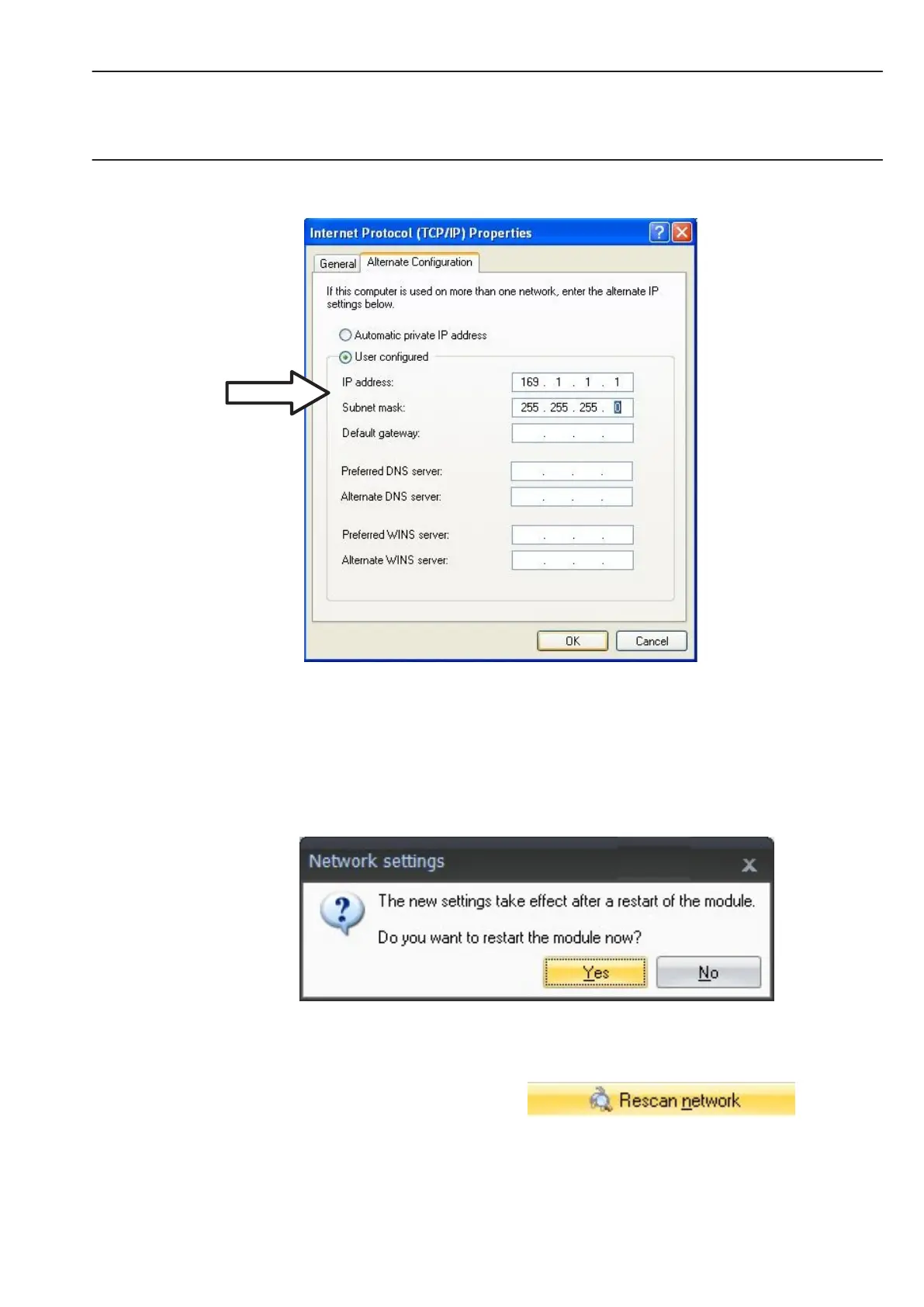
• Confirm twice with ”OK”.
In future, your computer will use the “Alternate Configuration” for the direct connection.
Integrating modules in an Ethernet Network
• Activate the checkbox DHCP and click on ”OK”, the following confirmation window then
appears:
• Confirm the settings with the ”Yes” button, the module is then restarted with the current
settings.
• After approx. 45 seconds click on the
button.



 To Next Page