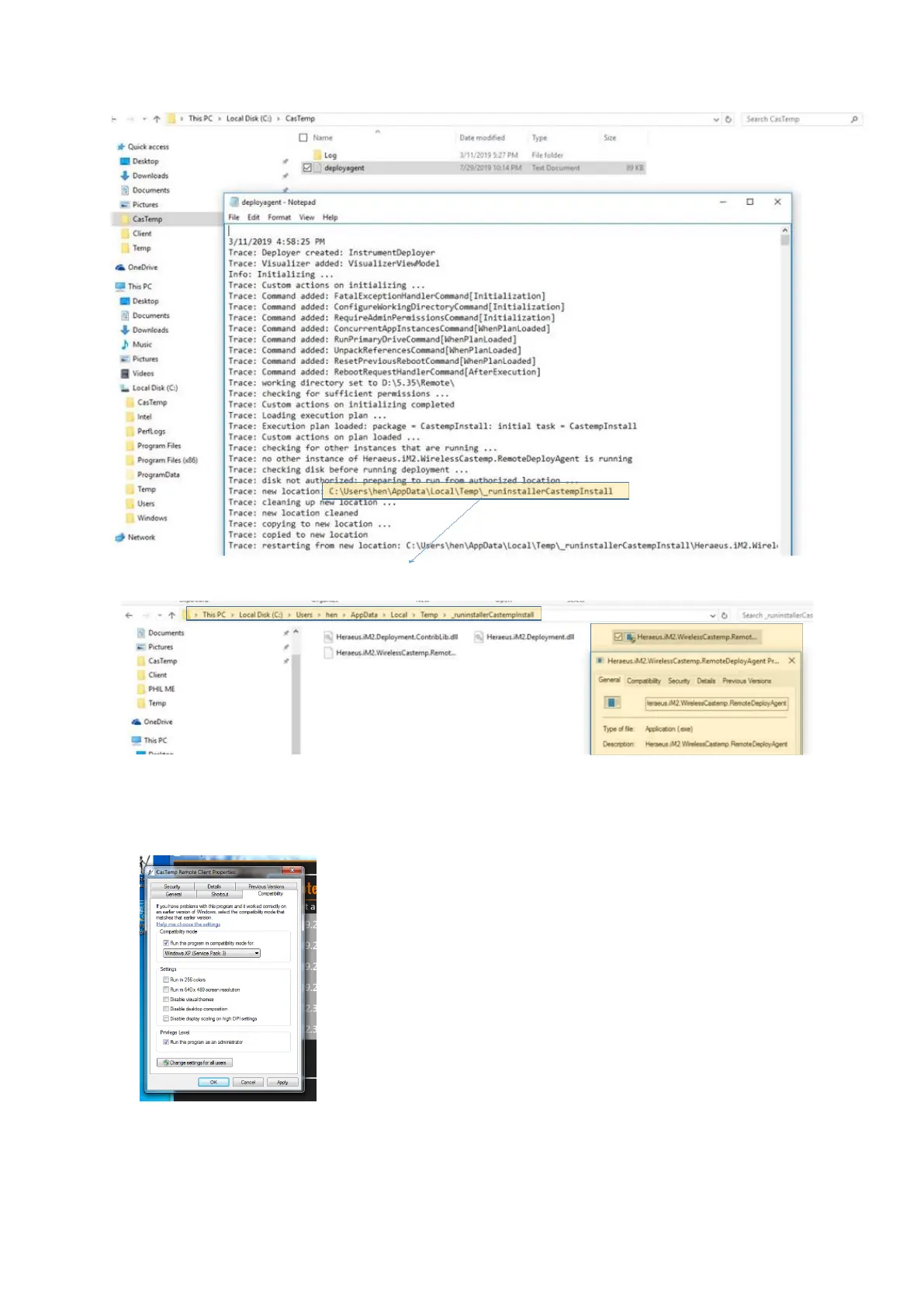
Identify the RemoteDeployAgent .exe file, and run it
• Open the Remote Client via the desktop shortcut. If the Remote Client doesn’t open, right
click and on “properties”-“compatibility”, check “run in compatibility mode” as shown, and “as
an administrator”
Network
Connect a PC and CTW instrument to the same network. Set the two devices to IP addresses in the
same domain. Follow section 5.2.7 LAN 1 & 2 parameters for the CTW instrument, and via the
Network Adapter menu in the Network and Sharing Center on the PC, normally found by navigating
through Control Panel in Windows.







 To Next Page