4.14 Calf Support Module
Chapter 4: Procedures
4 - 26 Affinity® Four Birthing Bed Service Manual (195826 REV 2)
4.14 Calf Support Module
Tools: T30 Torx® socket
REMOVAL
1. Set the brake.
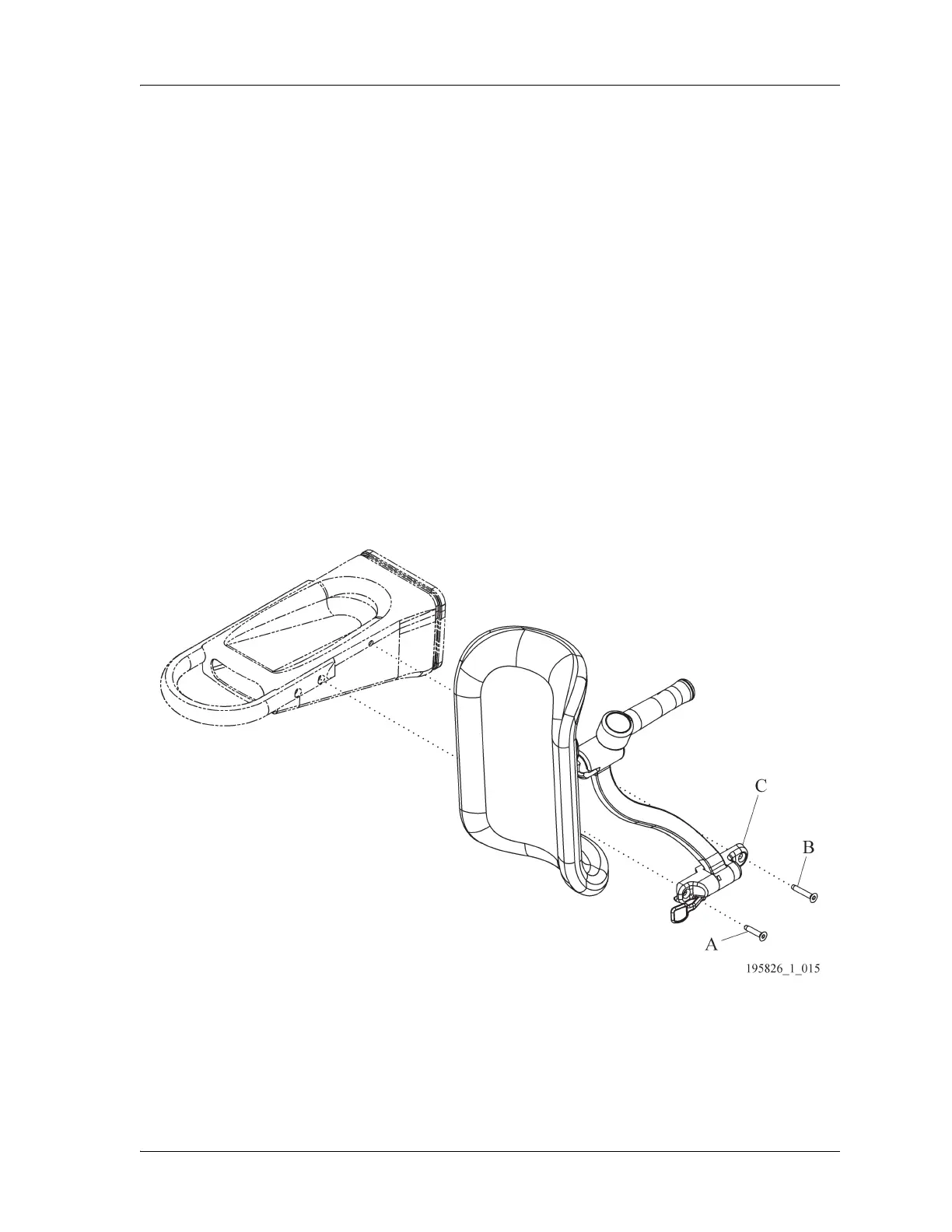
2. Remove the screws (A and B) from the calf support (C).
3. Remove the calf support (C) from the foot support module (D).
REPLACEMENT
1. Do the removal procedures in reverse order.
2. Do the “Function Checks” on page 2-5.
ADJUSTMENT
1. If the calf support does not lock correctly, order the Calf Support Kit (167970) and follow the
instructions (see “Calf Support Module” on page 5-19).
Figure 4-16. Calf Support Module














 To Next Page