Basic work
24
4990851_002_00 – 2082262 – 2022-01-10
6Basic work
6.1 Disconnecting the external power supply
1. Switch off the operating table using the switch at the head
end of the running gear.
2. Remove the plug of the mains power cable from the power
socket.
3. Remove the mains power cable plug from the connector
socket on the running gear.
4. Unplug the equipotential bonding conductor from the
operating table (not available in all countries).
6.2 Connecting the external power supply
1. Switch off the operating table using the switch at the head
end of the running gear.
2. Push the plug of the mains power cable into the connector
socket on the running gear.
3. Insert the plug of the mains power cable into an earthed
power socket.
4. Switch on the operating table using the switch at the running
gear.
6.3 Opening the column cover on the running gear
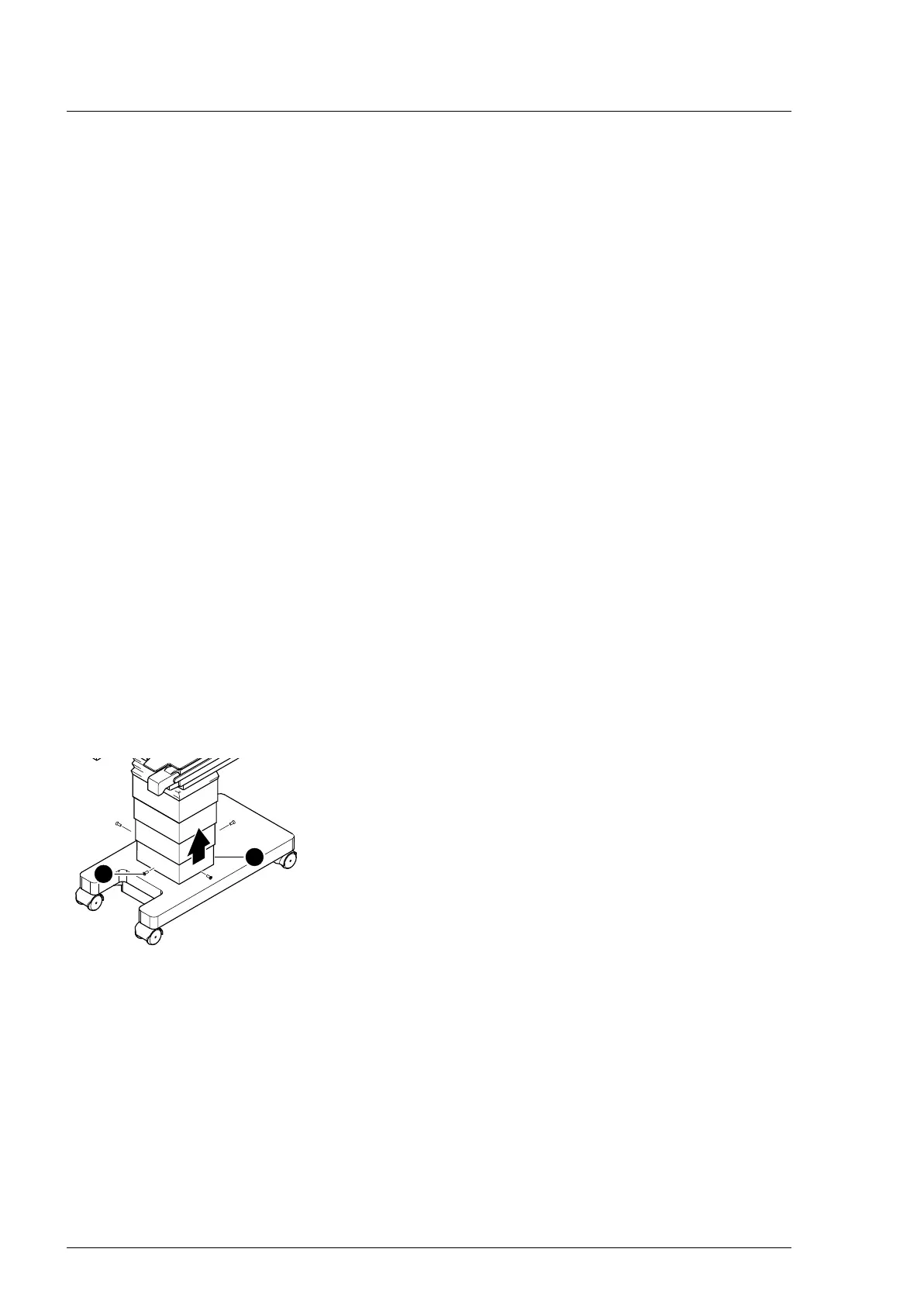
To obtain access to the internal components, remove the column
cover from the running gear, push it up and secure in place.
1. Prepare the operating table (Chapter 5).
2. Disconnect the power supply on the operating table
(Chapter 6.1).
3. Unscrew the lowest column cover [1] from the running gear (4
screws [2]).
4. Carefully slide the column cover upwards and fix it (e.g. with
lashing straps or cable ties).
6.4 Closing the column cover on the running gear
1. Check the seal of the column cover on the running gear and
replace if worn or damaged.
2. Release the fixing of the column cover and lower the column
cover onto the running gear.
Make sure that the seal on the running gear has not been
moved but the gap between the running gear and the casing
is tight.
3. Mount the lowest column cover on the running gear (4
screws).












 To Next Page