Column mechanical components
56
4990851_002_00 – 2082262 – 2022-01-10
9.4 Bellows
Removal 1. Prepare the operating table (Chapter 5).
2. Disconnect the power supply on the operating table
(Chapter 6.1).
3. Open the column top and guide the column cover
downwards (Chapter 6.5).
4. Remove the tabletop (Chapter 7.3).
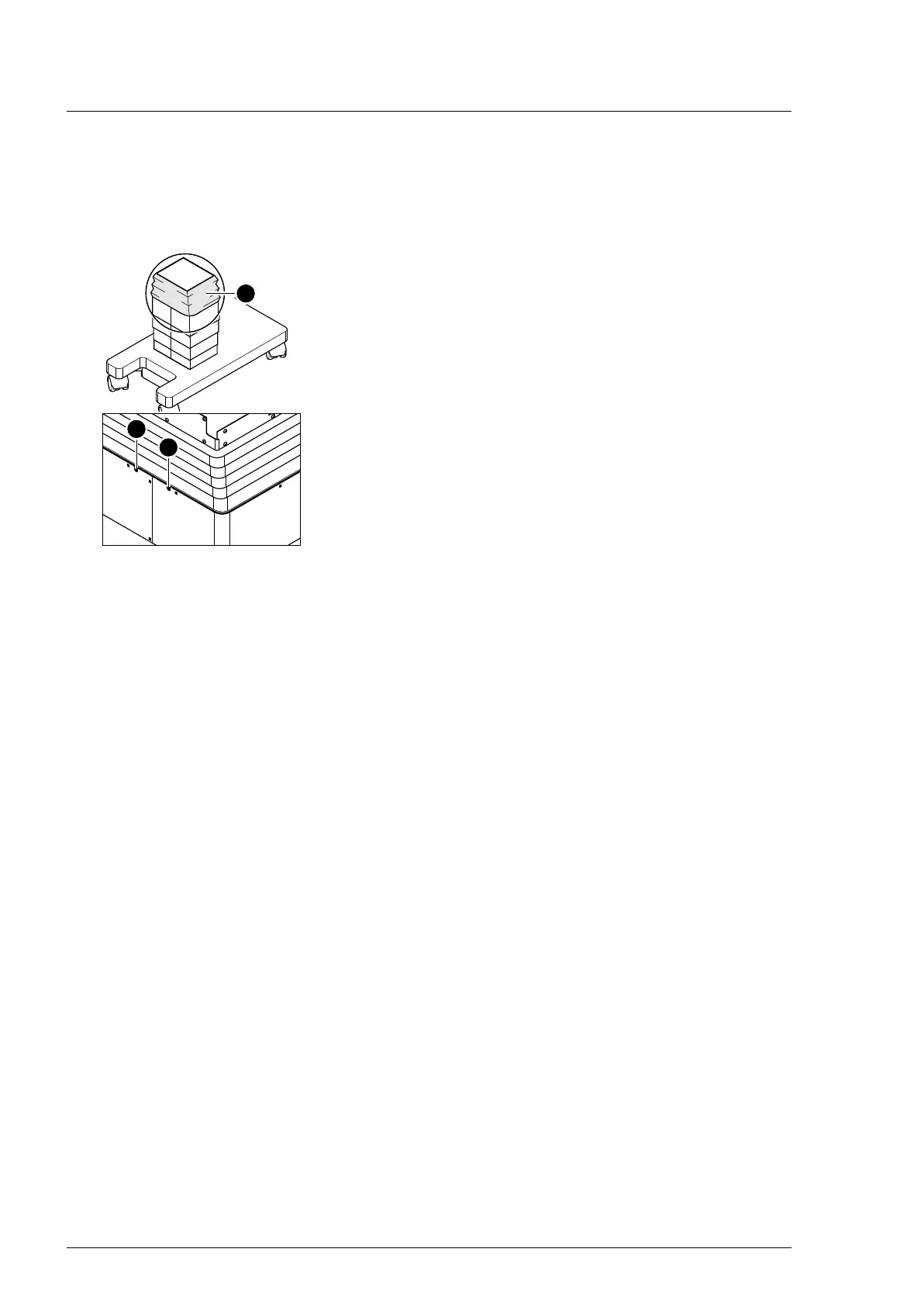
5. Release the bellows [1] from the guide column (both the inner
screws [2] below the bellows at the head and foot end).
6. Note the mounting position of the bellows. Pull the bellows [1]
along with the frame up from the column.
Assembly 1. Restore the bellows to their original mounting position. Pull
the bellows along with the frame onto the column.
2. Mount the lower frame of the bellows on both guide column
brackets at the head and foot end (2 screws each).
3. Mount the tabletop (Chapter 7.3).
4. Guide the column cover upwards and close (Chapter 6.6).
5. Put the pad in place.
6. Connect the power supply to the operating table
(Chapter 6.2).












 To Next Page