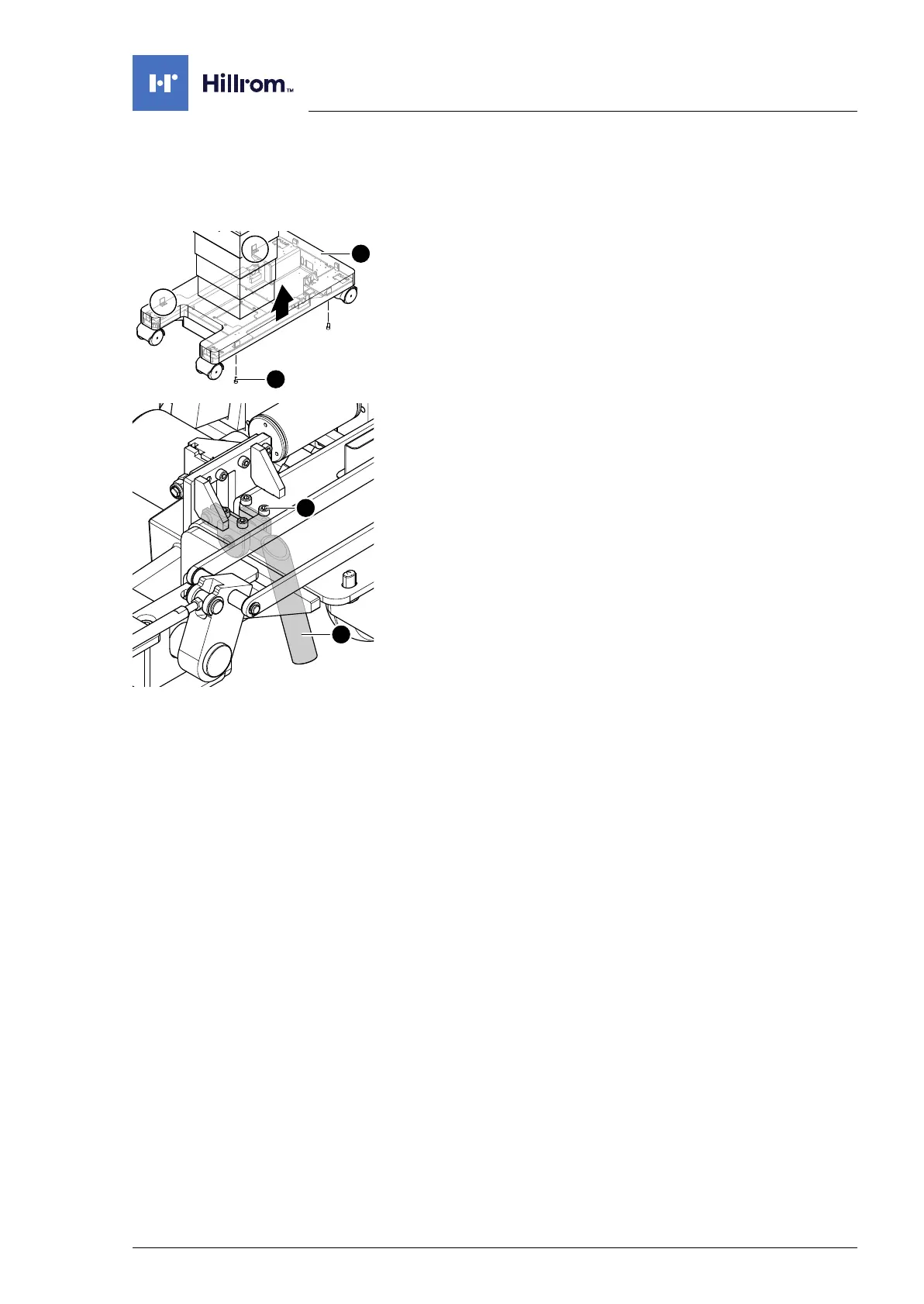
Running gear mechanical parts
4990851_002_00 – 2082262 – 2022-01-10 77
11.6 Emergency release lever
Removal 1. Prepare the operating table (Chapter 5).
2. Disconnect the power supply on the operating table
(Chapter 6.1).
3. Open the column cover on the running gear (Chapter 6.3).
4. Loosen the running gear metal cover [1] (4 screws [2]).
5. Push up the running gear metal cover [1] and fix in the upper
position.
6. Remove the emergency release lever [3] (4 screws [4]).
Assembly 1. Mount the emergency release lever (4 screws).
2. Mount the running gear metal cover on the running gear
(Chapter 11.2).
3. Guide the column cover downwards and close on the running
gear (Chapter 6.4).
4. Put the pad in place.
5. Connect the power supply to the operating table
(Chapter 6.2).












 To Next Page