Running gear mechanical parts
4990851_002_00 – 2082262 – 2022-01-10 73
11.2 Running gear metal cover
Removal 1. Prepare the operating table (Chapter 5).
2. Disconnect the power supply on the operating table
(Chapter 6.1).
3. Remove the column cover (Chapter 9.2).
4. Remove the tabletop (Chapter 7.3).
5. Remove the bellows (Chapter 9.4).
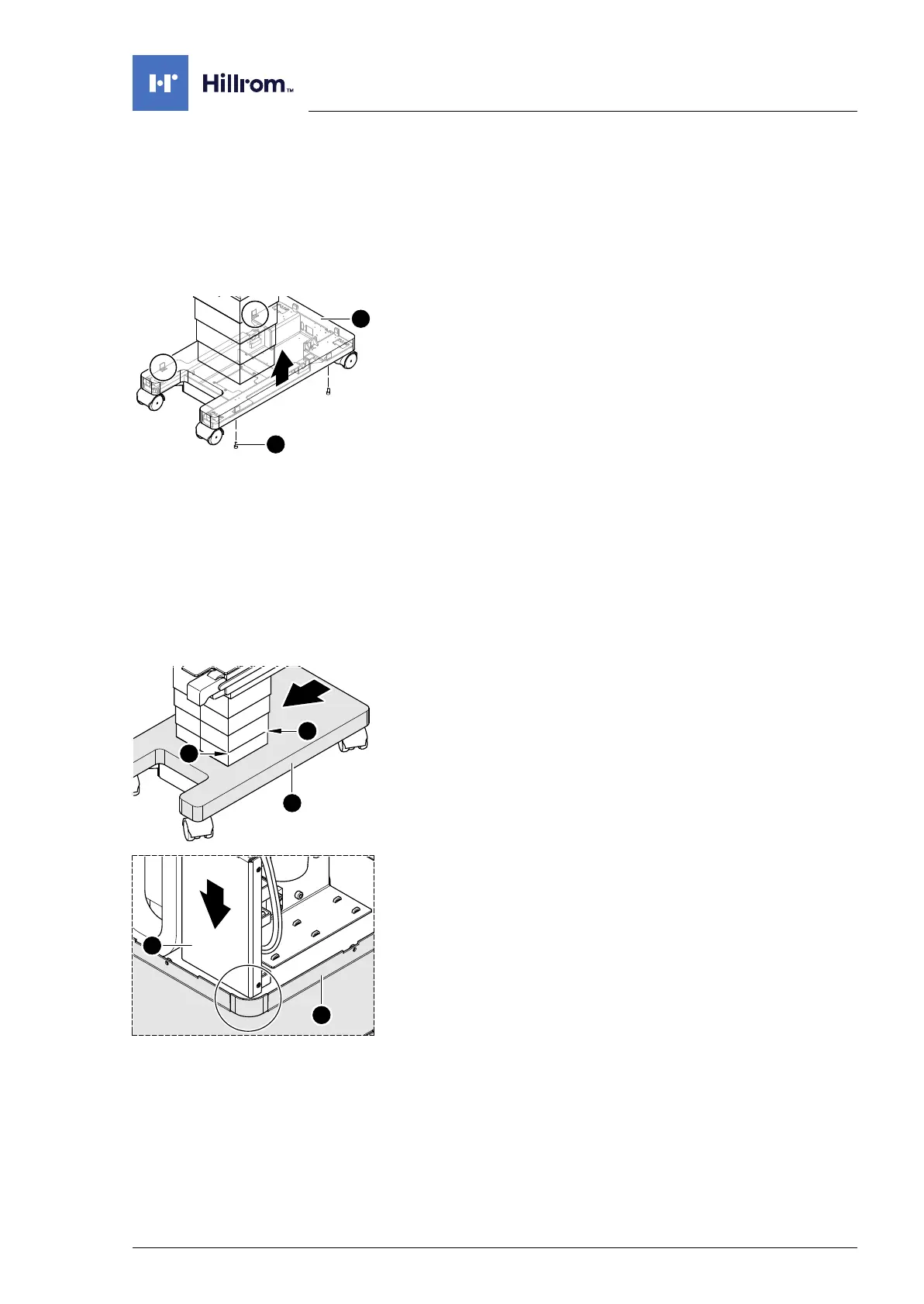
6. Loosen the running gear metal cover [1] (4 screws [2]).
7. Attach the running gear metal cover.
a) A second person is required for removing the running
gear metal cover.
b) Note the original mounting position of the running gear
metal cover. Pull the running gear metal cover [1] upwards.
Assembly 1. Remove the running gear metal cover.
a) A second person is required for mounting the running
gear metal cover.
b) Return the running gear metal cover to its original
mounting position. Place the metal cover running gear
onto the running gear above the column.
2. Mount the bellows (Chapter 9.4).
3. Mount the tabletop (Chapter 7.3).
4. Mount the column cover (Chapter 9.2).
5. From the head end, slide the running gear metal cover [1]
lengthwise along the running gear, so that the play [A]
between the lowest column cover and the one above it is the
same at the head and foot end.
6. Mount the metal cover running gear [1] on the running gear (4
screws).
7. Open the column cover on the running gear (Chapter 6.3).
8. Connect the power supply to the operating table
(Chapter 6.2).
9. Slowly move the tabletop down and check whether the Main
Controller Unit [3] moves safely past the running gear metal
cover [1] down into the running gear.
If necessary, move the running gear metal cover [1] again.
10. Guide the column cover downwards and close on the running
gear (Chapter 6.4).
11. Put the pad in place.












 To Next Page