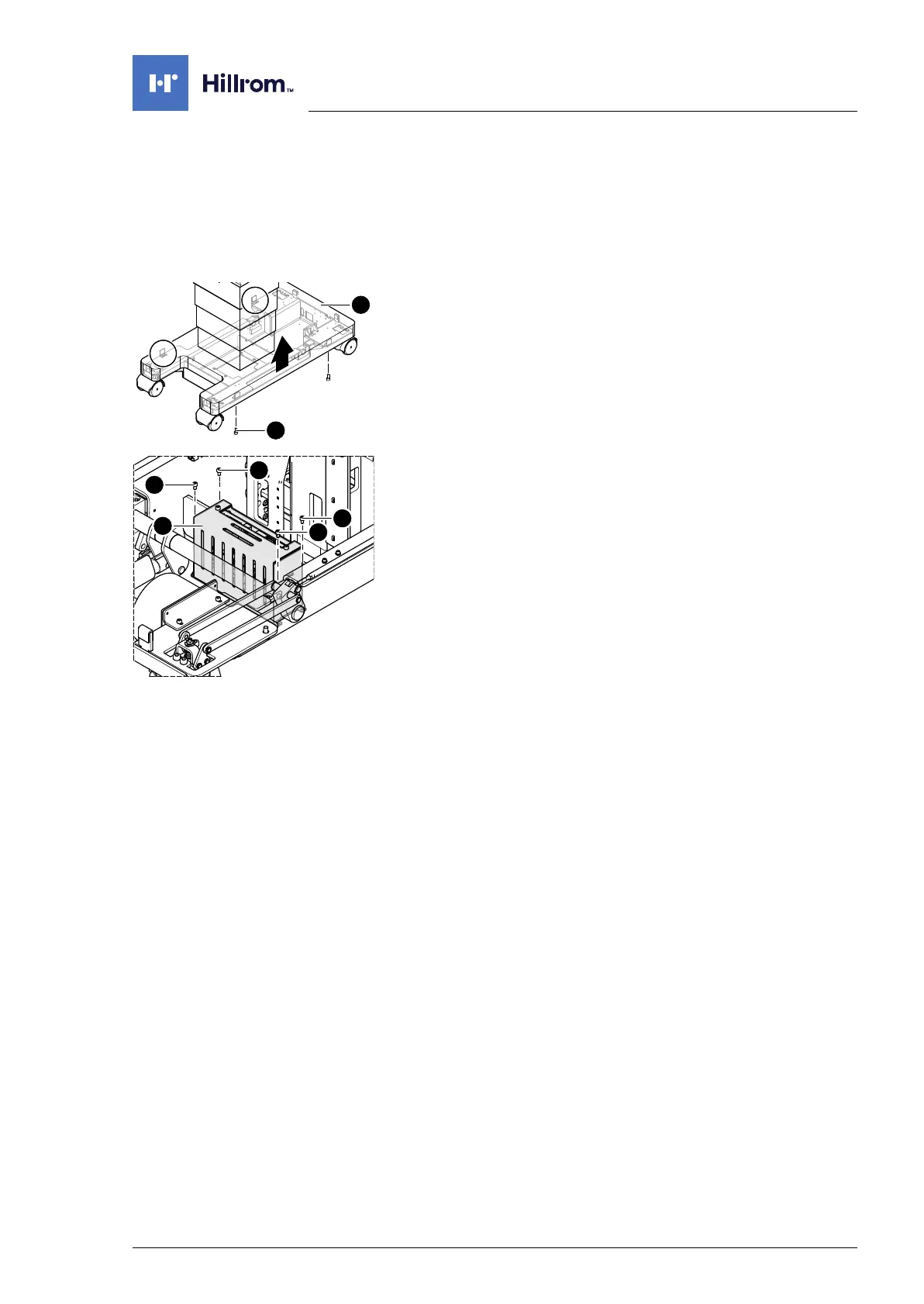
Running gear electric components
4990851_002_00 – 2082262 – 2022-01-10 83
12.4 Power supply unit
Attention: the power supply unit requires a serial number. Observe
Chapter 1.9 when replacing the power supply unit.
Removal 1. Prepare the operating table (Chapter 5).
2. Disconnect the power supply on the operating table
(Chapter 6.1).
3. Open the column cover on the running gear (Chapter 6.3).
4. Loosen the running gear metal cover [1] (4 screws [2]).
5. Push up the running gear metal cover [1] and fix in the upper
position.
6. Remove both fuses from the battery (Chapter 12.11).
7. Note the cable routing. Remove the cable fastenings for the
cables to the power supply unit [3] as required.
8. Note the cable routing. Pull out all plugs from the power
supply unit [3].
9. Remove the power supply unit [3] (4 screws [4]).
Assembly 1. Mount the power supply unit (4 screws).
2. Attention: Do not interchange the plug connections. Pay
attention to the wiring diagram on page 64.
Restore the original cable routing. Connect all plugs to the
power supply unit.
3. Restore the original cable routing. Fit any removed cable
fastenings to the cables of the power supply unit.
4. Insert both fuses from the battery (Chapter 12.11).
5. Mount the running gear metal cover on the running gear
(Chapter 11.2).
6. Guide the column cover downwards and close on the running
gear (Chapter 6.4).
7. Put the pad in place.
8. Connect the power supply to the operating table
(Chapter 6.2).
9. Update the firmware of the operating table.












 To Next Page