Tabletop electric components
4990851_002_00 – 2082262 – 2022-01-10 43
8.2 Drive unit for leg section
Attention: the drive unit requires a serial number. Observe
Chapter 1.9 when replacing the drive unit.
Removal 1. Prepare the operating table (Chapter 5).
2. Disconnect the power supply on the operating table
(Chapter 6.1).
3. Remove the pad plate from the seat section (Chapter 7.2).
Attention: Leave the pad plate on the back section attached
so that the adjustment of the struts is maintained.
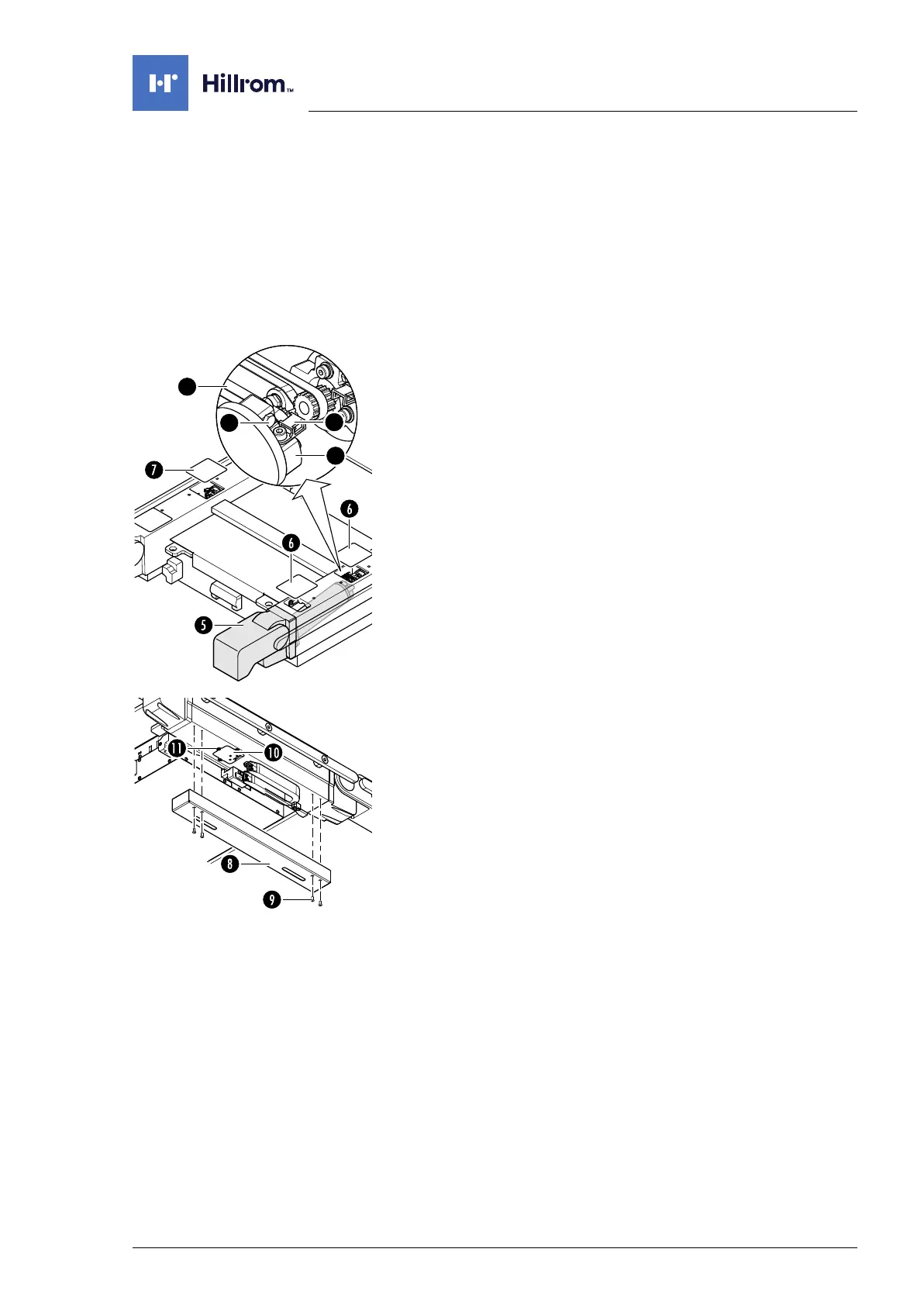
4. Remove the self-adhesive protective sheet [6] from the foot-
end and centre opening on the strut.
5. Pull the self-adhesive protective sheet [7] off the centre
opening of the opposing strut.
6. Release the tensioning device [4] for the belts on both leg
section drive units [5] (2 screws each).
7. Release the cable clip [2] on a drive unit [5] (1 screw).
8. Slightly loosen the tensioning screw [3] on the clamping
device [4]. Where necessary, ensure that the tensioning
screw on the other clamping device is also slightly loosened.
9. Note the mounting position of the cogged belt. Do not twist
the sprocket on the motor.
Disengage the cogged belt [1] from the drive unit [5].
10. Unscrew the cover [8] of the power chain (4 screws [9], do
not unscrew completely) and disengage.
11. Remove the cover [10] next to the power chain (3 screws [11]).
12. Note the cable routing. Disconnect the plug of the motor
power supply cable through the opening on the underside of
the strut.












 To Next Page