Basic work
4990851_002_00 – 2082262 – 2022-01-10 27
6.7 Turn over the operating table
Due to the high weight of the operating table, it must be tilted with
the help of a second person.
The operating tabletop should be placed onto a soft surface to
prevent scratches and other damage to the operating table.
Hillrom offers the tail wheel as a special auxiliary tool, which is to
be attached to the side rail before tilting. The operating table is
subsequently placed onto the tail wheels. Other materials may also
be used as an aid for depositing the operating tabletop, as
required.
1. Prepare the operating table (Chapter 5).
2. Disconnect the power supply on the operating table
(Chapter 6.1).
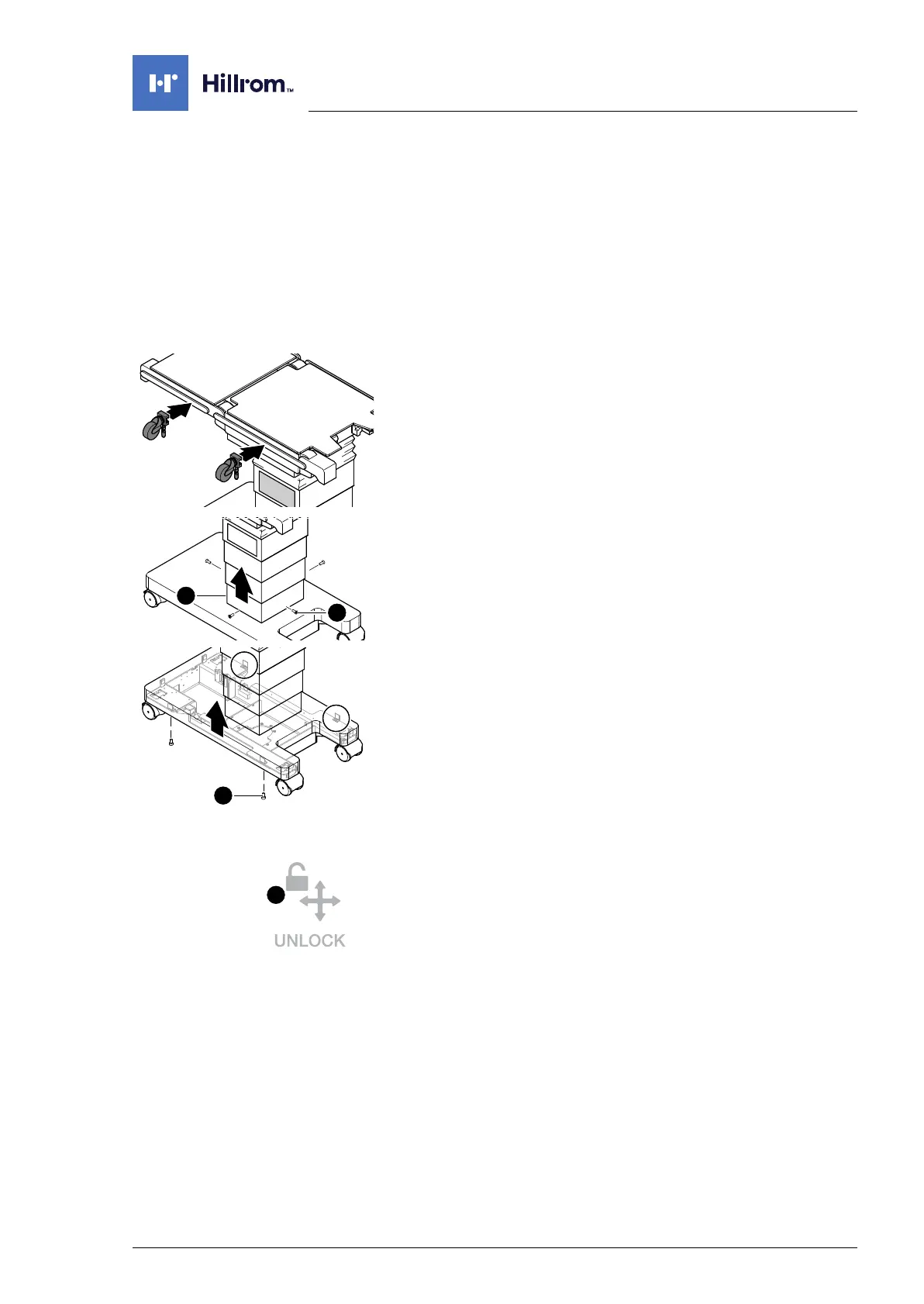
3. If the tail wheels (#1800121) are present, attach one tail wheel
each to the right side rail (operator side) of the seat section
and the back section.
4. Open the column cover on the running gear:
a) Unscrew the lowest column cover [1] from the running
gear (4 screws [2]).
b) Carefully slide the column cover upwards and fix it (e.g.
with lashing straps or cable ties).
5. Loosen the metal cover of the running gear from the running
gear (4 screws [3]), lift, and fix in the lifted position using
straps or similar means.
6. Switch on the operating table using the switch at the running
gear.
7. NOTICE! The extended retractable feet on the 4 wheels can
be broken by the great force exerted whilst moving. The
parking brake must not be activated when the operating
table is to be turned over.
Release the parking brake of the operating table using the
button [i46].
8. Switch off the operating table using the switch at the running
gear.












 To Next Page