9.2 Using a PC Card
144
9.2.2 Inserting and Removing the PC Card
• Trying to force the PC card upside down or to insert the wrong end
into the PC card slot, you can damage the PC card and/or this
device.
• When you are not using a PC card, keep the cover closed.
• While the PC card is in use, is displayed on the upper left of
this device. Do not remove the PC card from the device while this
mark is present. Doing so can damage the data on the PC card.
• When transporting this device, remove the PC card and close the
cover.
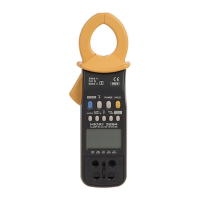
Removing the PC card
Press the eject button and pull out the PC card.
Inserting the PC card
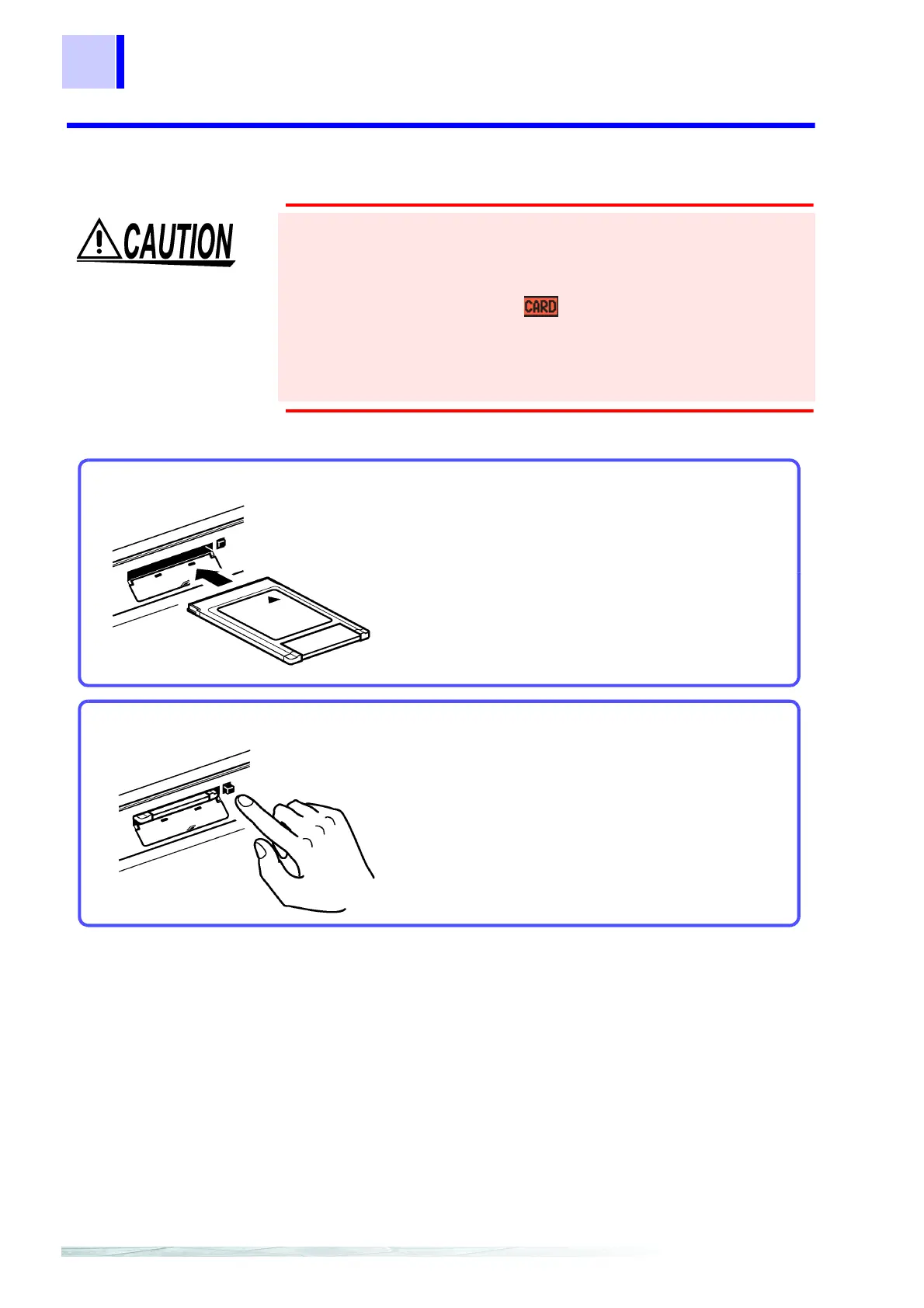
Open the cover and insert the PC Card with the
arrow facing up and in the direction of the PC card
slot, as far as it will go.



 To Next Page