11.3 HTTP Server Function
175
11.3.2Setting the HTTP Server Function
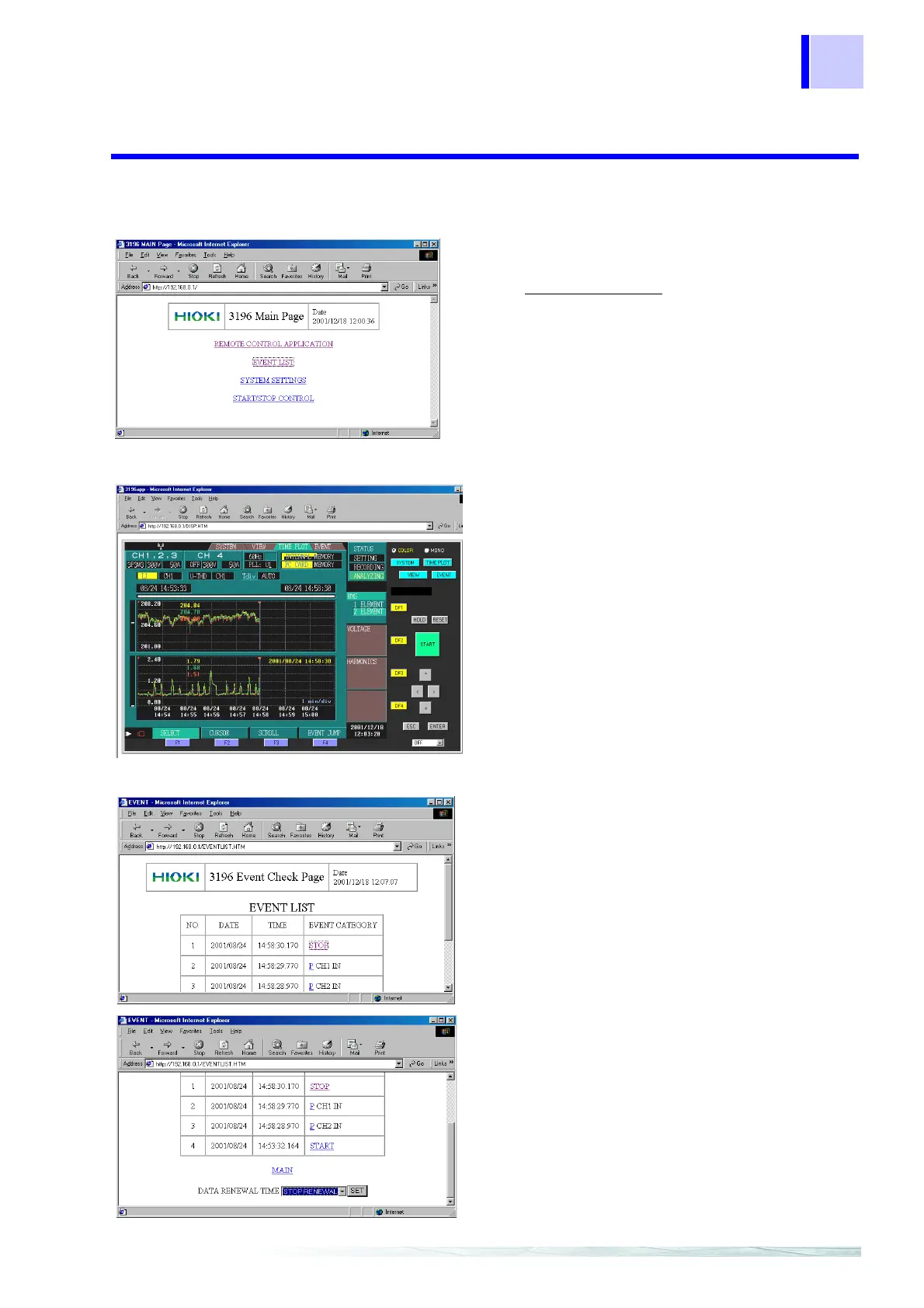
Main Page
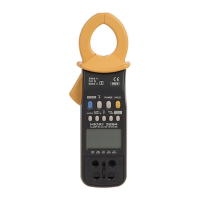
Remote Control Application Screen
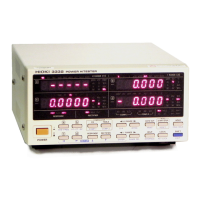
Event List Screen
Start up Internet Explorer, and enter the IP
address that you set for the instrument (exam
ple: http://192.168.0.1/) in the address column
then press the Enter key.
When a normal connection is established, th
Main page for the instrument’s HTTP serve
function opens.
To shift between the various screens, click th
mouse as you would on a normal homepage.
The screen displayed on the Internet browser is
the same as the screen displayed on the instru
ment with the same key placement as the fron
panel.
You can control the operation of the instrumen
by clicking each key.
Select [MONO/COLOR], then select a screen
update rate from OFF, 2 sec, 10 sec, and 1
min.
When the remote control application starts
[MONO] (displays keys only) is set as the
default, but you should change this to [COLOR
before using the application.
The screen displays a list of the events cur
rently recorded in this device’s internal memory
Click an event category to display the even
details screen (detailed information for the tim
the event occurred).
On the event list screen, you can select a dis
play update interval (STOP RENEWAL, 5 SEC
10 SEC, 30 SEC, 1 MIN, 15 MIN, 30 MIN, o
1H).



 To Next Page