157
Figure 7- 29 Date and Time Setup Menu
Please refer to the following sheet for detailed information.
Parameter Function
Channel
Please select a channel first.
Pre-record
Please input pre-record value here.
System can record the three to five seconds video before
activating the record operation into the file. (Depends on data
size).
Setup
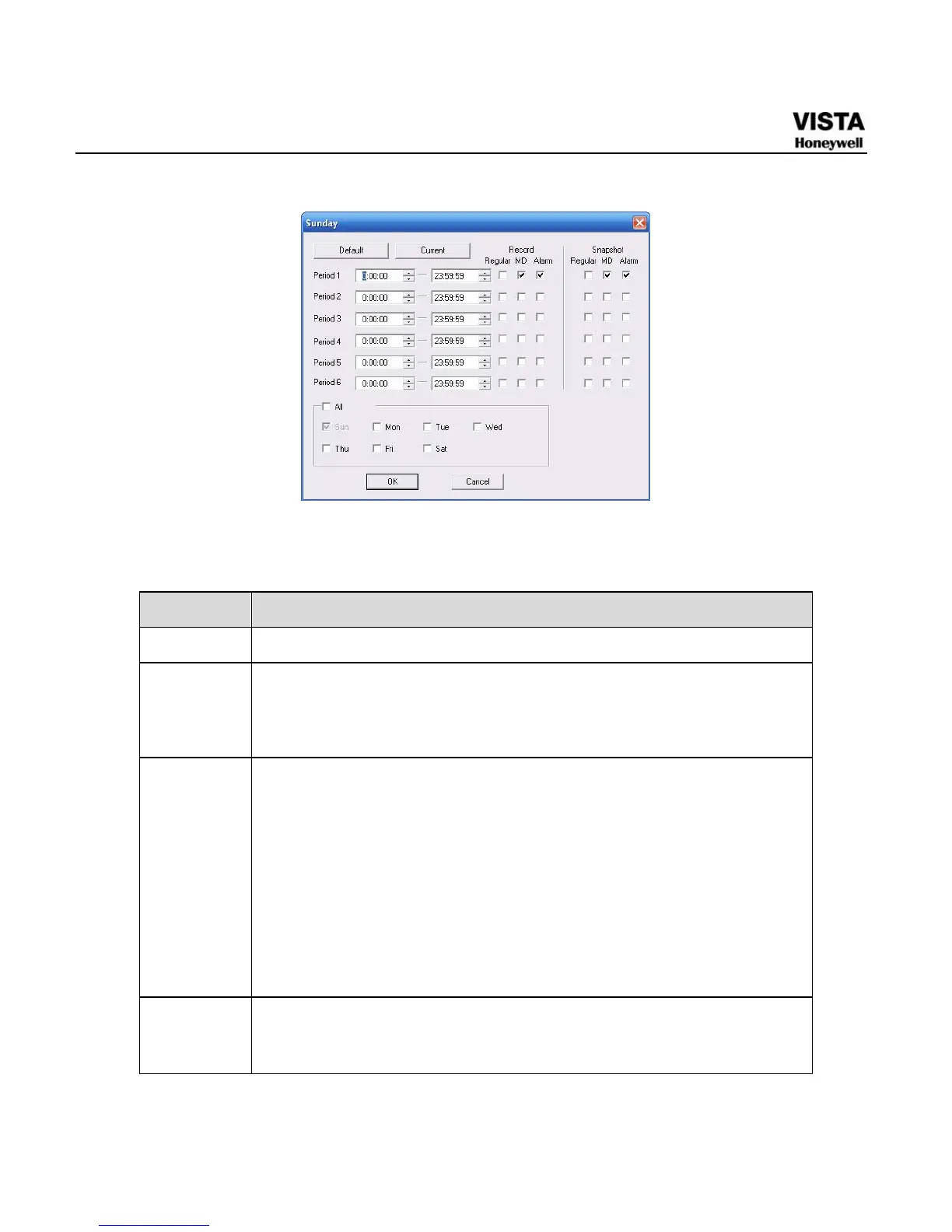
In X458H458H458HFigure 7-29X, click set button, you can go to the corresponding
setup interface.
Please set schedule period and then select corresponding record
or snapshot type: schedule/snapshot, motion detection/snapshot,
and alarm/snapshot.
Please select date (Current setup applies to current day by default.
You can draw a circle before the week to apply the setup to the
whole week.)
After complete setup, please go back to X459H459H459HFigure 7-29X and then click
save to save current time period setup.
Copy It is a shortcut menu button. You can copy current channel setup to
one or more (all) channels. The interface is shown as in
X460H460H460HFigure
7-28
X.


 To Next Page
 Loading...





