171
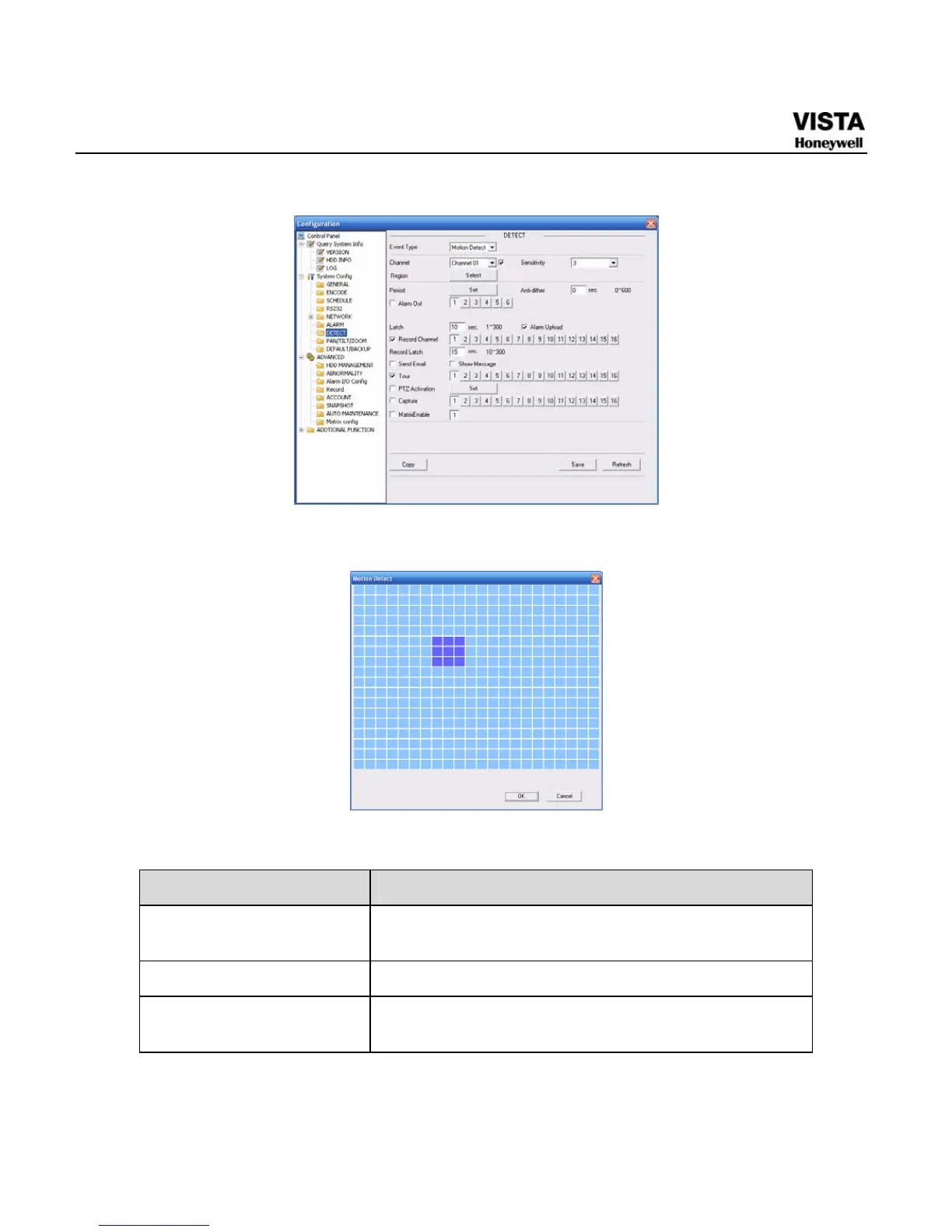
Figure 7- 41 The Detection Setup Menu
Figure 7- 42 The Detection Zone Setup
Please refer to the following sheet for detailed information.
Parameter Function
Event Type There are three types: Motion detection/video
loss/Camera Masking.
Channel Select channel name from the dropdown list.
Enable You need to draw a circle to enable motion detection
function.


 To Next Page
 Loading...





