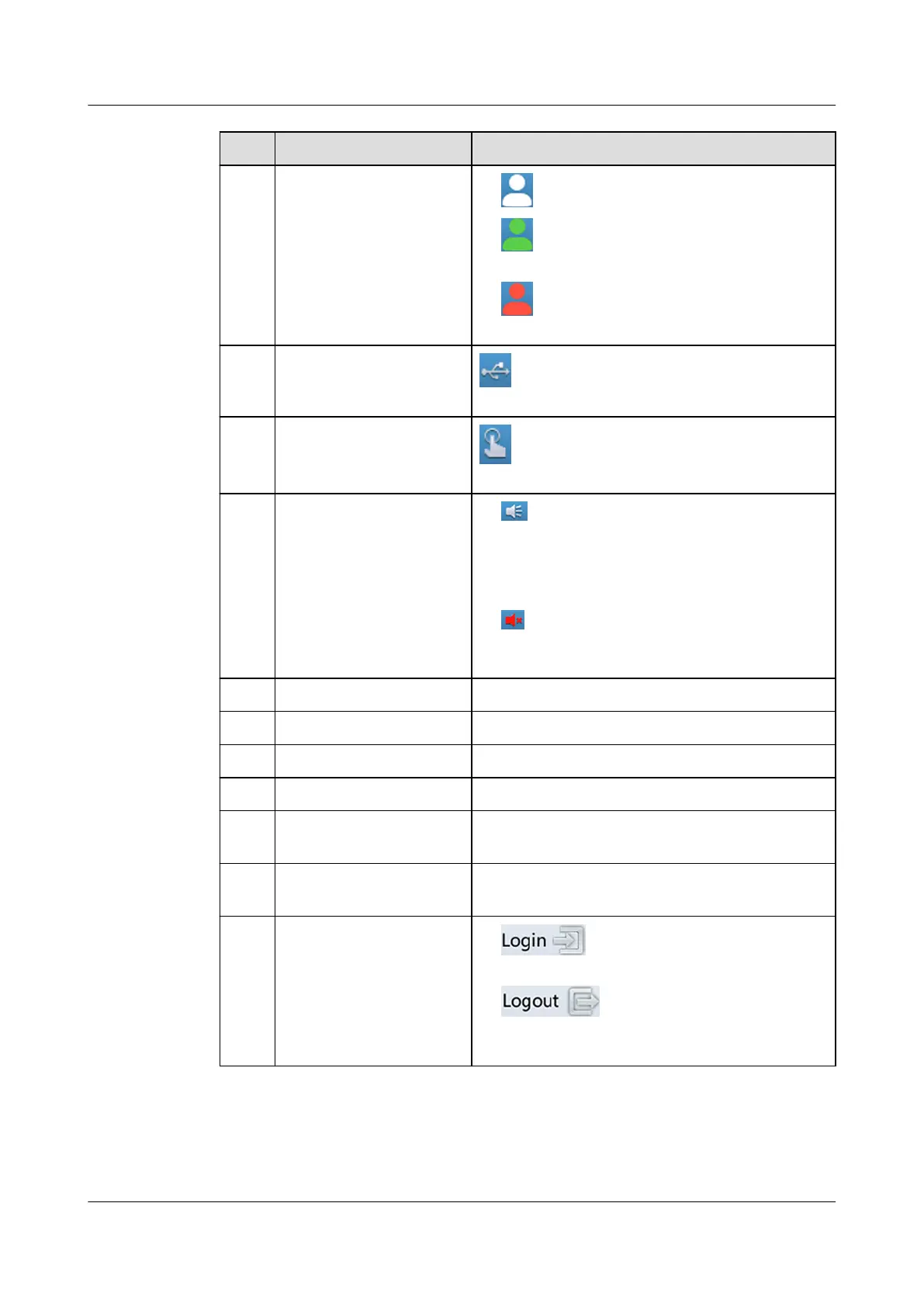
No. Item Note
1 Permission status
● indicates that you have not logged in.
● indicates that you have logged in as
an operator user.
● indicates that you have logged in as
an admin user.
2 USB connection status
indicates that a USB ash drive is
connected to the USB port.
3 Diagnostic mode status
indicates that the system is in diagnostic
mode.
4 Buzzer status
● indicates that the buzzer is enabled.
After the buzzer is enabled, tap anywhere
on the screen to mute the buzzer. If a new
alarm is generated after the buzzer is
muted, the buzzer buzzes.
● indicates that the buzzer is disabled.
After the buzzer is disabled, it does not
buzz when an alarm is generated.
5 Critical alarms Indicates the number of active critical alarms.
6 Major alarms Indicates the number of active major alarms.
7 Minor alarms Indicates the number of active minor alarms.
8 Warnings Indicates the number of active warnings.
9 Status bar You can tap the status bar to change the icon
status.
10 Alarm bar You can tap the alarm bar to enter the active
alarm screen to view all active alarms.
11 Login/Logout button
● indicates that you have not
logged in. You can tap this icon to log in.
● indicates that you have
logged in as an admin or operator user. You
can tap this icon to log out.
NetCol8000-A(045, 055, 060, 090, 120) In-room Air
Cooled Smart Cooling Product
User Manual 6 Power-On Commissioning
Issue 05 (2020-10-10) Copyright © Huawei Technologies Co., Ltd. 178







 To Next Page