Step 4 Use two M8x80 stainless steel expansion bolts to secure each of the four legs of
the outdoor unit to the concrete platform or base.
----End
4.5.3.2 Horizontal Installation Scenario (NetCol500-A110)
Context
When installing the outdoor unit, fully tighten the six stainless steel fastening
bolts that secure each support leg to the ground.
Procedure
Step 1 Place the outdoor unit horizontally and keep the fan upwards.
Step 2 Use six M8x80 stainless steel expansion bolts to secure the outdoor unit to the
ground or concrete platform.
----End
4.5.3.3 Vertical Installation Scenario (NetCol500-A060/NetCol500-A080)
When the outdoor unit is vertically installed, it can be directly secured to the
ground or installed on a base.
The NetCol500-A080 is used as an example. For details about NetCol500-A060
operations, refer to this section.
Securing an Outdoor Unit to the Ground
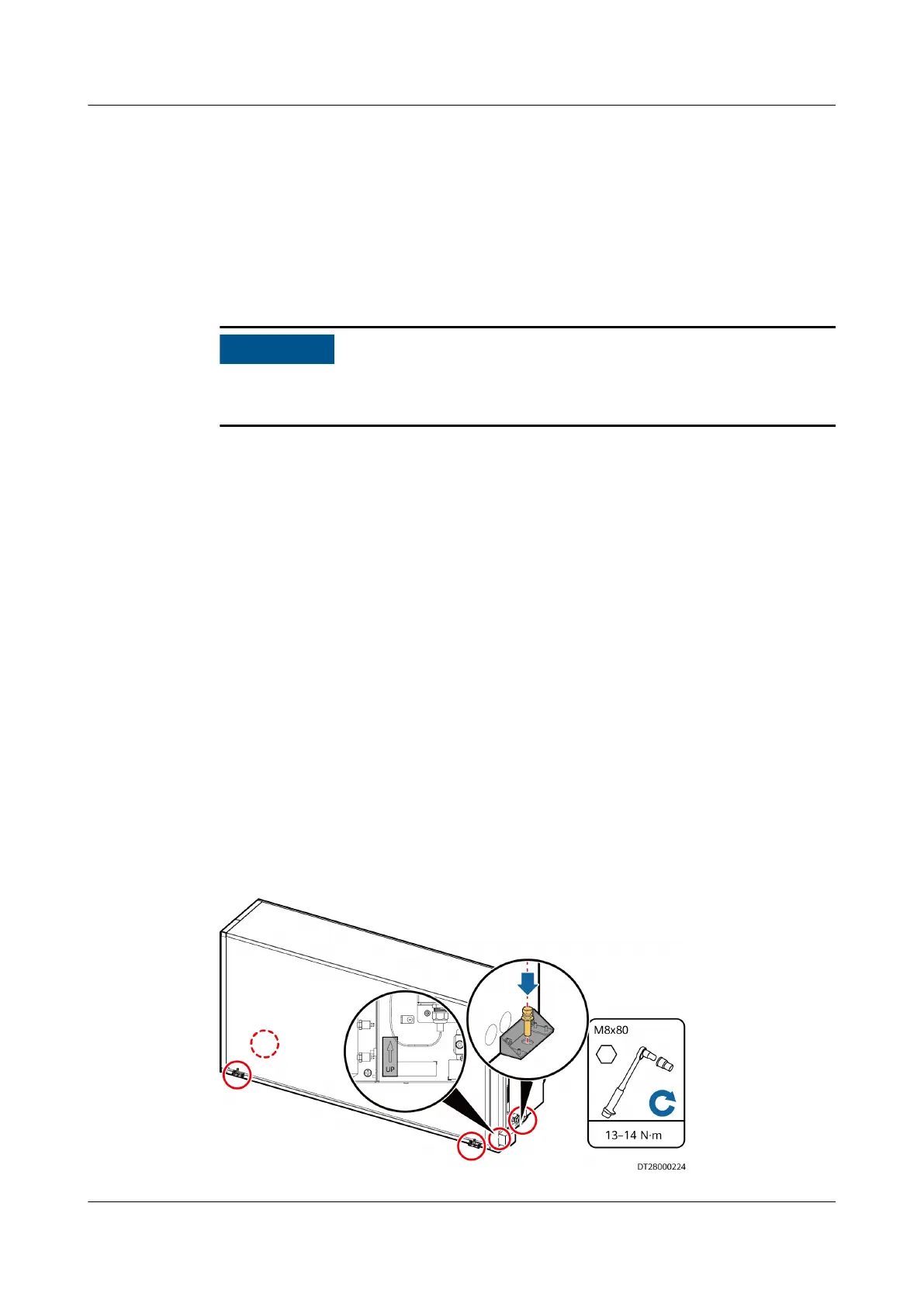
Step 1 Secure an outdoor unit to the ground through the four corner
ttings by using
four M8x80 stainless steel expansion bolts on the side panel.
Figure 4-40 Securing an outdoor unit to the ground
NetCol8000-A(045, 055, 060, 090, 120) In-room Air
Cooled Smart Cooling Product
User Manual 4 System Installation
Issue 05 (2020-10-10) Copyright © Huawei Technologies Co., Ltd. 85







 To Next Page