9 Troubleshooting
● Certain circuits in the smart cooling product have lethal voltages. Only
professional technicians are allowed to perform maintenance.
● Exercise caution during live-line troubleshooting.
● If jumpers are used for troubleshooting, remove them after troubleshooting.
Connected jumpers may
aect control functions and damage equipment.
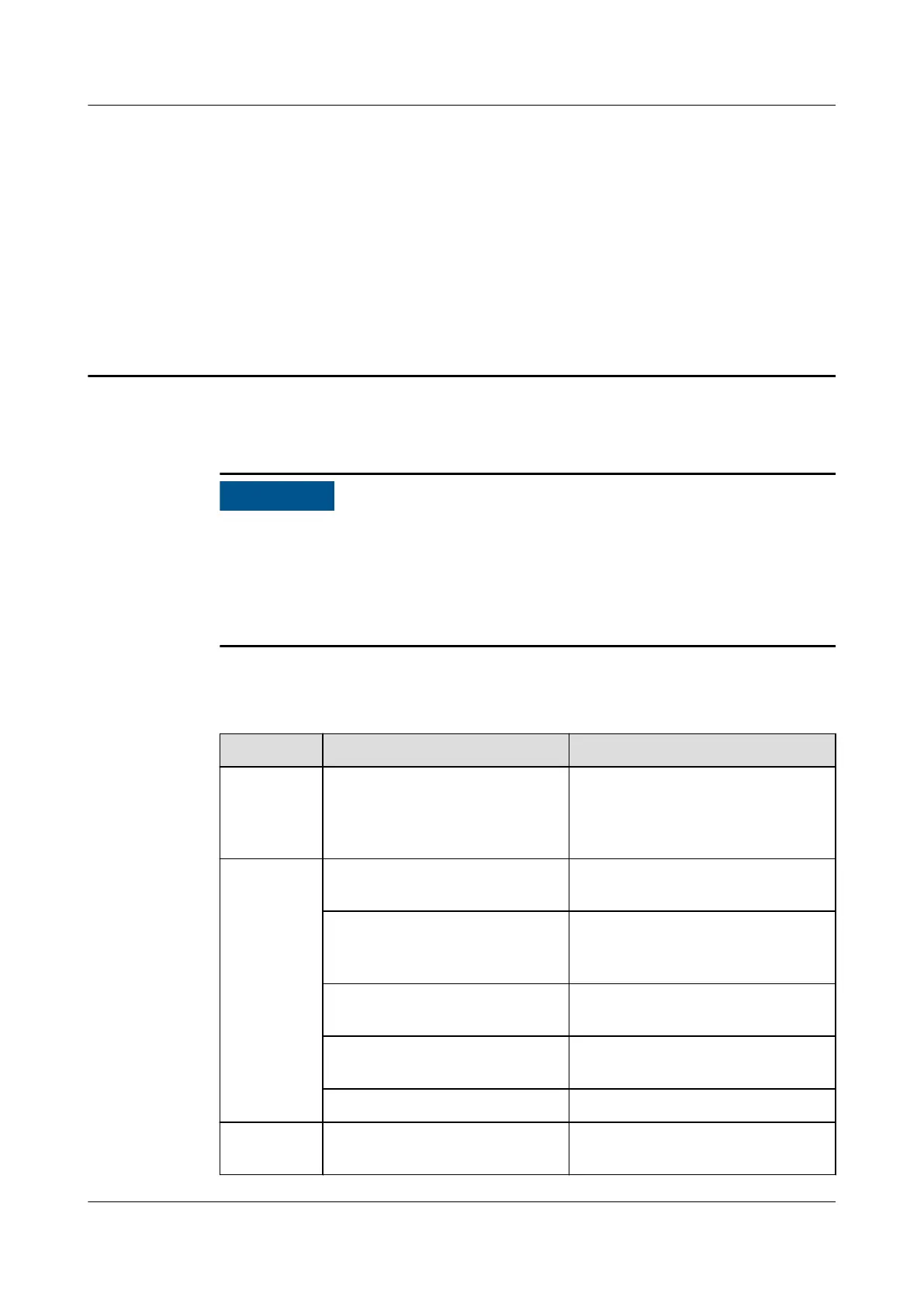
Table 9-1 describes how to troubleshoot the NetCol8000-A.
Table 9-1 Troubleshooting
Symptom
Possible Cause Solution
The unit
generates
abnormal
voice.
Compressor, fans, or pipes are
loose.
Check the xing structure and
ensure that all components are
securely installed.
A
compressor
does not
work.
The high-pressure switch
reacts.
Check the high-pressure switch
status.
Circuit breakers, fuses, or
cables are disconnected.
Check the main circuit breaker,
compressor circuit breakers,
fuses, and cables.
A compressor motor is
damaged.
Replace the motor.
A compressor does not need
to start.
Check the requirement status on
the display module.
The drive is faulty. Replace the drive.
The
compressor
The refrigerant loop or a
component is blocked.
Clean the blockage in the
refrigerant loop.
NetCol8000-A(045, 055, 060, 090, 120) In-room Air
Cooled Smart Cooling Product
User Manual 9 Troubleshooting
Issue 05 (2020-10-10) Copyright © Huawei Technologies Co., Ltd. 216







 To Next Page